Custom software · Retail store software

Retail software development for store operations and multi-store back offices

Spatial Map is browser-based indoor mapping and 3D digital twin software; it shows a store’s stock, exits and departments on a live floor plan but does not run store operations. Our team covers that side with retail software development as a client project: apps for receiving, replenishment and RFID stock counts, loss-prevention dashboards, and one back office across all your stores.

Spatial Map: no credit card for the trial, runs in the browser, Pro is $60/month for up to 4 facilities. Explore the live demo

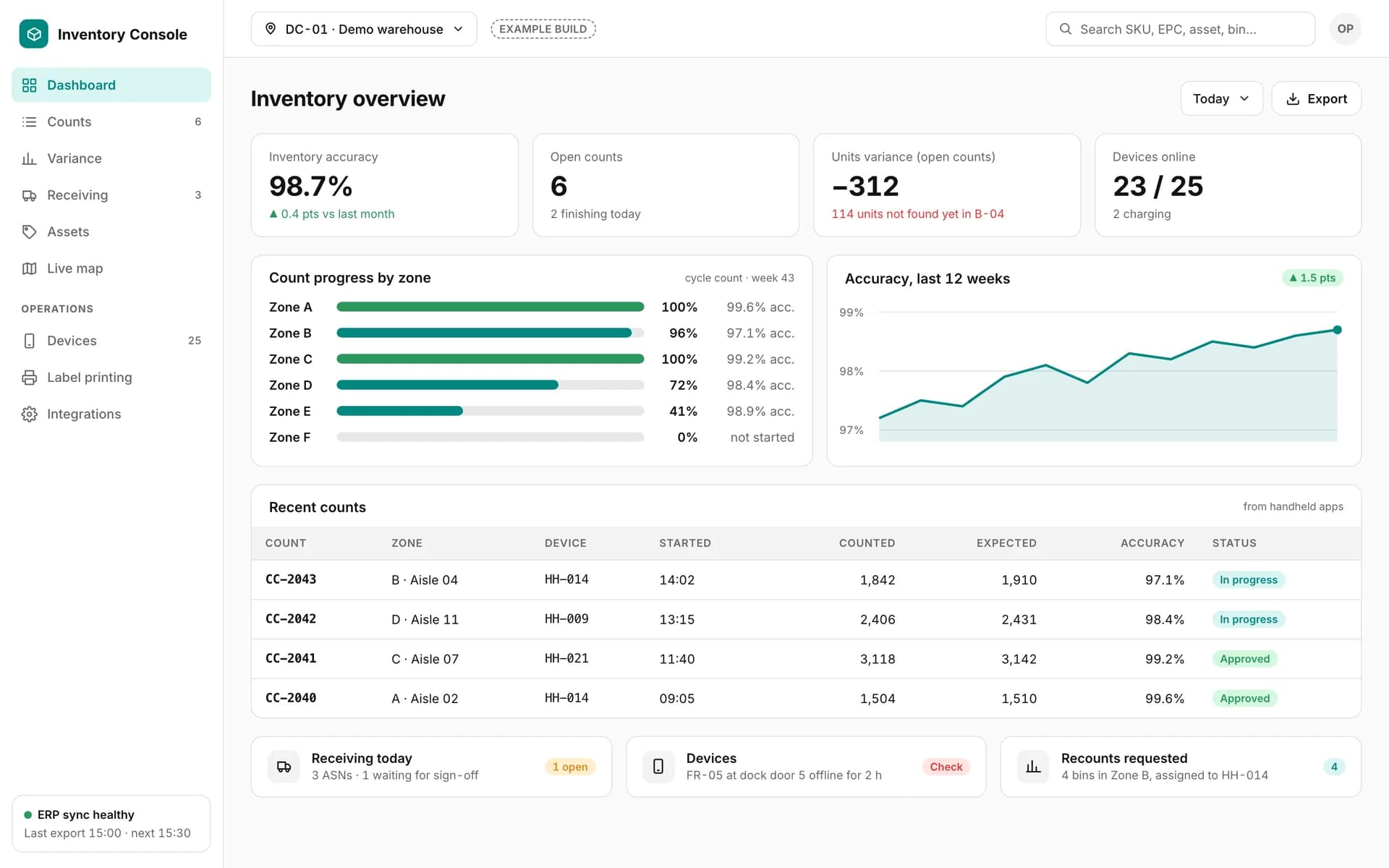
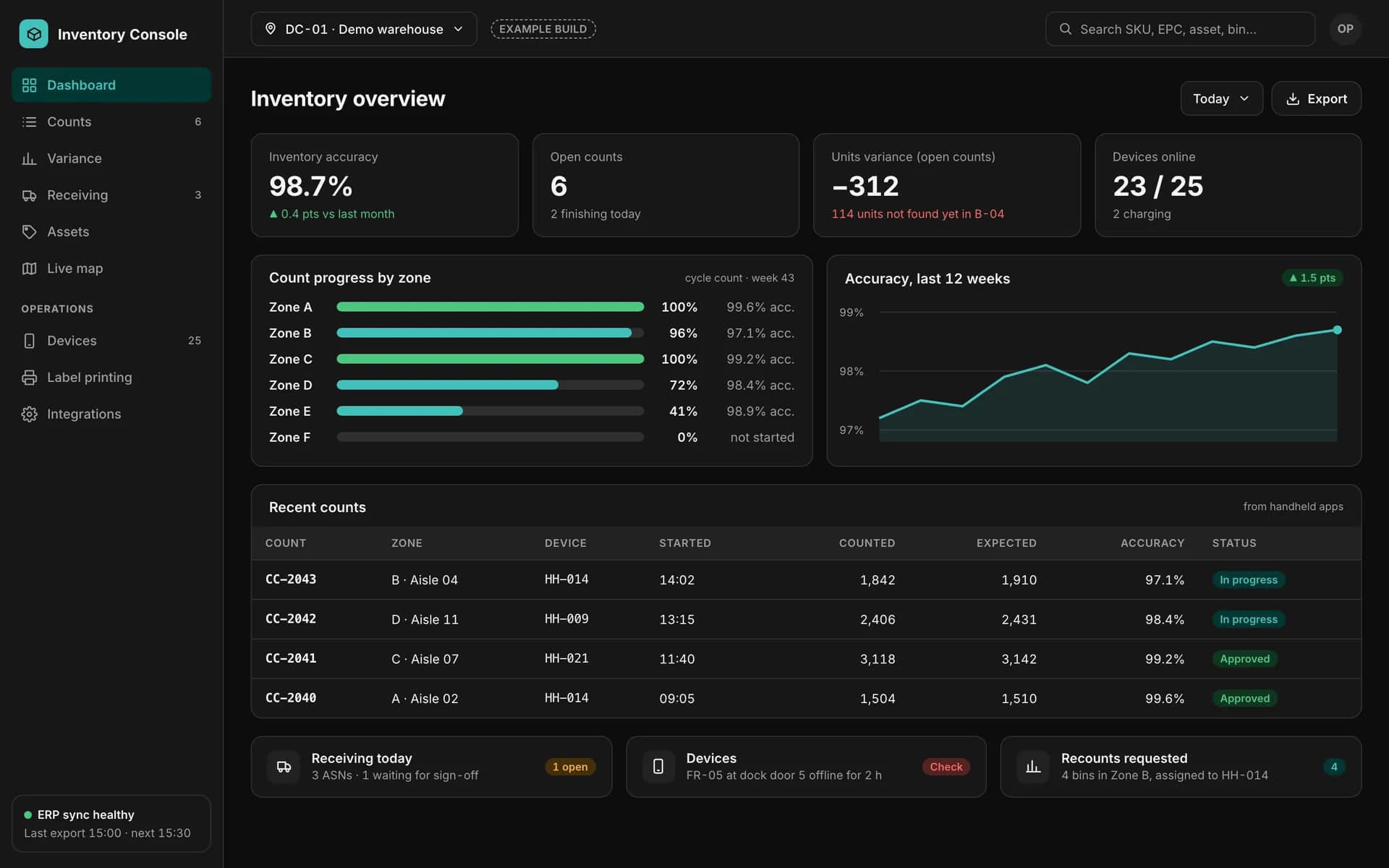
Example inventory back office: accuracy, open counts, variance and devices online, count progress by zone, a 12-week accuracy trend and recent counts from handhelds.
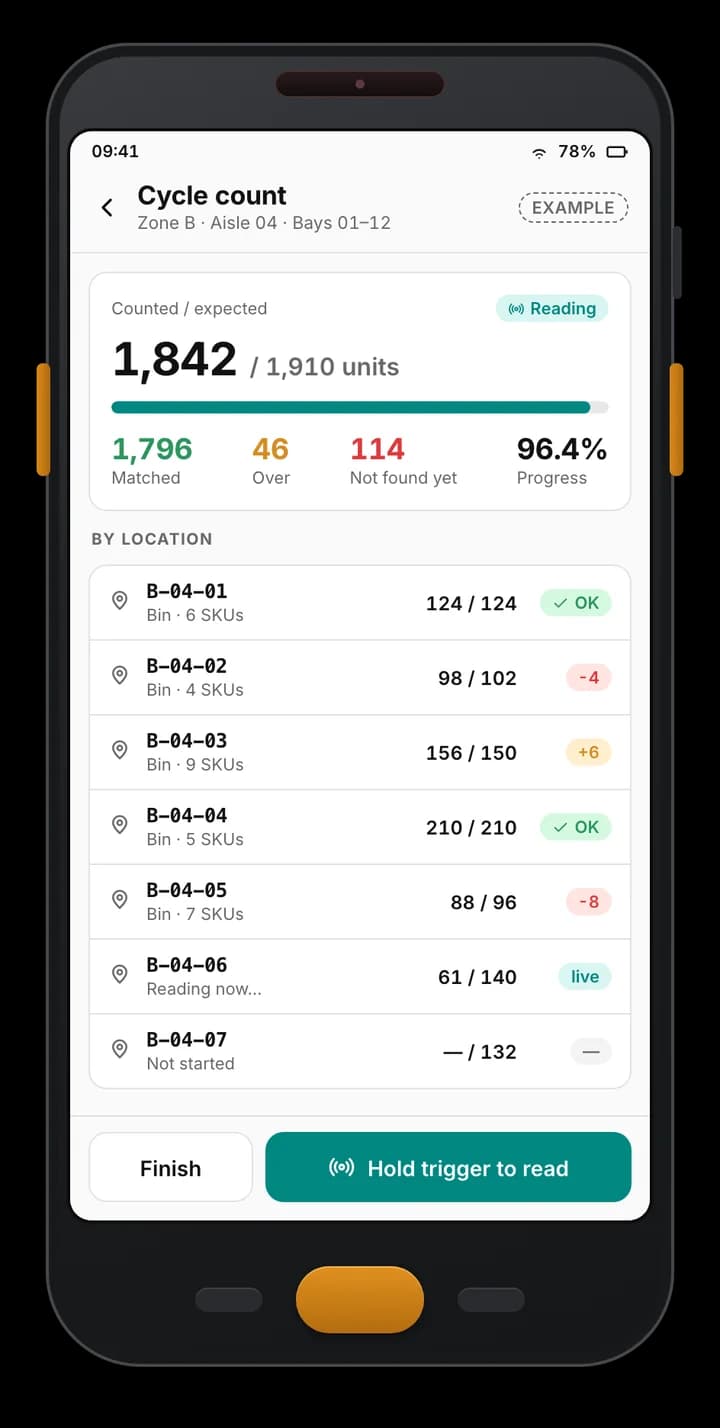
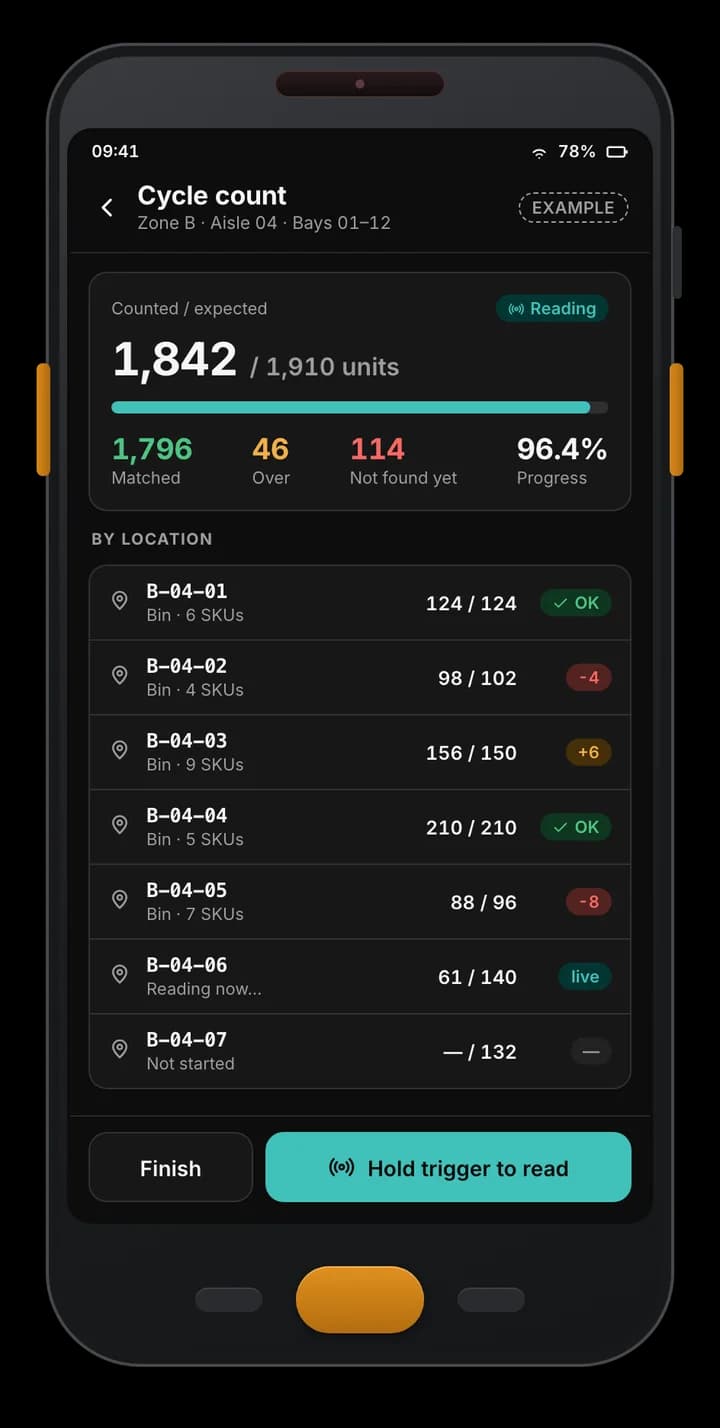
Example Android RFID handheld app: a cycle count of one aisle with 1,842 of 1,910 units counted, matched, over and not-found totals, and progress per bin.
Example of a custom app we build — not part of the Spatial Map product.

Works with hardware from

Zebra, Chainway, SATO and Sanray are trademarks of their respective owners. Spatial Map is not affiliated with or endorsed by them; we integrate devices our clients own — or source for a project through normal channels — using the vendors’ SDKs and APIs.

What store-operations software covers

Most retailers already have a till and an ERP. The gaps are in the daily jobs between them, and that is where custom software pays off:

  • Receiving — delivery notes and ASNs checked at the back door against what arrived, with discrepancies and photos.
  • Replenishment — pick lists that move stock from the backroom to the shop floor based on sales, minimum levels and counts.
  • Stock counts — full and cycle counts by department or zone on RFID and barcode handhelds, approved by a manager.
  • Transfers and returns — stock moving between stores or back to suppliers, with in-transit status.
  • Labels and price changes — price-change task lists, shelf-label and RFID-label printing.
  • Store tasks — checklists and exceptions sent from head office to stores and tracked to done.
Receiving and replenishment, in practice

The aim is to keep the shelf full without holding too much behind it. A typical flow: a delivery is received against its ASN on a handheld; the stock lands in the backroom; the system compares shelf-zone stock — from POS sales, from RFID counts of the floor, or both — with minimum levels and creates a replenishment list; staff pick from the backroom and confirm on the shelf by scan.

Short deliveries, damaged cartons and late stock are flagged at the door, not weeks later at the count. Handheld apps work offline, because stockrooms are often poor for signal; see RFID mobile app development.

Stock counts and loss-prevention dashboards

Counting is where item-level RFID changes the economics: a team can count a department in minutes instead of hours, and counts by zone show where the book stock and the shelf disagree. See how RFID stock counting works and the RFID for retail stores page for the technology; this page is about the software you build around it.

Loss-prevention screens are built from the signals you already collect:

  • Exit events without a sale — gate or door-reader reads matched against POS transactions.
  • Exceptions — voids, refunds and manual price overrides by cashier and branch.
  • Shrink by department — count variance and write-offs over time, with the biggest movers first.
  • Escalation — Spatial Map’s own alerts stay in the app (bell, pop-up, Alerts page). Email, SMS or ticketing escalation is built into your back office as part of the project. See the anti-theft solution and RFID gates.

One back office across all your stores

A multi-store back office gives head office control without calling stores:

  • Store hierarchy — regions, banners and stores, each with its own users and permissions.
  • Central catalogue and targets — item data, planograms or department targets set once, pushed to stores.
  • Comparison — stock accuracy, count completion, shrink and open tasks by store, ranked.
  • ERP link — item masters and expected stock in; approved counts, receipts and adjustments out, through your ERP’s own interface.

Putting it on the store map

Because the apps write to Spatial Map tables through the table write API (HTTPS, bearer key, bulk upsert, 60 requests a minute per key), department stock levels, count progress and exit reads can appear on the store plan, and reports and read-only share links cover the views that need no custom code. The Retail Mart demo shows a three-floor store with exit readers, shelf stock and cold-chain sensors; see also supermarket indoor maps.

How we build it, and what you own

We work in five stages: discovery (how stores work today, which jobs lose time, which systems hold the truth), design (flows and screens agreed in mock-ups), build (apps and back office in stages), integrate (handhelds, readers, printers, POS, ERP, optionally Spatial Map) and hand-over (pilot store, training, documentation). Start with one job — receiving or counts — and grow from there.

The software can run in your cloud account, in ours or on-premises. Ownership is written into the proposal; the usual position is that you own the code written for you and your data, with third-party components under their own licences. Scope and price are set per project.

Examples

Example screens

The kind of screens store teams use for counts and receiving, with fictional data. Retail projects are designed around each retailer’s own process.

Example Android RFID handheld app: a cycle count of one aisle with 1,842 of 1,910 units counted, matched, over and not-found totals, and progress per bin.

Cycle count in progress

Example of a custom app we build — not part of the Spatial Map product.
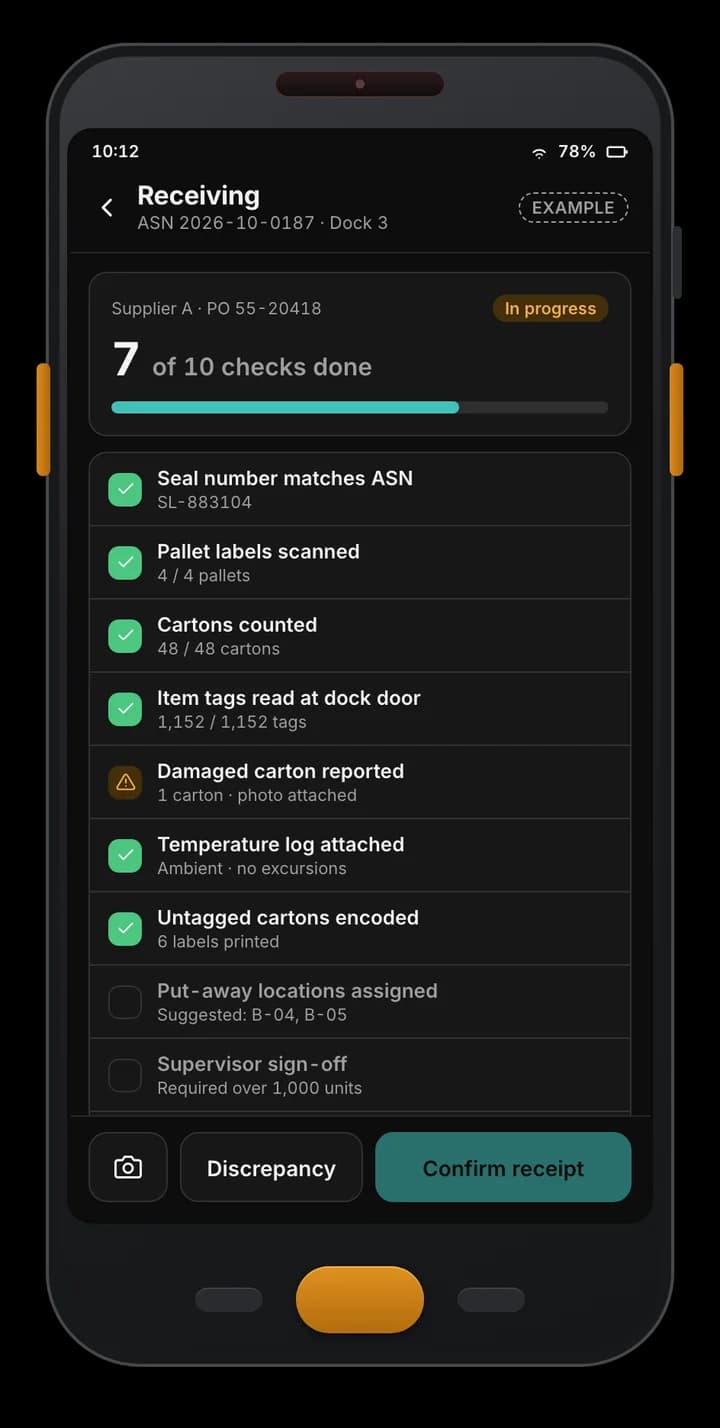
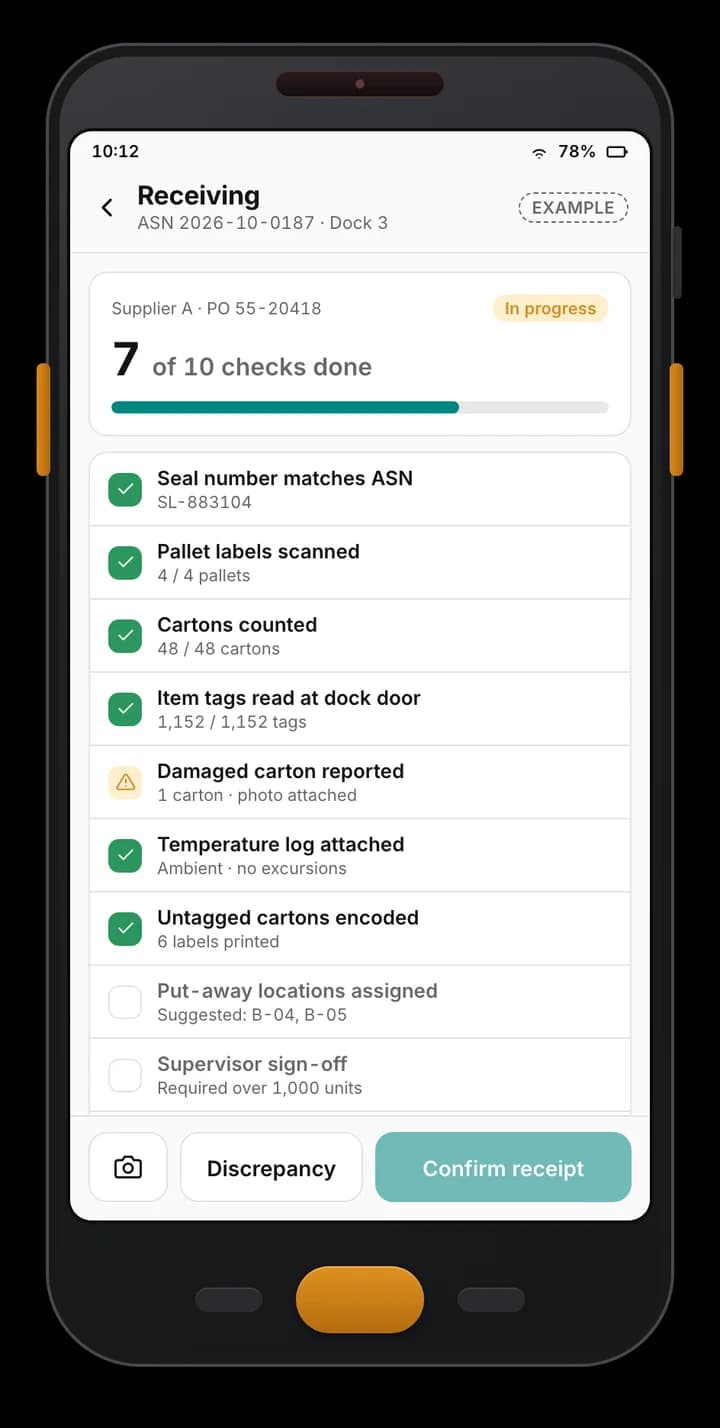
Example handheld receiving app: an ASN checklist at a dock door with seal, pallet labels, cartons, tag reads, a damaged carton and pending sign-off.

Receiving checklist

Example of a custom app we build — not part of the Spatial Map product.
Example inventory back office: accuracy, open counts, variance and devices online, count progress by zone, a 12-week accuracy trend and recent counts from handhelds.

Inventory dashboard

Example of a custom app we build — not part of the Spatial Map product.
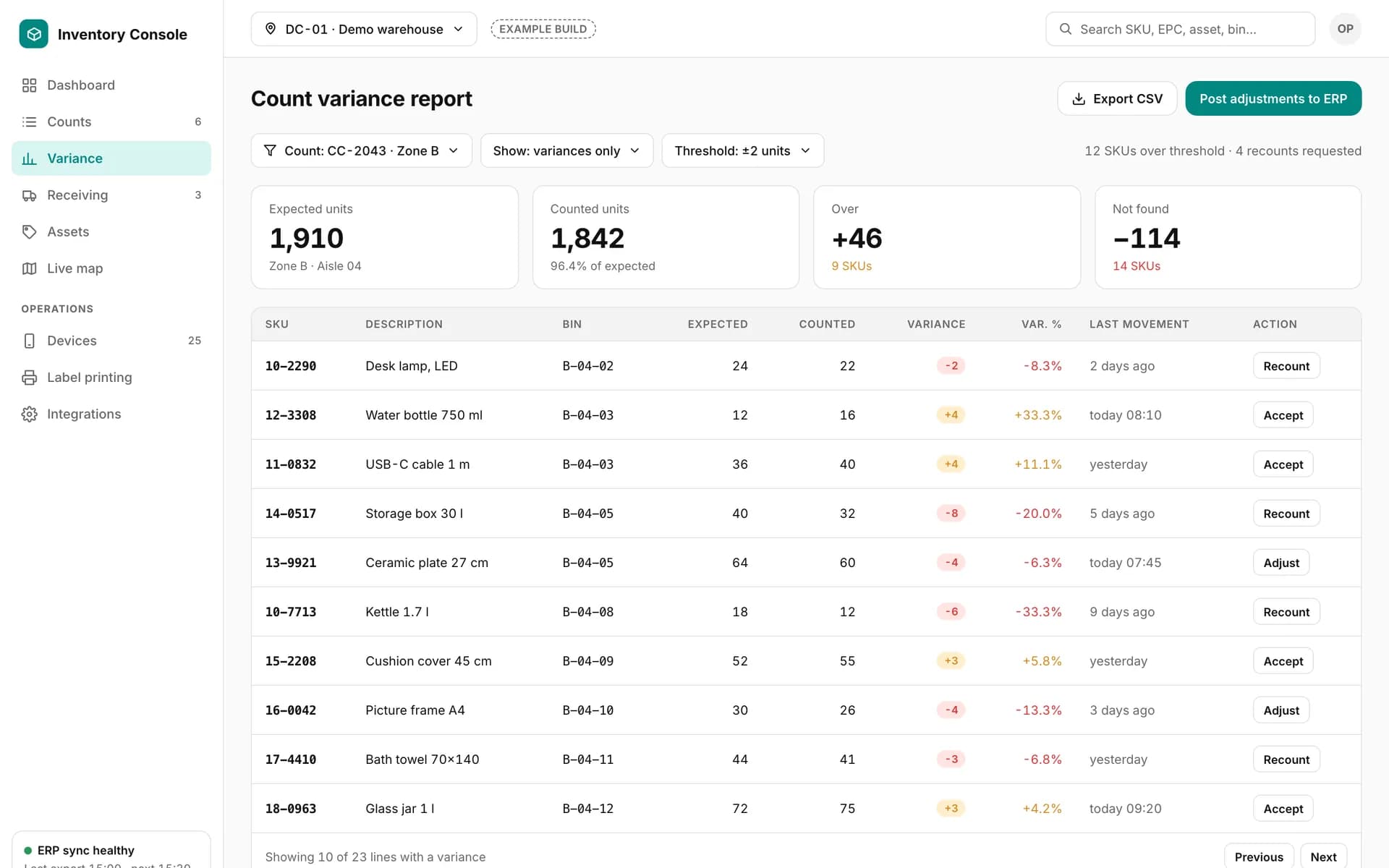
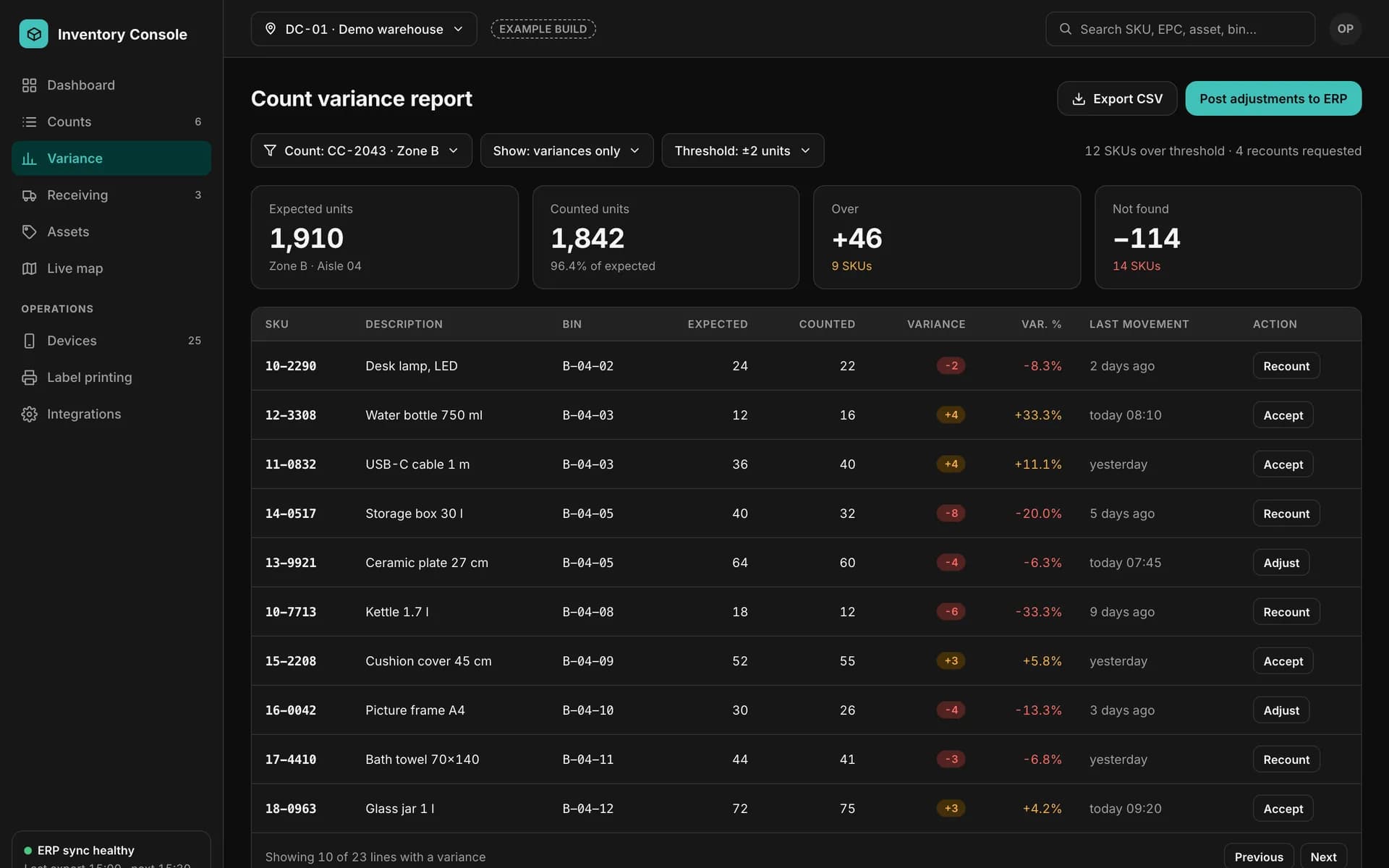
Example count variance report: expected, counted, over and not-found totals, and a table of SKUs with variance, last movement and recount, accept or adjust actions.

Count variance report

Example of a custom app we build — not part of the Spatial Map product.
How it connects

How the pieces fit together

  1. 01

    Store devices

    RFID and barcode handhelds, exit readers and label printers — see hardware.

  2. 02

    Store apps

    Receiving, replenishment and counting, offline-first.

  3. 03

    Multi-store back office

    Approvals, tasks, shrink and comparison across stores.

  4. 04

    POS / ERP

    Sales and item masters in; approved counts and adjustments out.

  5. 05

    Spatial Map

    Rows through the table write API → live store map, reports and share links.

Retail software development — frequently asked questions

No. These are custom projects built for one retailer. Spatial Map is the indoor map the results can be shown on; the receiving, replenishment and count apps are software we write for you.

No. The apps work with barcodes too. RFID makes counting and receiving much faster for tagged items, so many retailers add it; the design covers both.

Yes, if they offer an API, a database export or a file interface. We confirm the route in the proposal after reading their documentation. Write-back of approved counts and adjustments is part of the project, not a Spatial Map feature.

Spatial Map’s alerts are in-app only. A custom service can carry them on to email, SMS or your ticketing system, and that is scoped in the project.

Yes, and we recommend it. A pilot store proves the workflow and the integrations before the roll-out to the rest of the estate.

Scoped and quoted per project from a written proposal. We do not quote until we have seen how your stores work and which systems are involved.

Tell us which store job loses the most time.

Share how receiving, replenishment and counts work today, the devices and systems involved and a floor plan. We will reply with a scoped proposal — and a live map of your store.