
The live 3D map of your stock — racks, bins, shelves and the people moving them.
Spatial Map Inventory is warehouse digital twin software: a live 3D map of your racks, bins and shelves, each location coloured by its stock status from your WMS or ERP, with pickers, forklifts and cartons shown where they are and built-in inventory reports.
No credit card. Runs in the browser. Pro is $60/month for up to 4 facilities.
Last updated:
Download brochure(PDF, 2.6 MB)Open in a new tab — Inventory brochure, PDF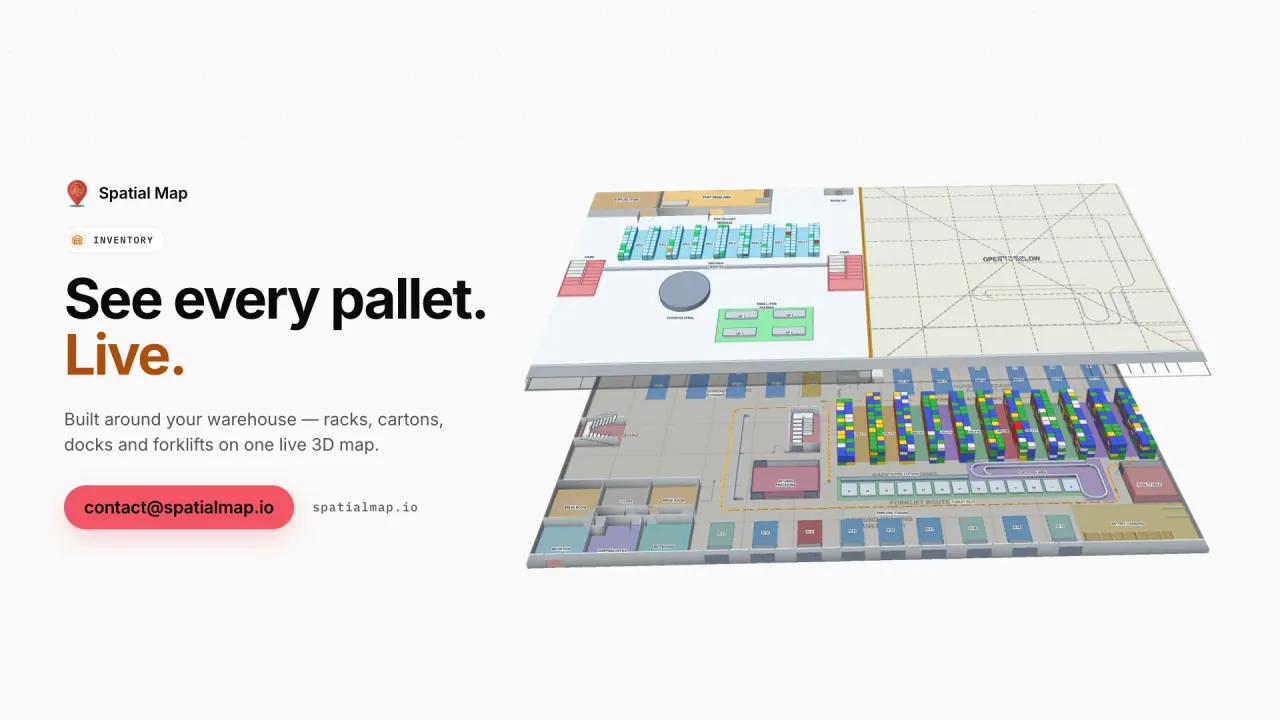
What gets in the way today
The layout lives in CAD, the stock lives in the WMS
Nobody can answer “where is it, and how full is that aisle?” without opening three tools.
Occupancy is a number, not a picture
A 71% utilisation figure hides which bays are blocked, which are empty and where picking is congested.
Dashboards nobody trusts
Reports built in BI tools drift away from the physical floor and stop matching what supervisors see.
What your inventory team sees
Stills from the Inventory film, made from the product’s demo facilities, and screenshots of the app where the film doesn’t go.
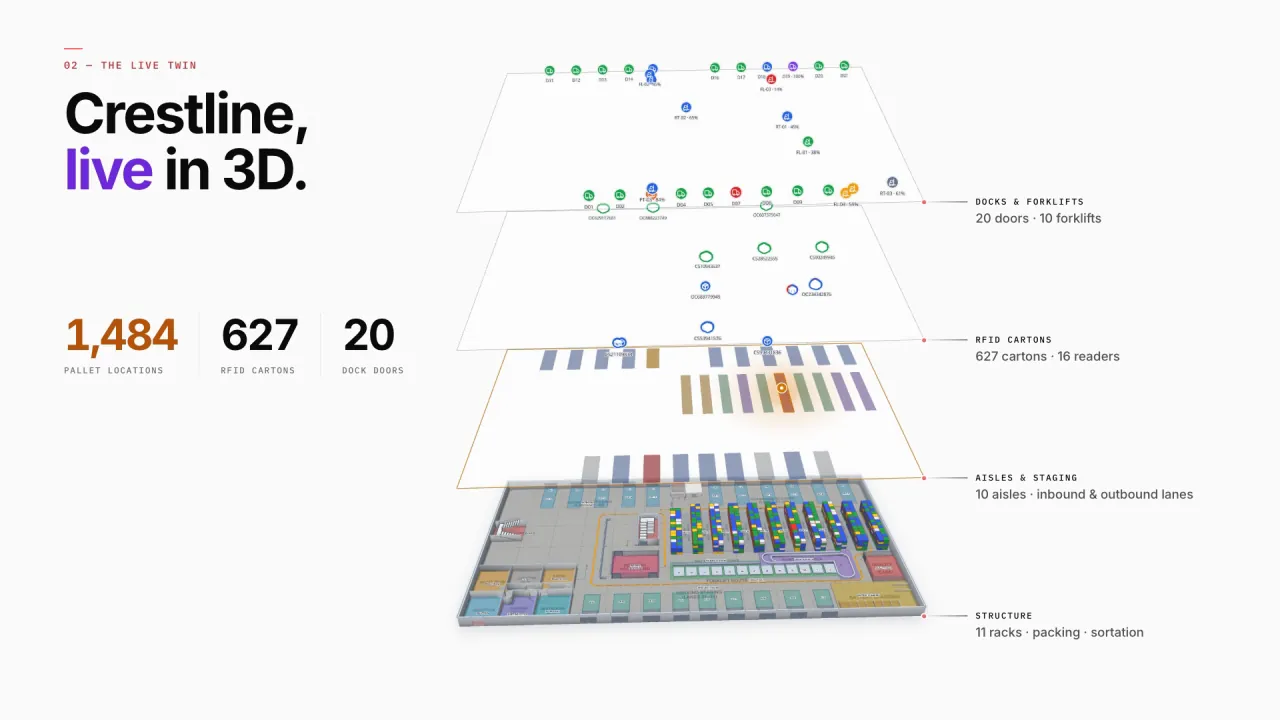
The whole warehouse, live in 3D
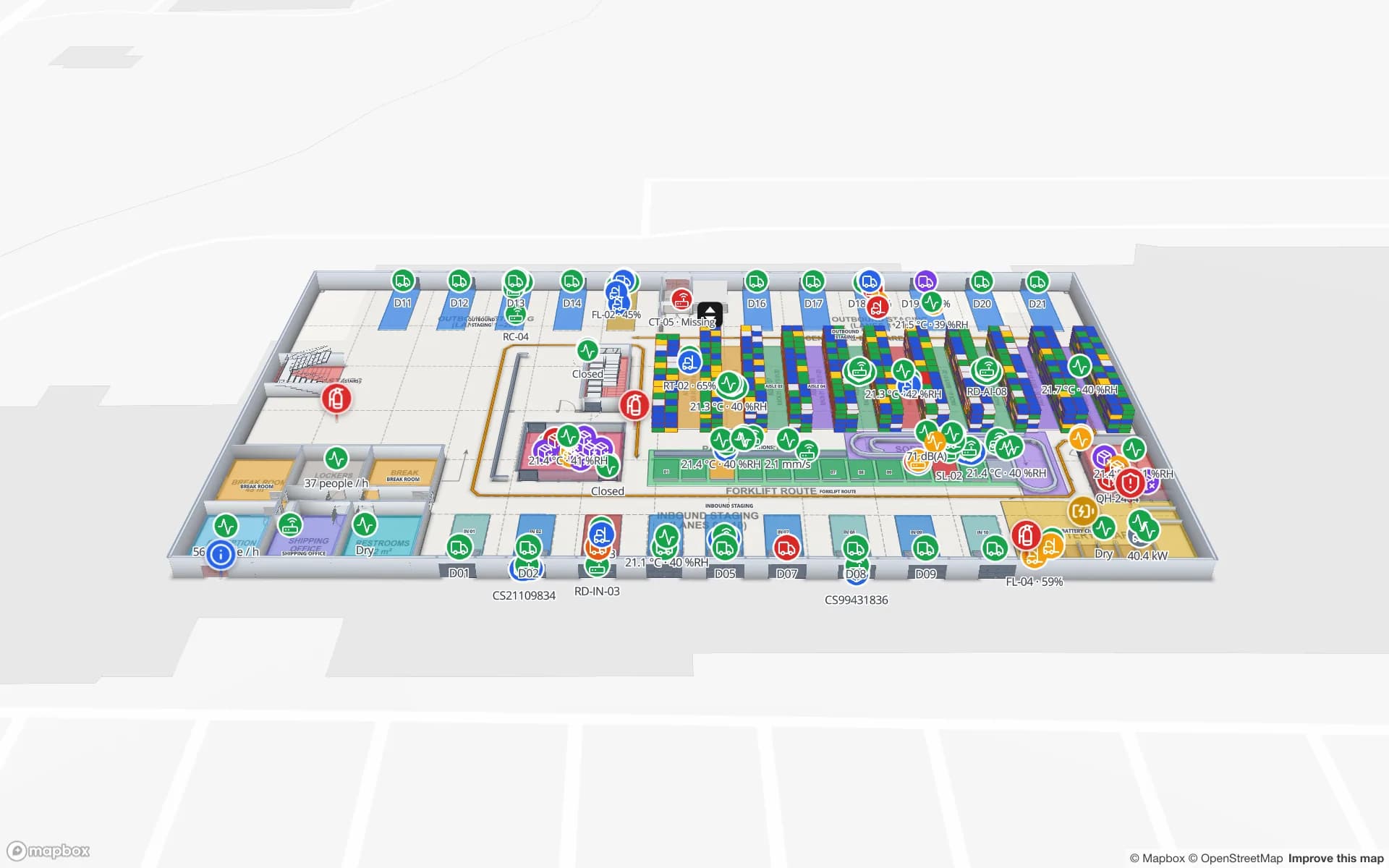
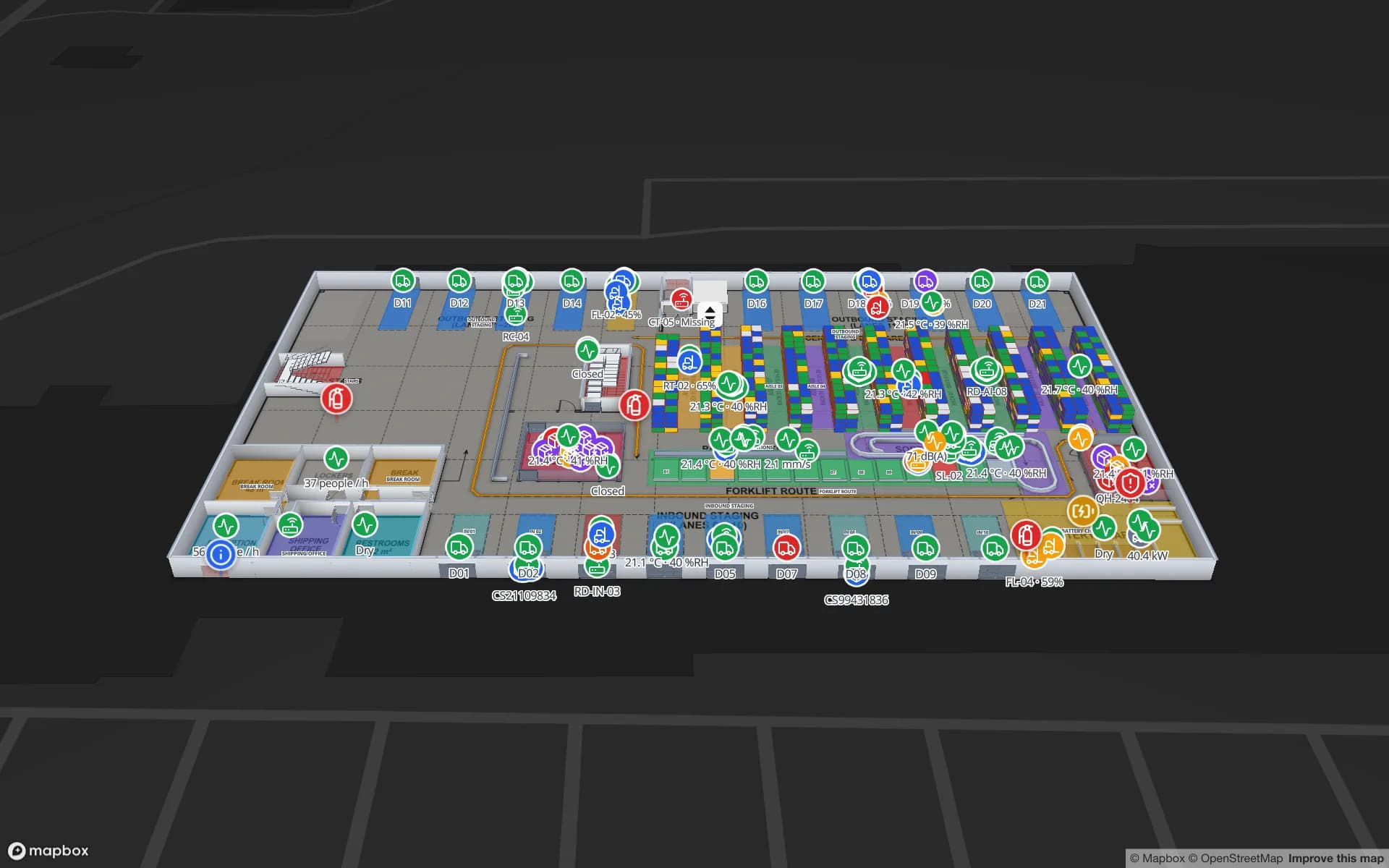
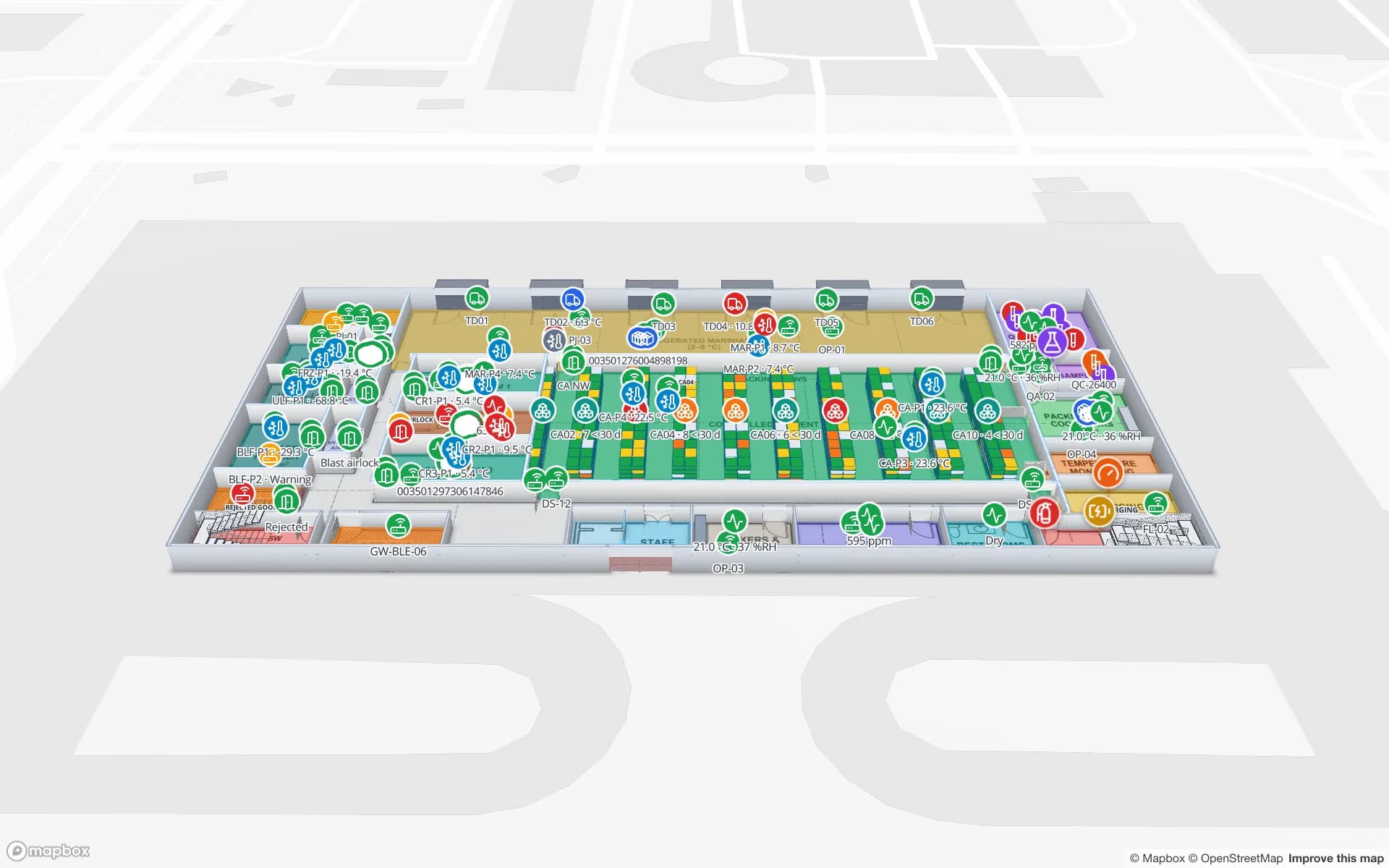
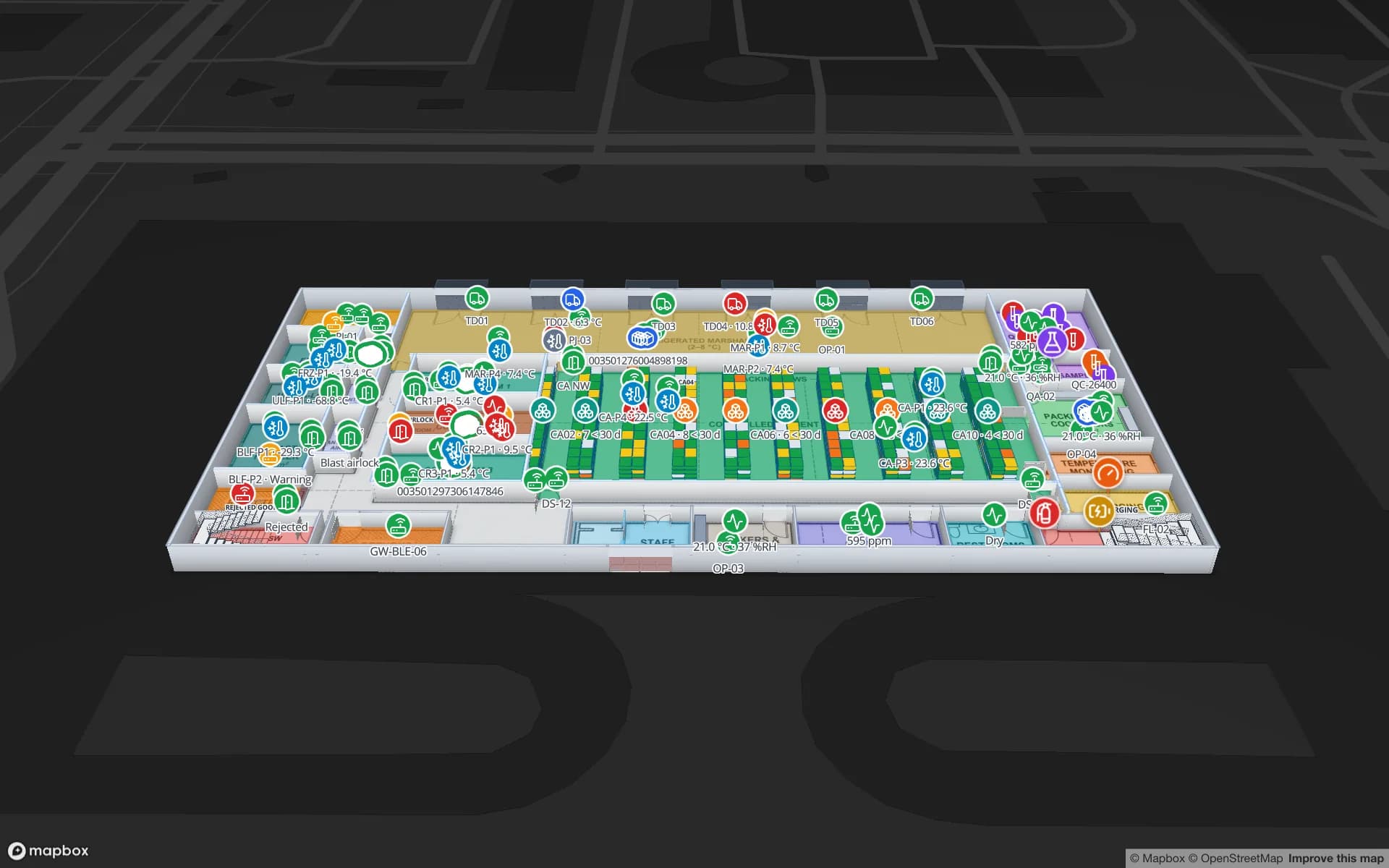
Crestline’s racks, pick modules, packing stations, staging lanes and dock doors sit on the real floor plan, with forklifts, RFID cartons and sensors live on top.
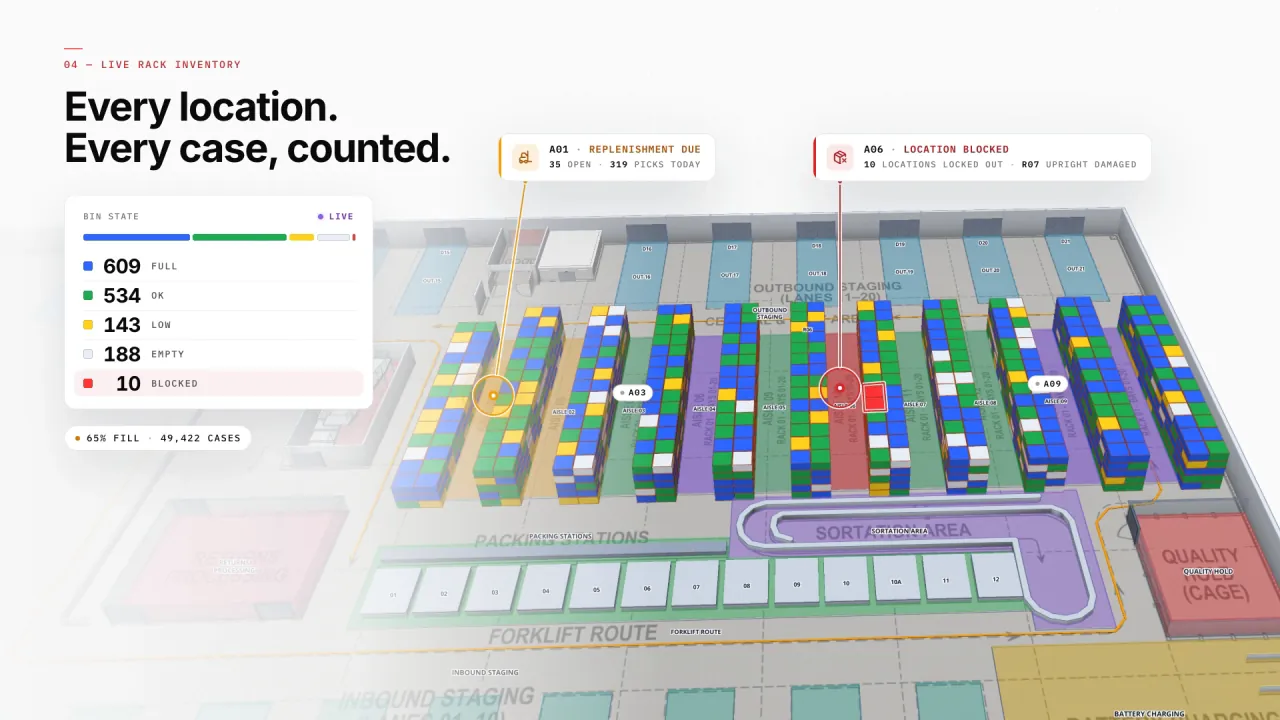
Every location coloured by its status
The Rack tool draws racks with bays and levels; a “Color a shape” data link then tints each location from your inventory table — full, OK, low, empty, blocked — using style rules you write once, no code.
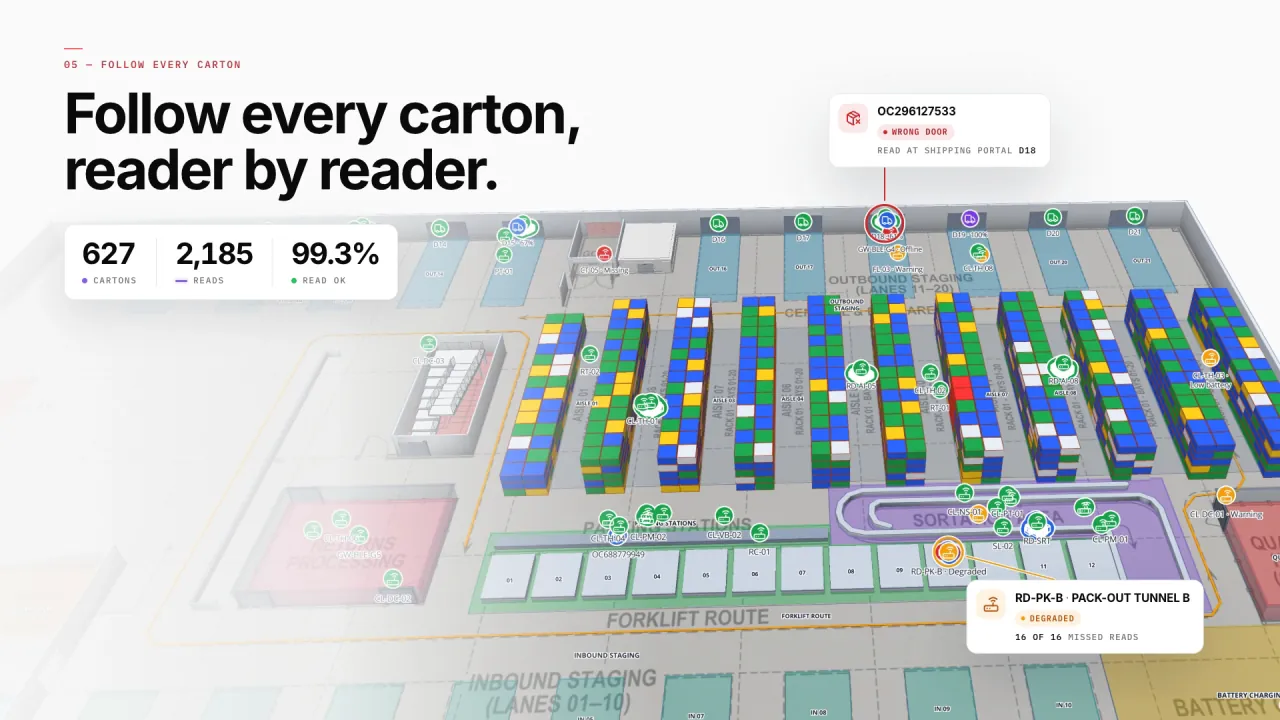
Every carton, reader by reader
RFID portals at the pack-out tunnels and shipping doors read every carton, so a carton read at the wrong door — or a portal that stops reading — shows up on the map where it happened.
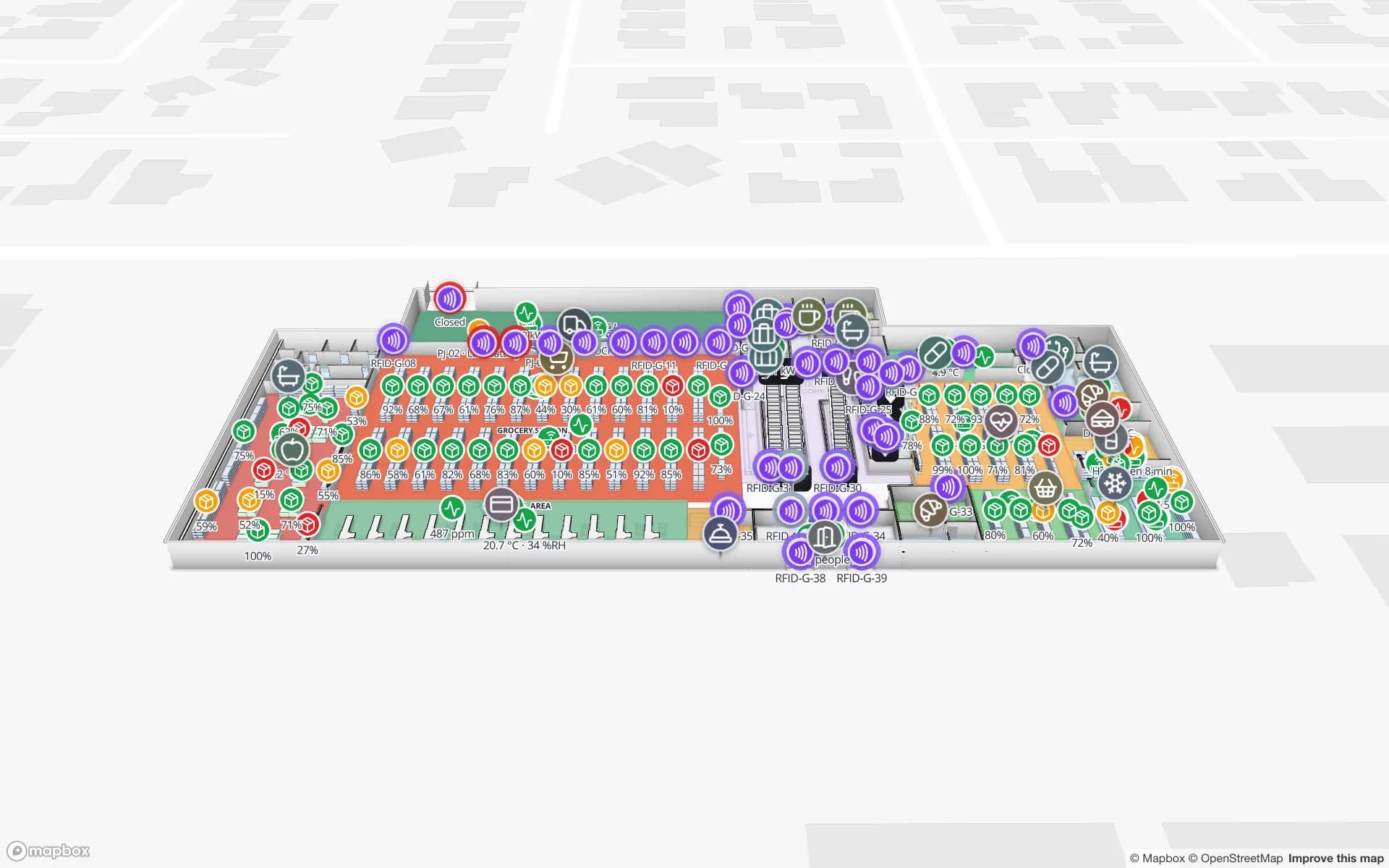
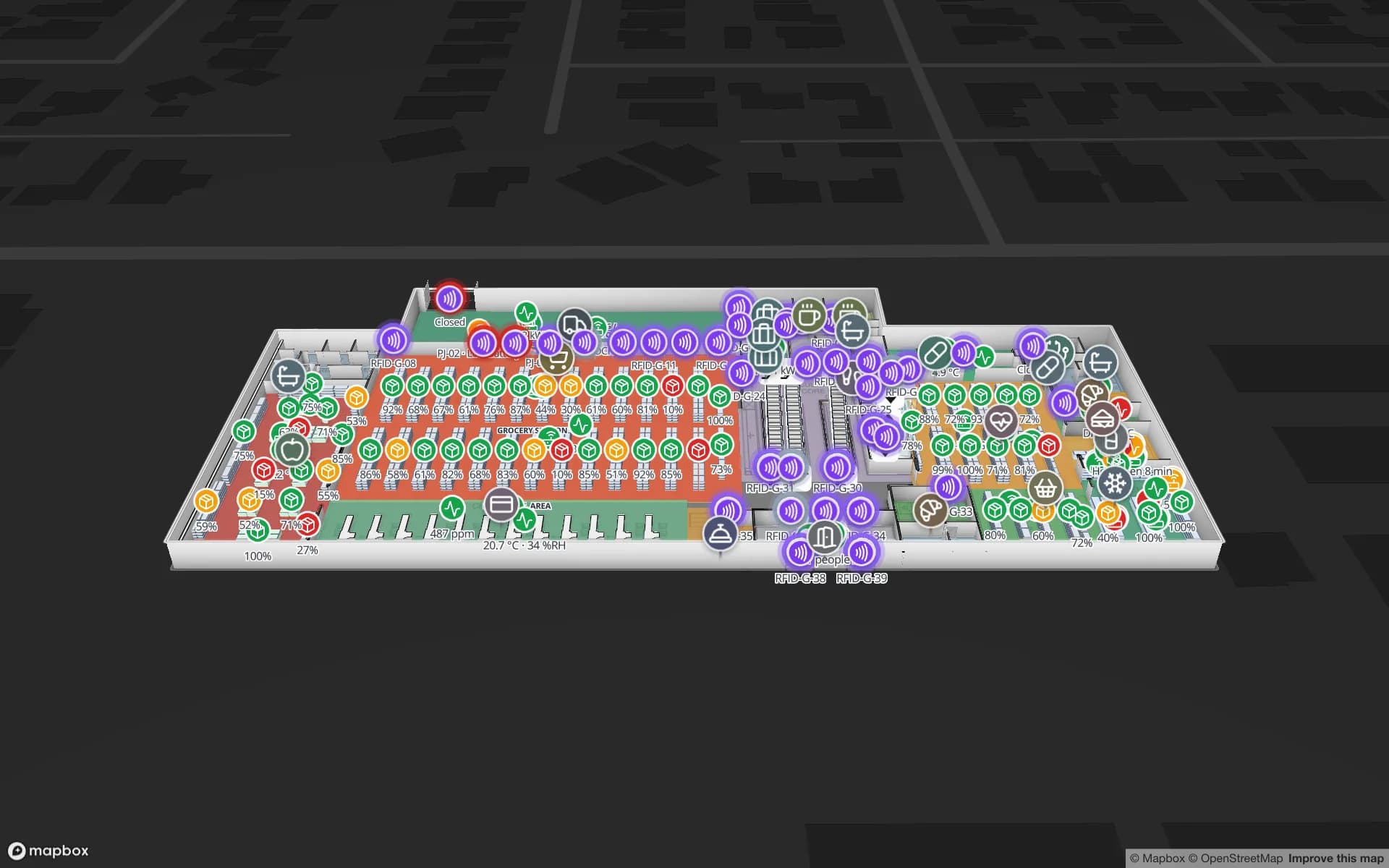
Shelf stock in the store
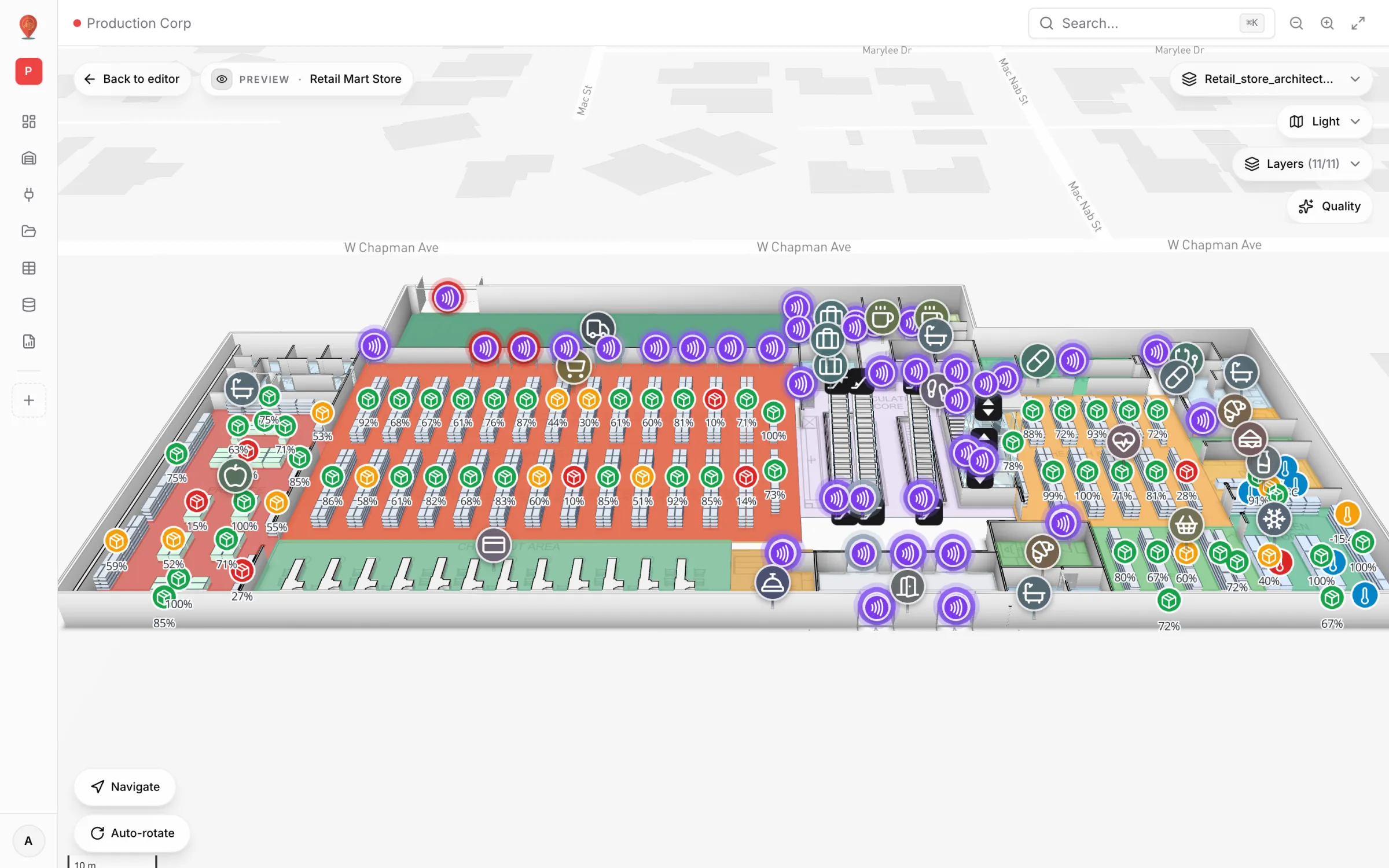
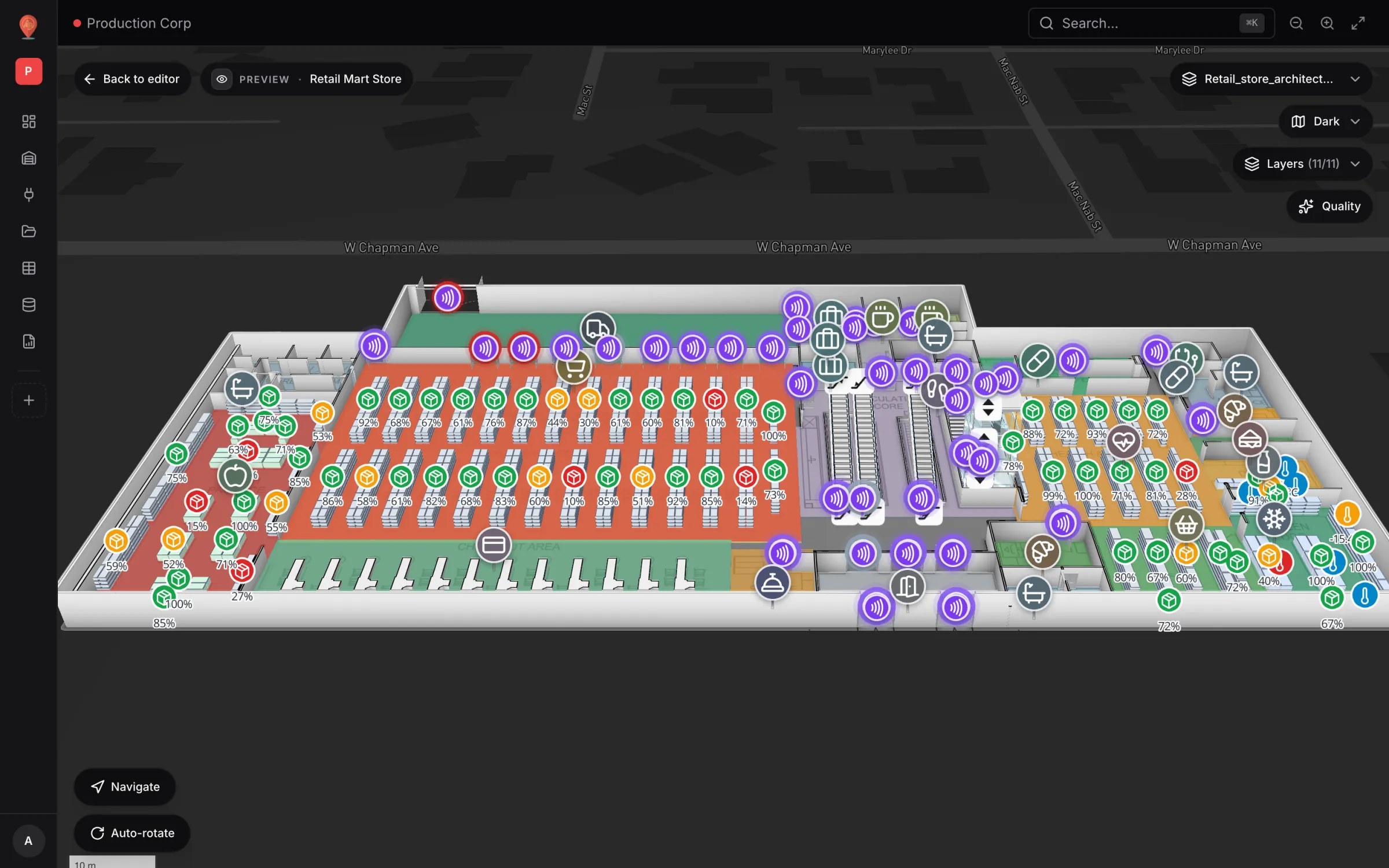
Daily counts show as percentage markers on every shelf and departments are tinted by stock status — the same tools, on a three-floor store.
Built on your own floor plan
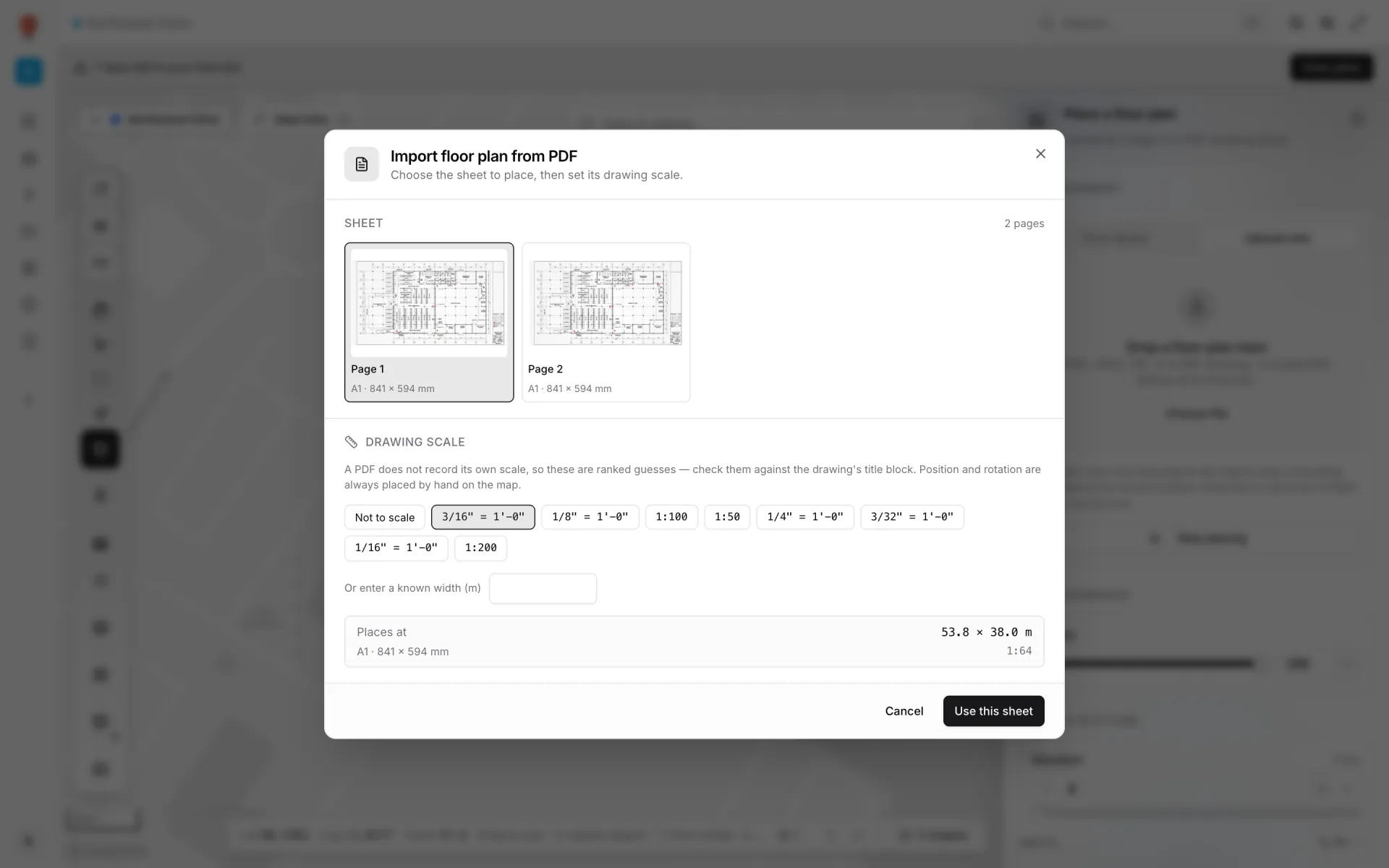
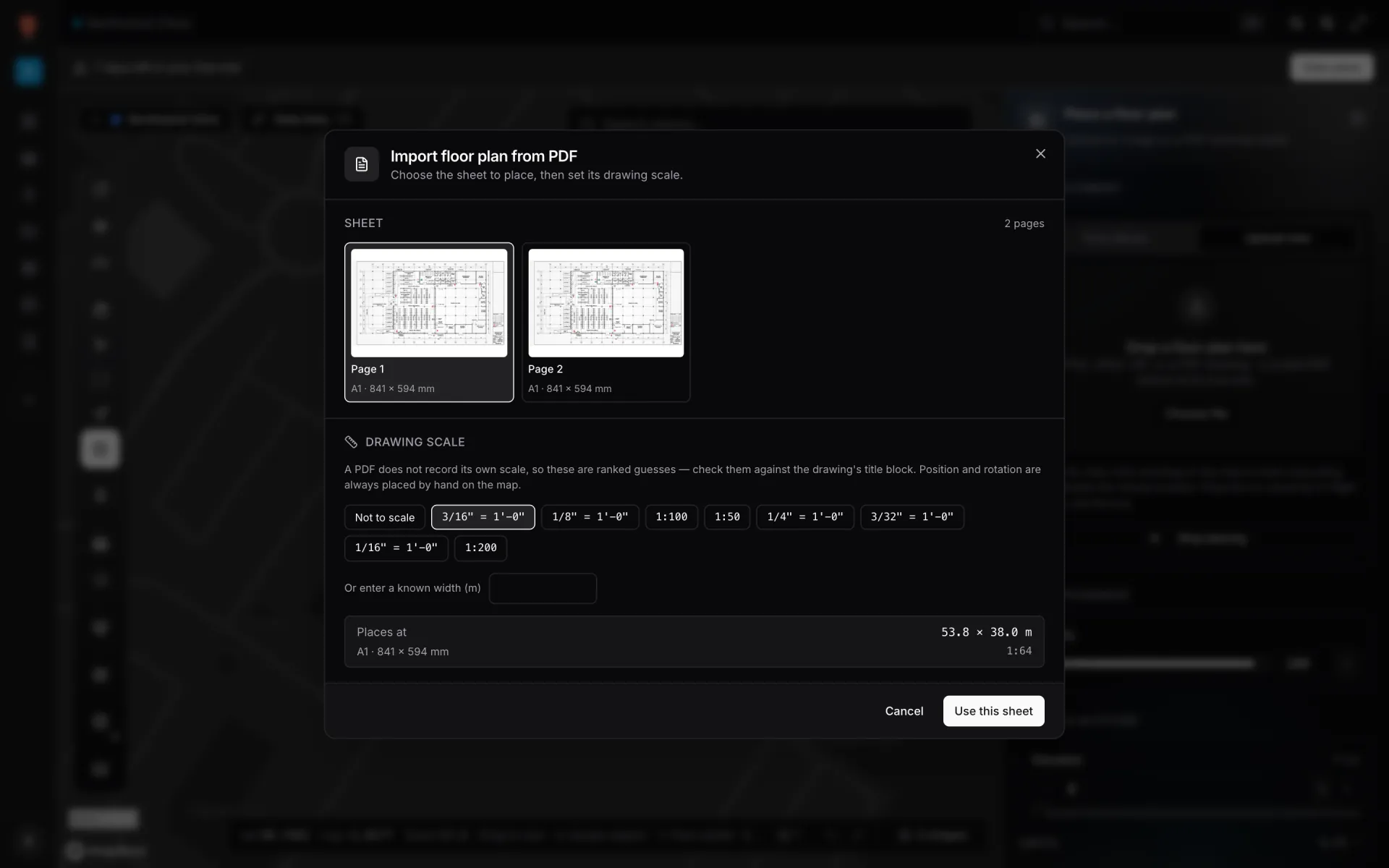
Import a PDF sheet, an AutoCAD DWG or an image. You confirm the PDF’s drawing scale (a DWG is already in real units), place it on the real site and trace racks, aisles and rooms on top.
Inventory on 3 real demo facilities
Mapped from real floor plans, with live sensors, RFID, BLE tags and gateways, tables, reports and simulators.
Reports built from the same data
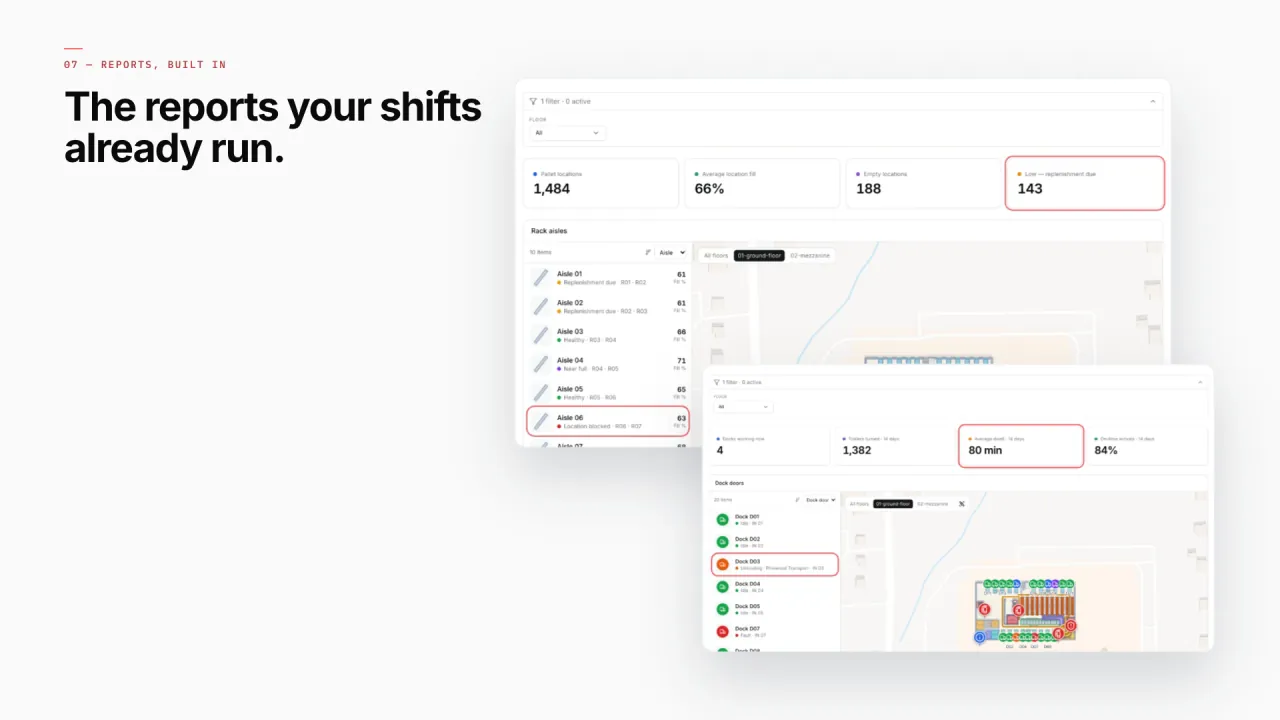
Created automatically when a rack inventory table is linked to the map: locations by status, the racks and their fill beside the live map — and your own dock reports next to it. Exports to PDF, Excel, CSV or JSON.
- Crestline · Rack Inventory — Live location data from the rack tables, linked to the rack cells on the map.
- Crestline · Pick-to-Light — Pick modules and pick hours across the shift.
- Crestline · Staging Lanes — Staged pallets per lane, waiting for their trailer.
- Crestline · Packing Output — Output per packing station.
- Crestline · Forklift Fleet & Charging — Fleet status and charging sessions.
- Retail Mart · Shelf Stock (daily count) — Shelf-level stock from the daily count, placed on the store map.
Connect what you already run
- WMS or ERP stock polled from a REST API on a schedule
- Handheld counts and RFID carton reads written into a Table via its write API
- A Table that pulls rows from your REST endpoint by itself
- CSV, Excel, JSON or GeoJSON bin rosters as file uploads
Data comes in through REST sources pulled on a schedule, file uploads, and your own tables with a write API — see integrations.
Live in four steps
- 01
Import the floor plan
Upload a PDF, DWG or image, confirm the scale and pin it to the site.
- 02
Draw racks and zones
Rack tool for bays and levels, areas for docks and staging, doors for the routes between them.
- 03
Connect stock and people
Point a REST integration or a table at your WMS data and bind it to the map with a data link.
- 04
Report and share
Start from the built-in facility reports, add your own, and share a read-only link.
Questions inventory teams ask
From the blog
- Warehouse KPI dashboards with a live 3D map: a builder tutorial10 min read
- From spreadsheet to spatial: turning a bin inventory CSV into a live rack map7 min read
- Warehouse digital twin vs WMS: what a live map adds (and what it leaves to the WMS)8 min read
- Retail shelf monitoring on a live store map: stock and cold chain10 min read
- Pharma cold storage and QC on one live map: zones, excursions, holds10 min read