
See theft signals where they happen — RFID, access and cameras on one map.
Spatial Map Anti-theft is RFID loss prevention software that shows reader reads, exit-gate and access events, choke-point counters and camera alerts on a live 3D floor plan of a store or warehouse, so security teams see where shrink happens and can report on it. It works with the tags, gates, readers and cameras you already have.
No credit card. Runs in the browser. Pro is $60/month for up to 4 facilities.
Last updated:
Download brochure(PDF, 2.0 MB)Open in a new tab — Anti-theft brochure, PDF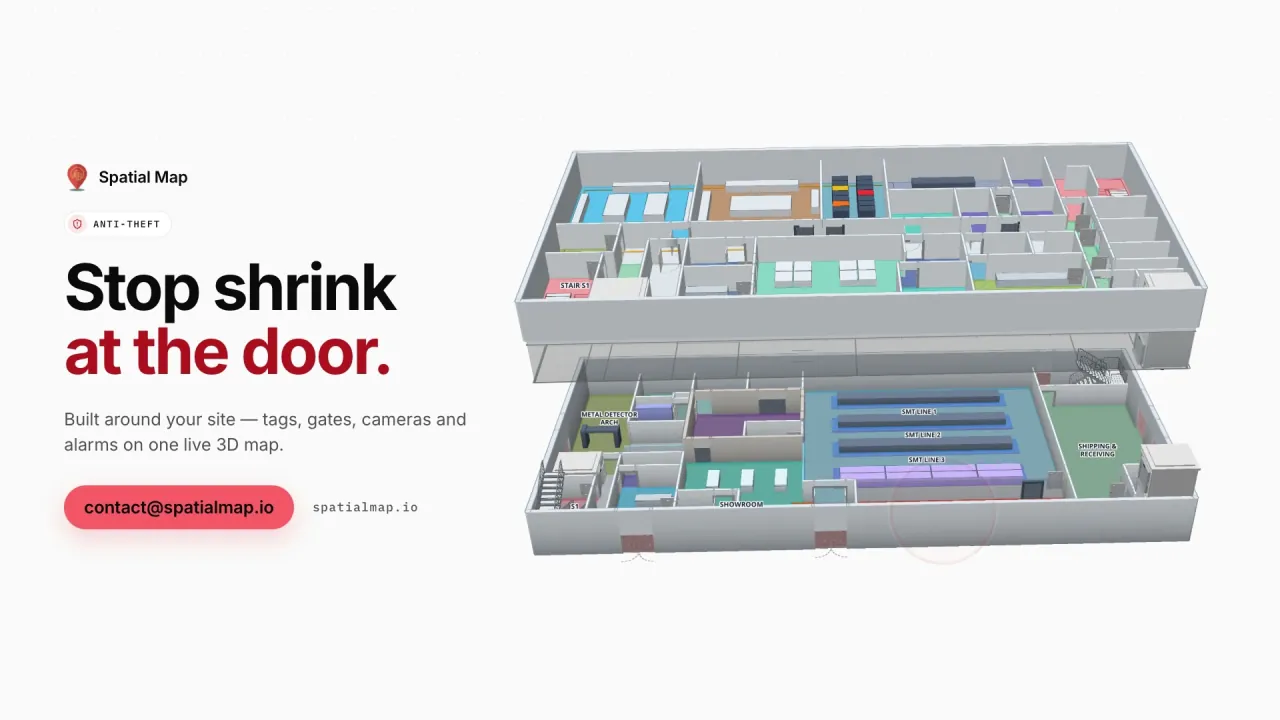
What gets in the way today
Read logs without a place
Gate alarms, RFID reads and access events are timestamps in a log, not events on a floor plan.
Cameras watched, not correlated
Footage, badge swipes and tag reads live in different systems and are matched by hand.
No trail for the incident report
Evidence is scattered across exports and screenshots.
What your anti-theft team sees
Stills from the Anti-theft film, made from the product’s demo facilities, and screenshots of the app where the film doesn’t go.
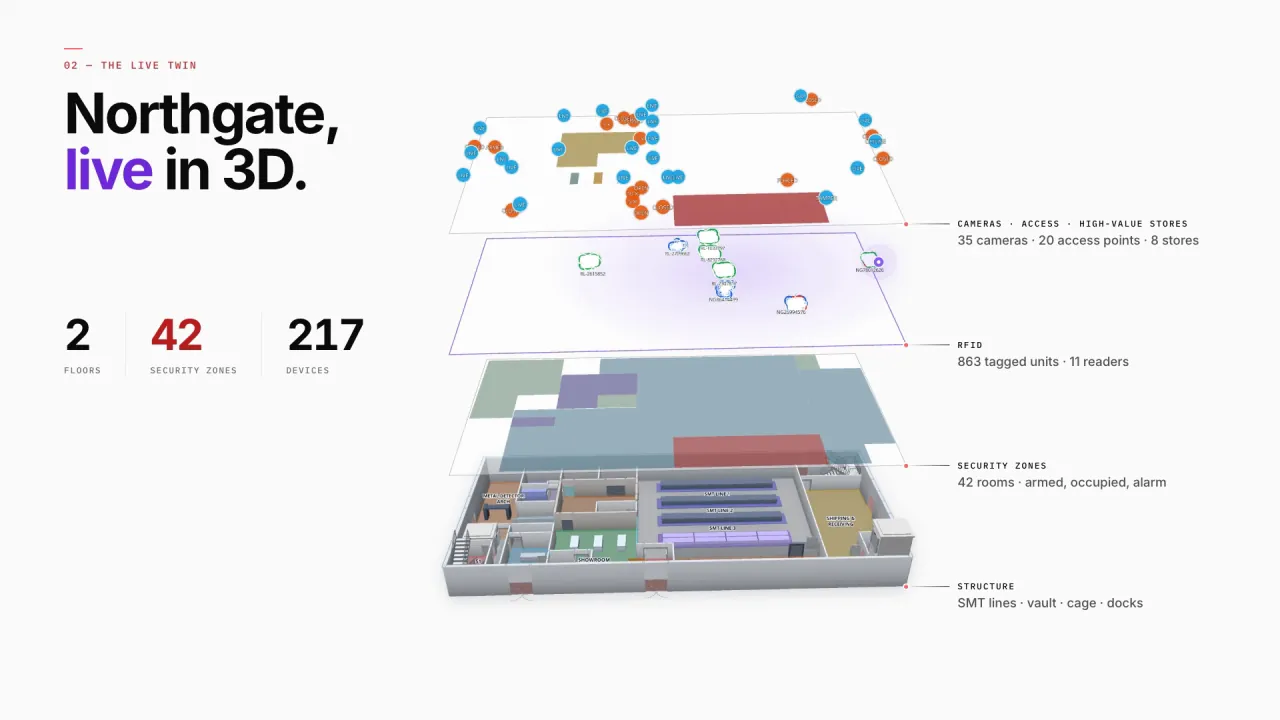
Security zones, access points and cameras
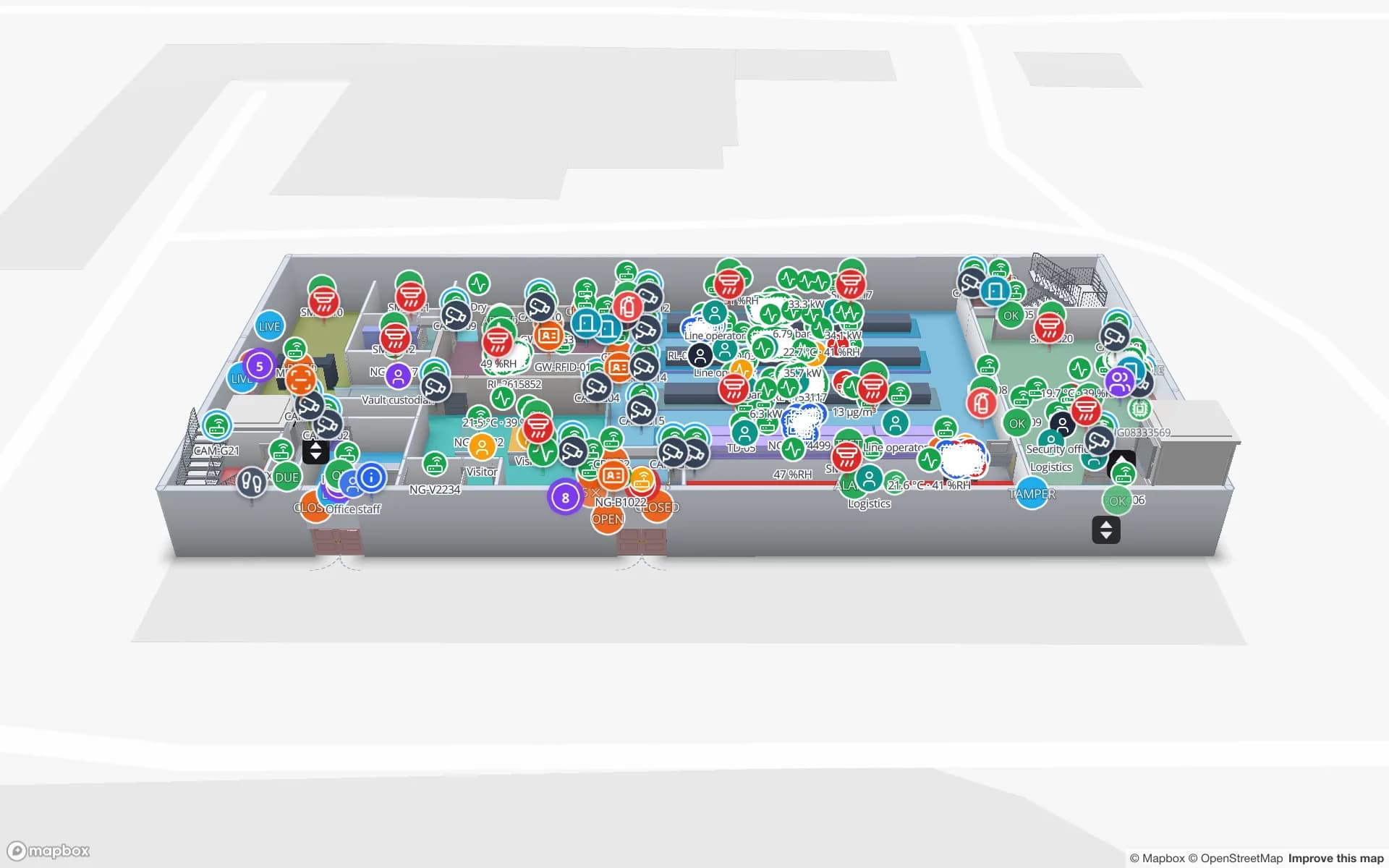
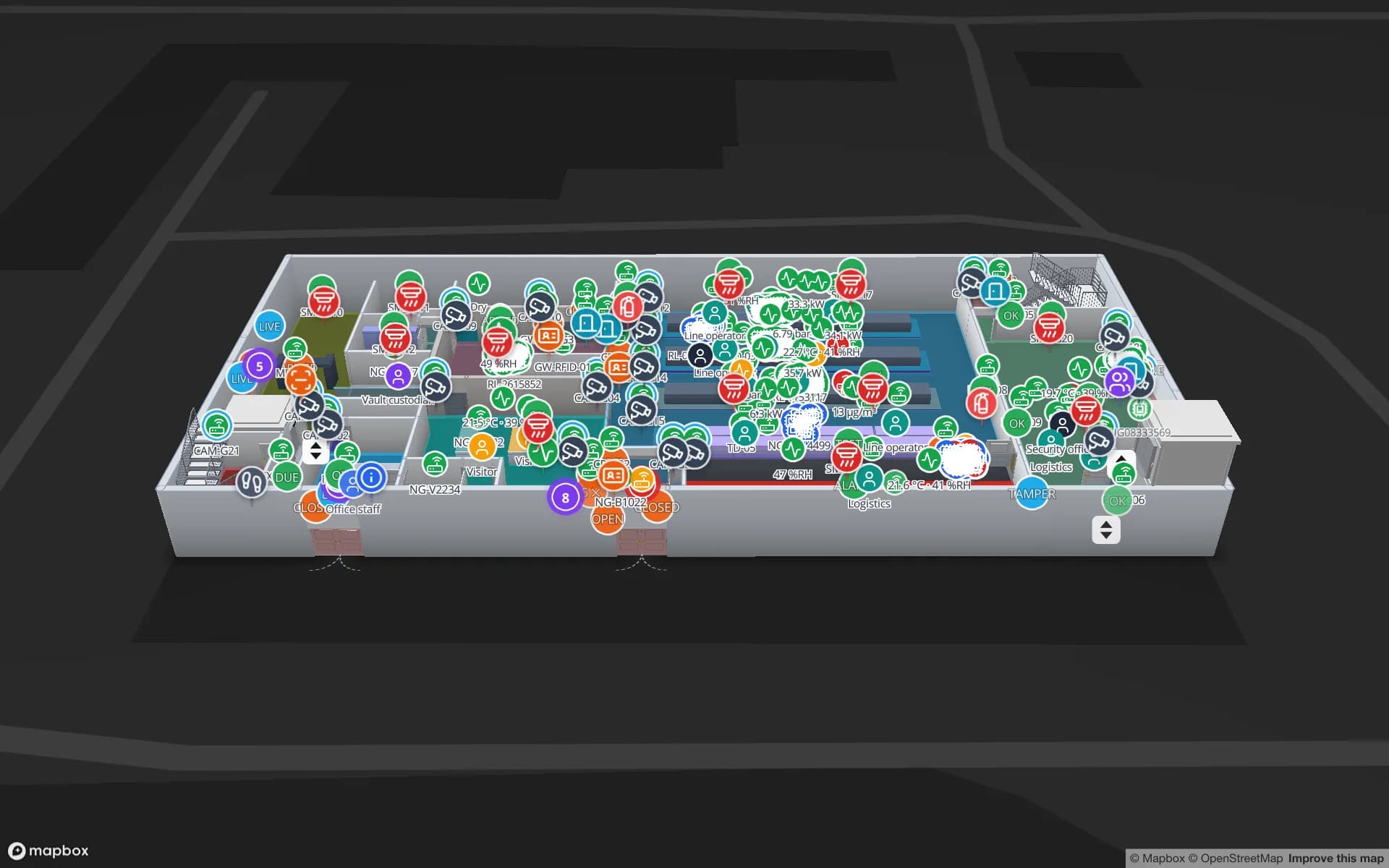
Northgate’s assembly floor and secure store carry every security zone, access point, choke-point counter and camera, each one coloured by its live status from your tables — 42 zones and 217 devices in the demo.
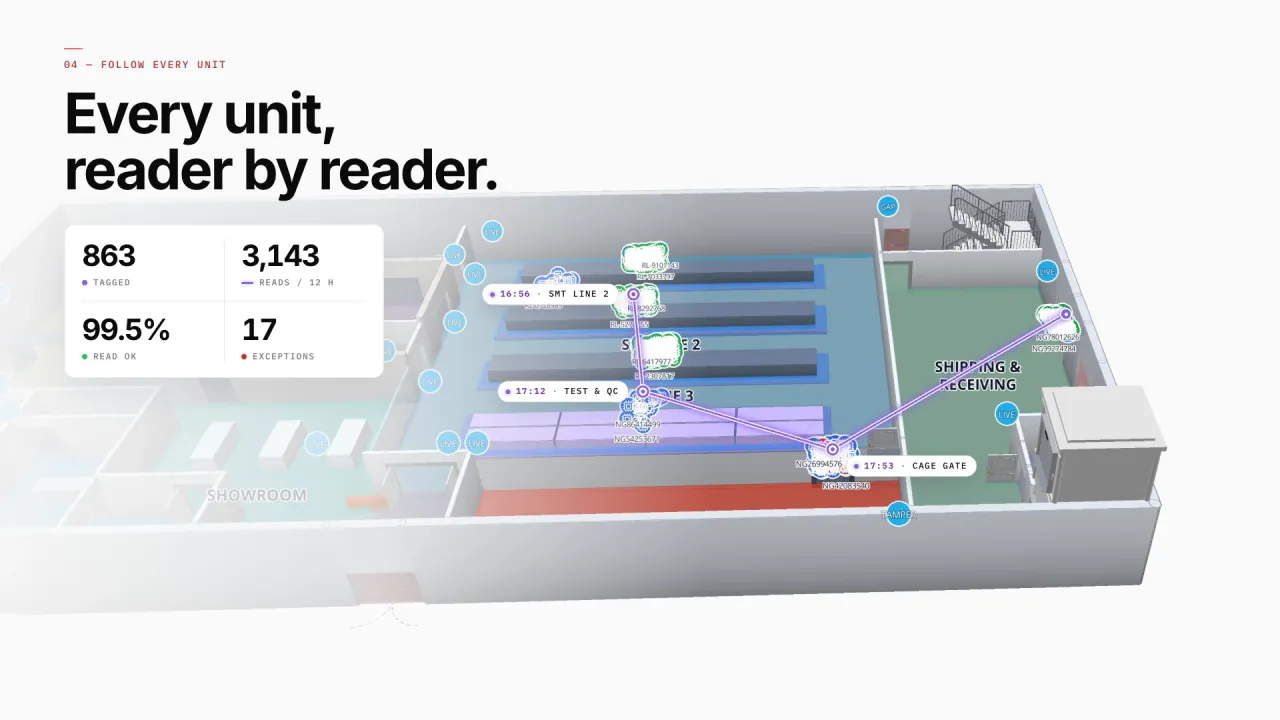
Every unit, reader by reader
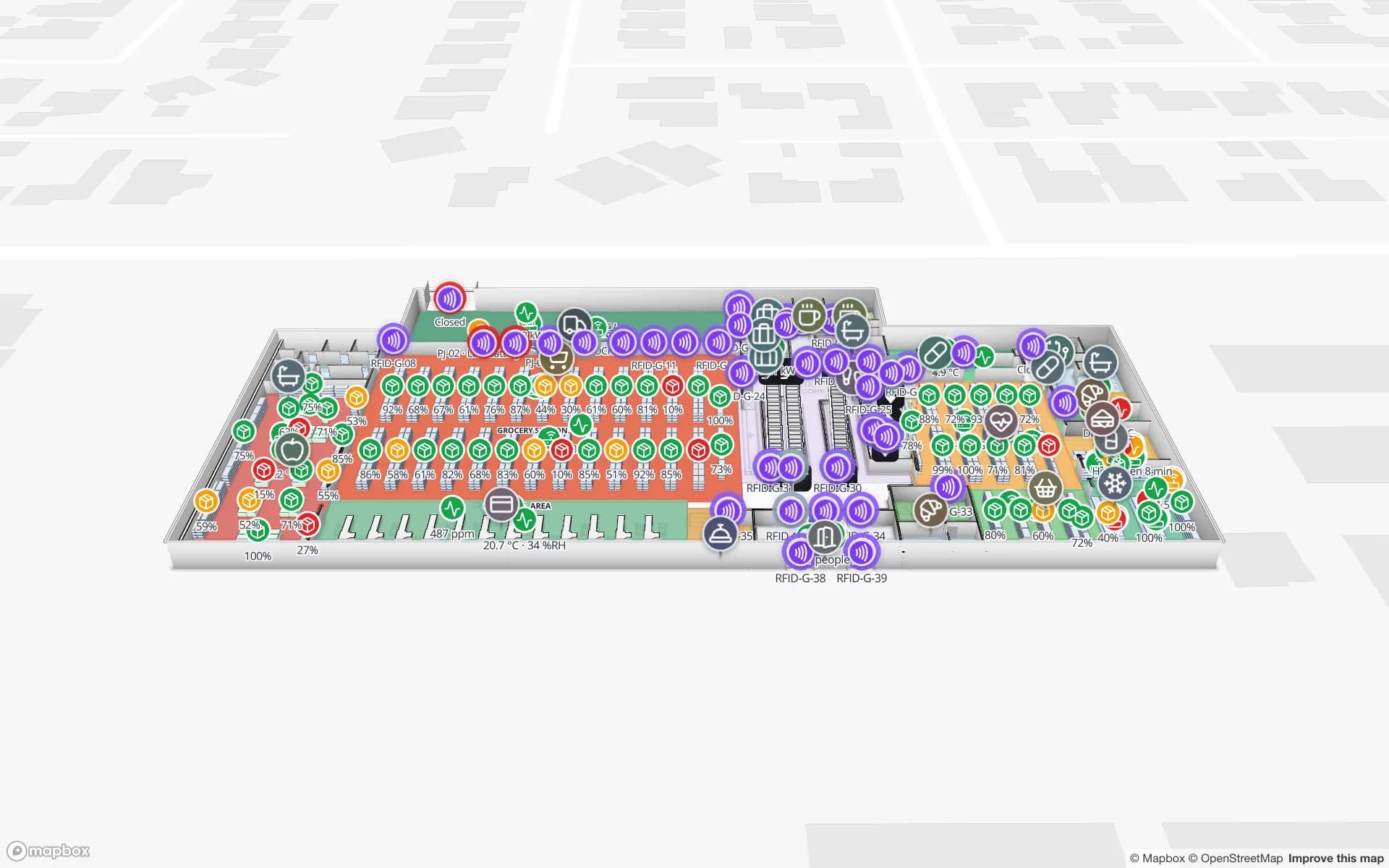
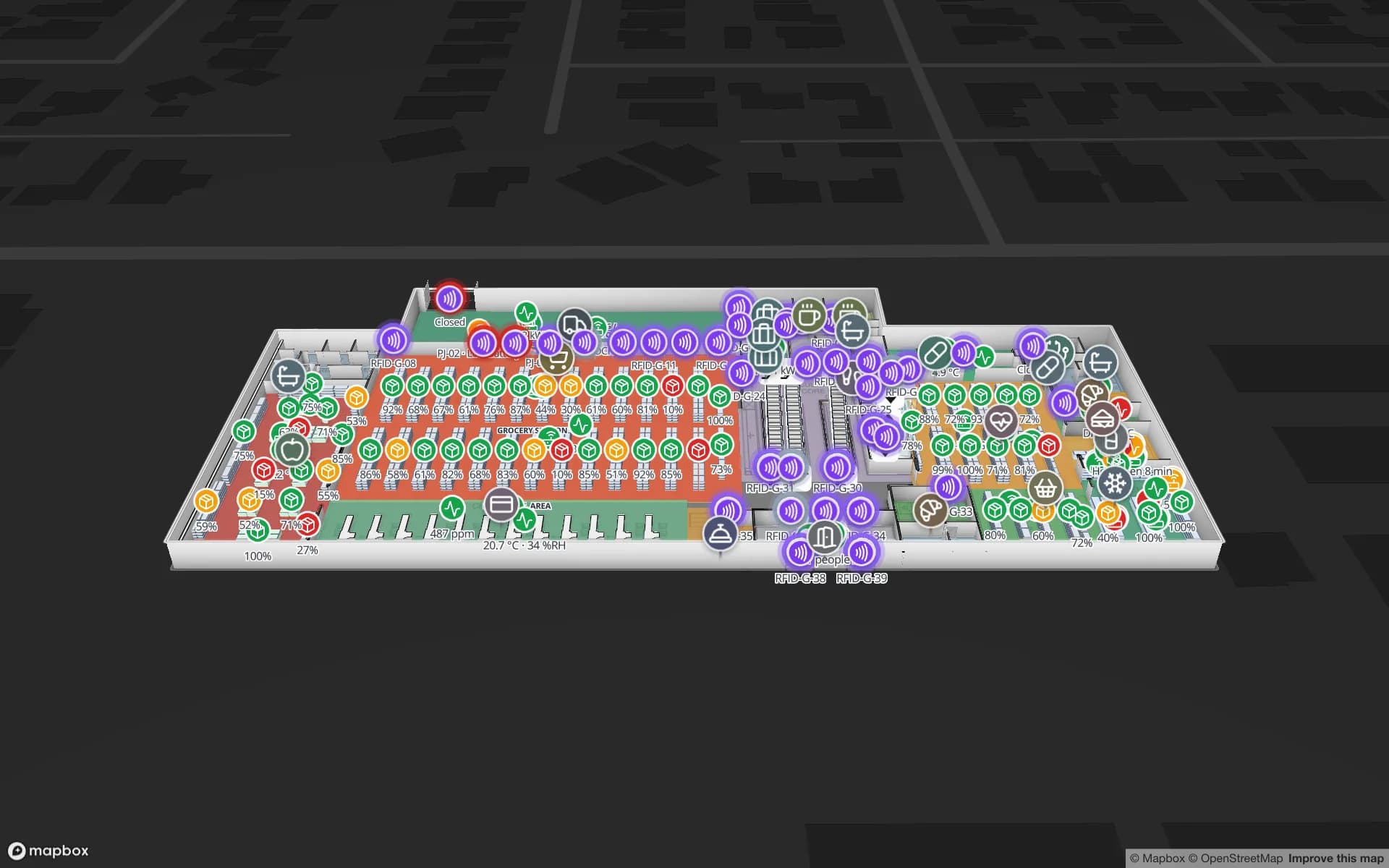
RFID reads put each tagged unit where it was last seen and play its path back — SMT line, test & QC, cage gate, dock. Readers pulse with their reads and offline readers show a red ring, so activity near the exits and dead readers stand out.
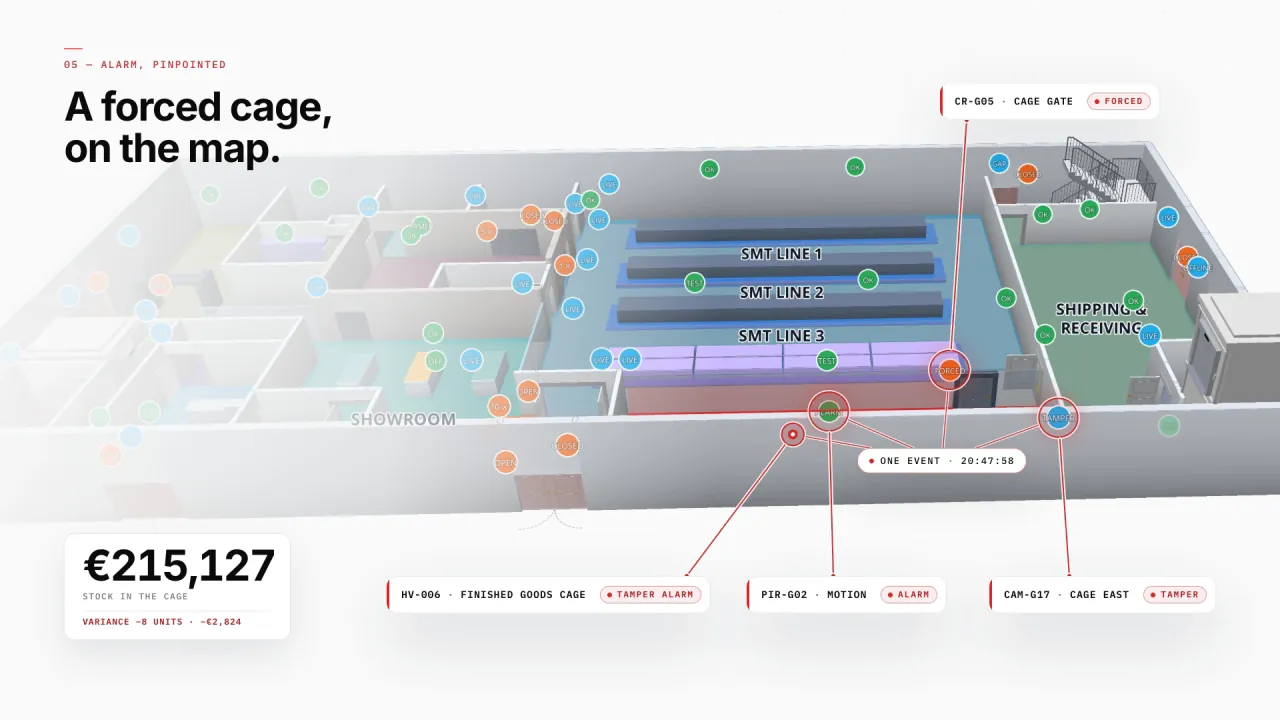
A forced cage, on the map
Gate, motion and camera states land on the cage they belong to, next to the stock inside it — here a forced cage gate, a motion alarm and a tampered camera, with €215,127 of stock in the cage. The alarm itself stays with your security system; Spatial Map shows where it is.
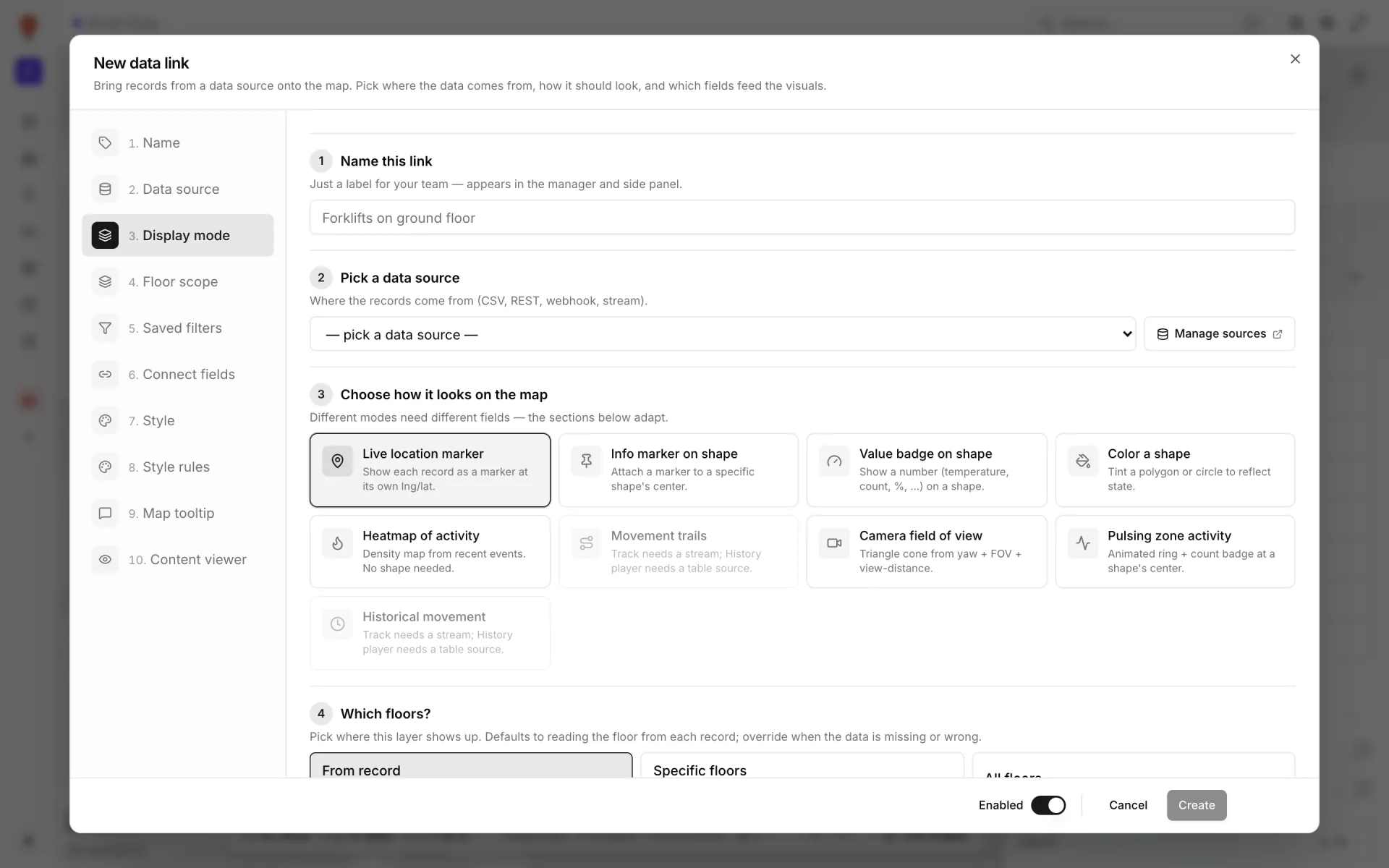
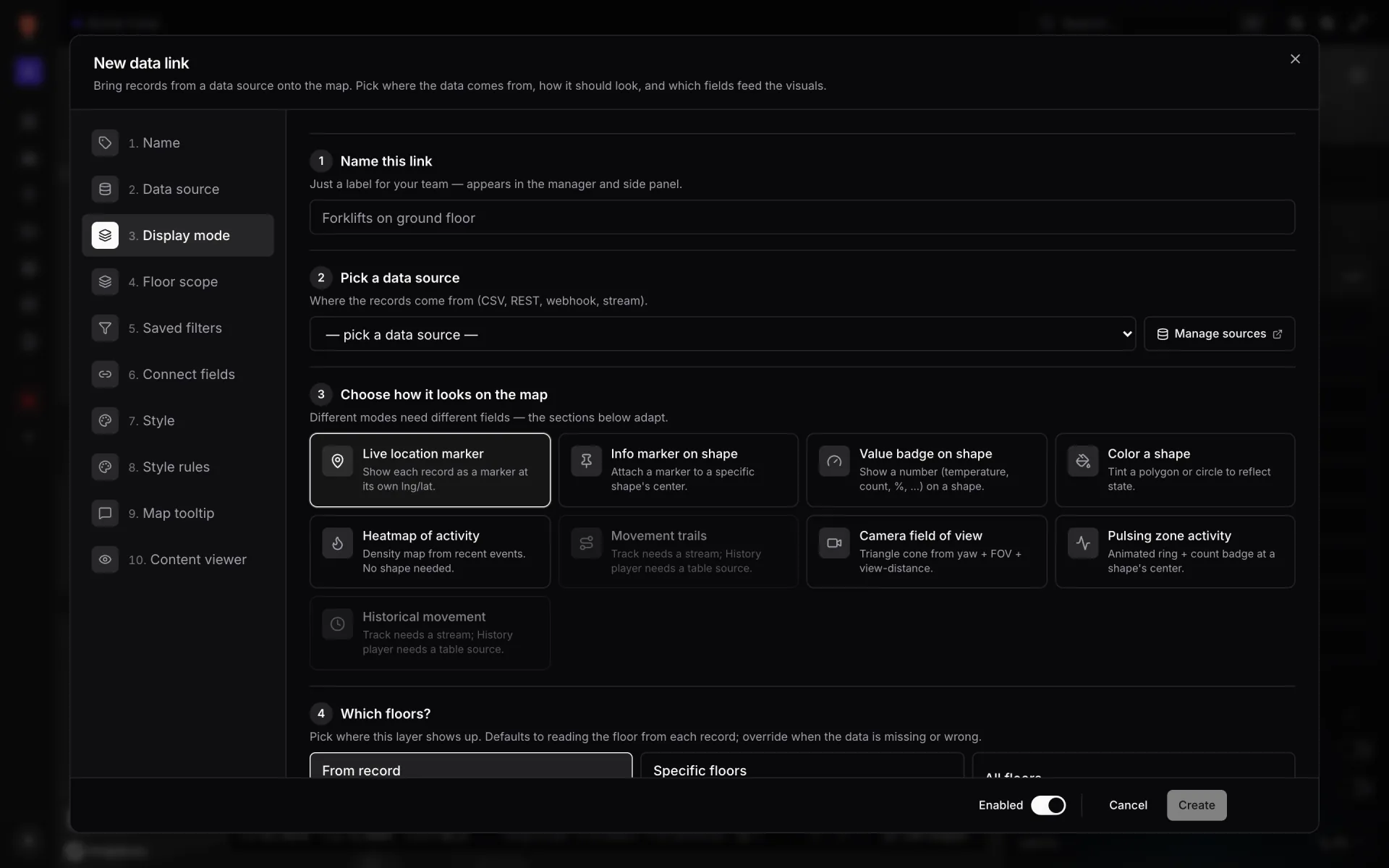
Connect your RFID, access and video systems
Poll their REST APIs on a schedule, upload exports as files, or have a small bridge write events into a table through its API — then a data link puts them on the map. Camera positions can show a field-of-view cone.
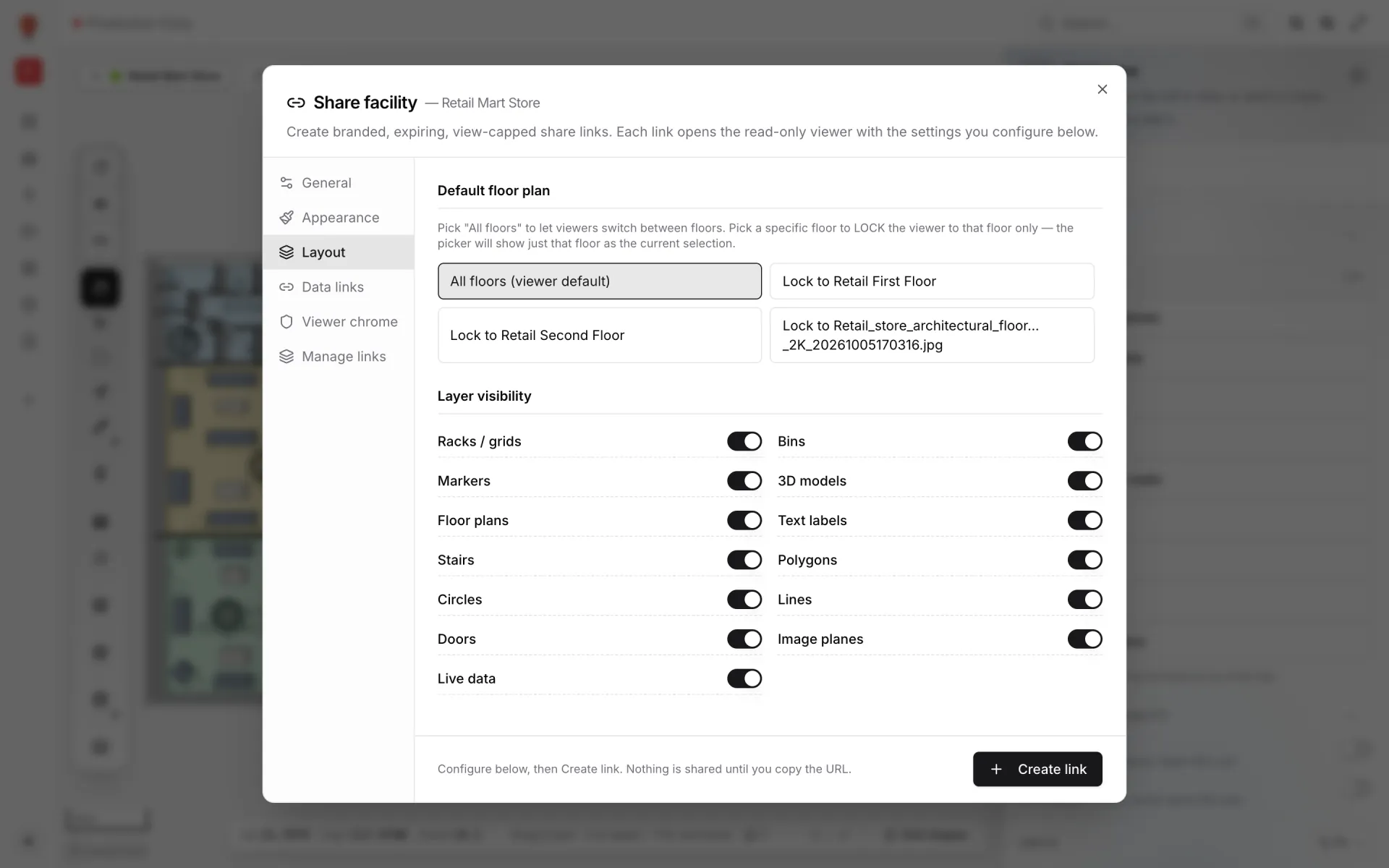
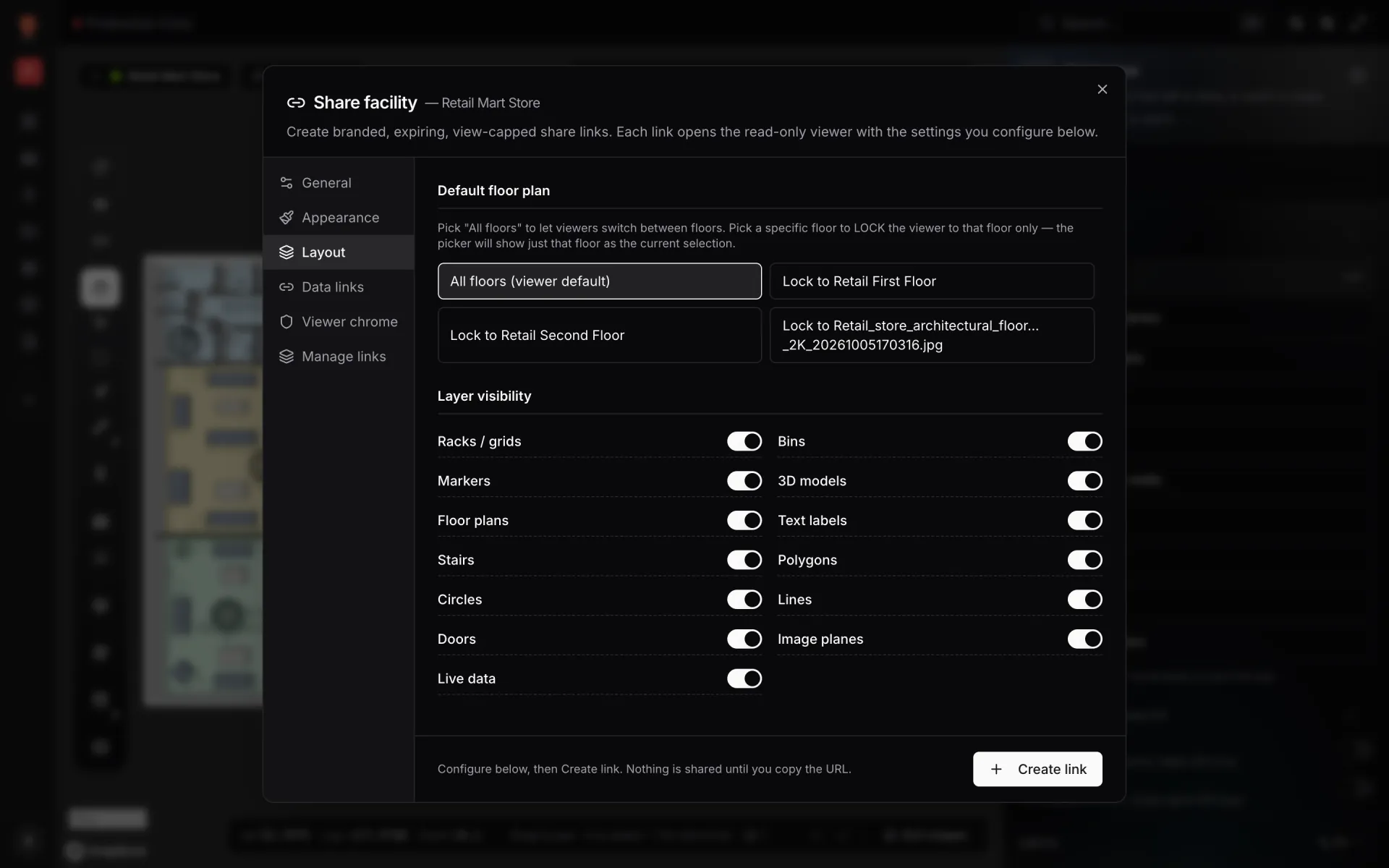
Read-only views for security partners
Share a link that opens the map without an account — lock it to a floor, hide layers, set an expiry and a view cap, revoke it any time.
Anti-theft on 2 real demo facilities
Mapped from real floor plans, with live sensors, RFID, BLE tags and gateways, tables, reports and simulators.
Reports built from the same data
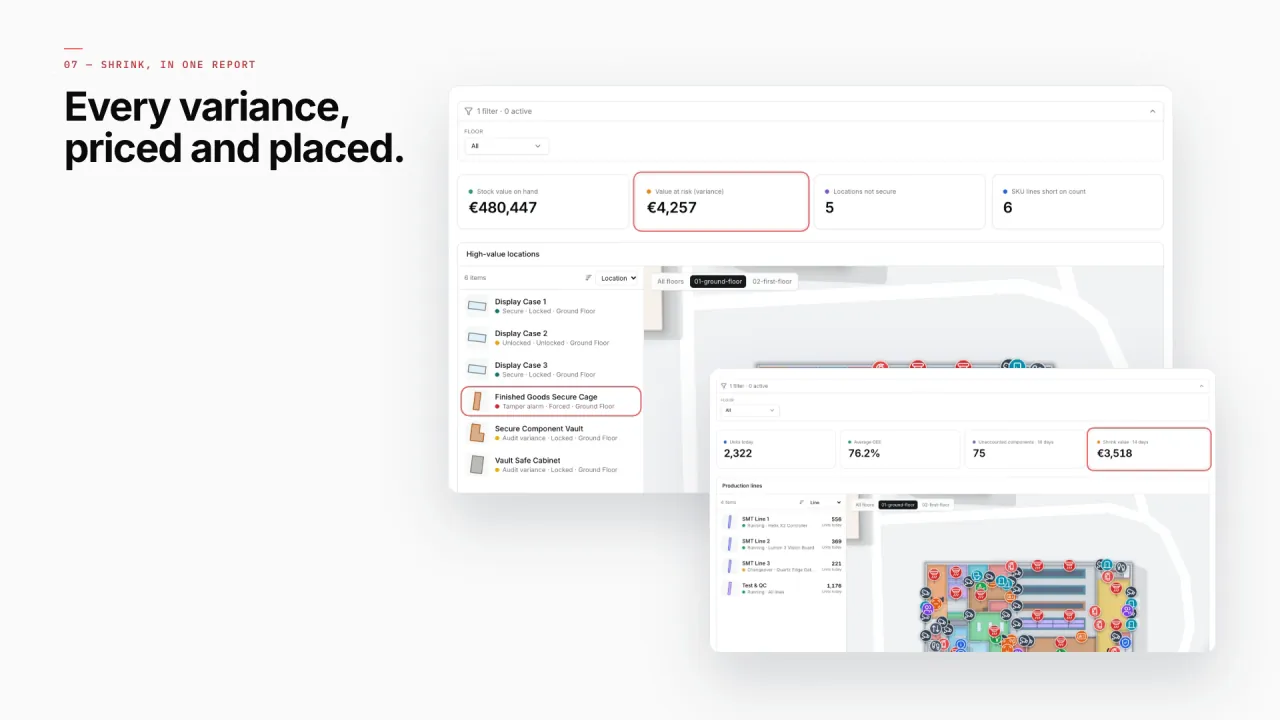
Northgate’s shrink reports price every variance and place it: high-value locations with their stock value and variance, beside the live map of where they are. Every report exports to PDF, Excel, CSV or JSON for the incident file.
- Northgate · Security Zones & Incidents — Every zone with its incidents and status, beside the map.
- Northgate · Access Control — Access points and events, granted and denied, by door.
- Northgate · Choke-Point Flow — Counts through each choke point, in and out.
- Northgate · High-Value Stock & Shrink — Vault and cage inventory with the shrink it shows.
- Retail Mart · RFID Live Map — A full-map report: every reader on the store map, its record beside it and the read counts on top.
- Device & Gateway Health — Every reader and gateway with its status and last event — one per facility.
Connect what you already run
- RFID / EAS middleware polled from its REST API
- Access-control and gate events written into a Table via its write API
- Camera alerts and video-analytics exports as CSV or Excel
- Reader, gate and camera rosters as CSV, Excel, JSON or GeoJSON
Data comes in through REST sources pulled on a schedule, file uploads, and your own tables with a write API — see integrations.
Live in four steps
- 01
Create an Anti-theft solution
The template presets the name and icon and suggests matching facilities, reports and data.
- 02
Place zones, readers and cameras
Areas for security zones, markers for readers, gates and cameras, each with its device ID.
- 03
Connect the events
A REST integration or a table, then data links for pulsing readers, coloured zones and camera cones.
- 04
Report and export
Full-map and summary reports, exported to PDF, Excel, CSV or JSON.