Custom software · Back office

Inventory back-office software development, built around your counts and devices

Handheld apps collect the data; a back office is where supervisors approve it. We build custom web back offices for inventory and asset teams — dashboards, count variance and approval, receiving, asset registers and device management — connected to your ERP or WMS and to Spatial Map for the live floor plan. The screens below are examples, not part of the Spatial Map product.

Spatial Map: no credit card for the trial, runs in the browser, Pro is $60/month for up to 4 facilities. Explore the live demo

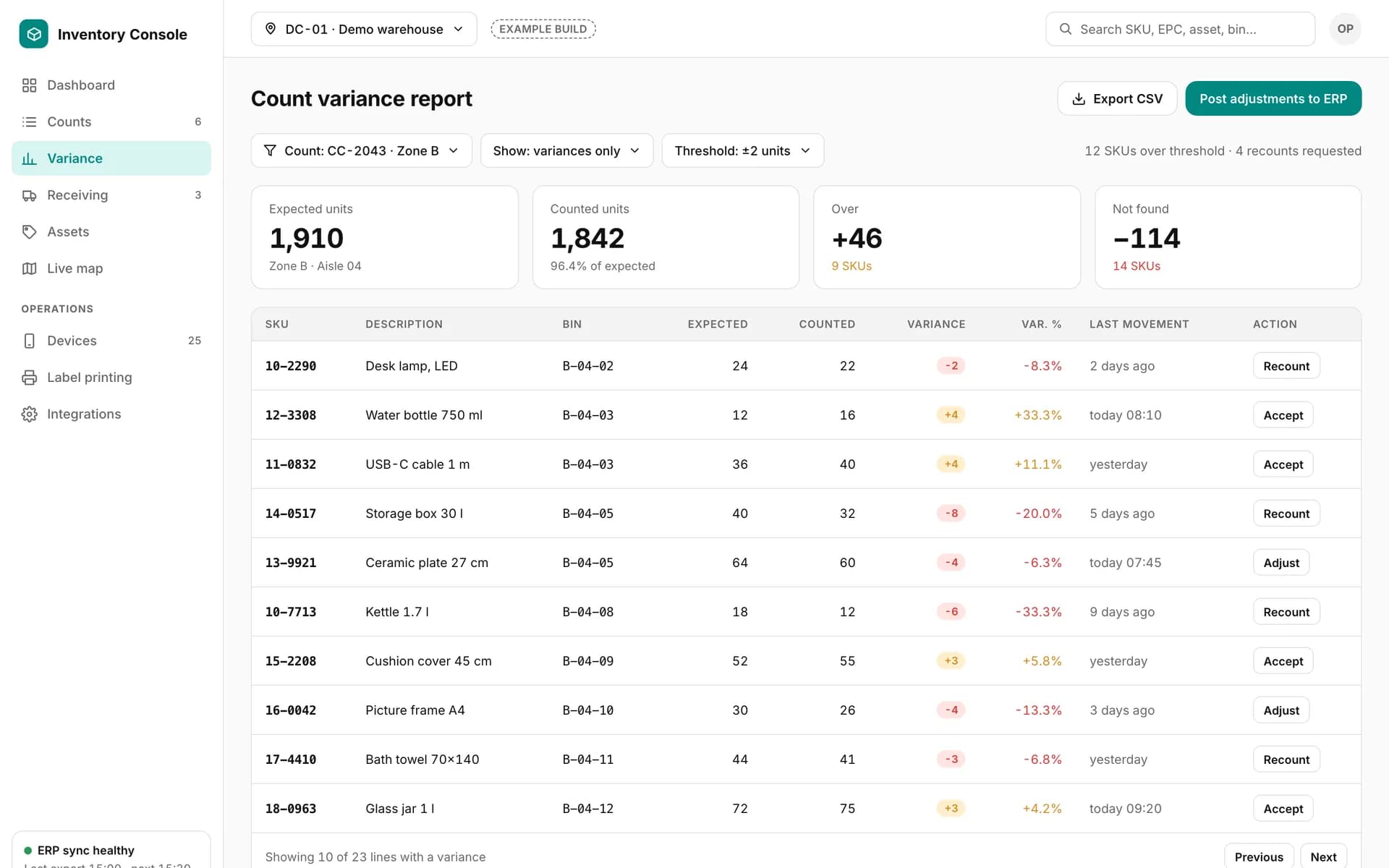
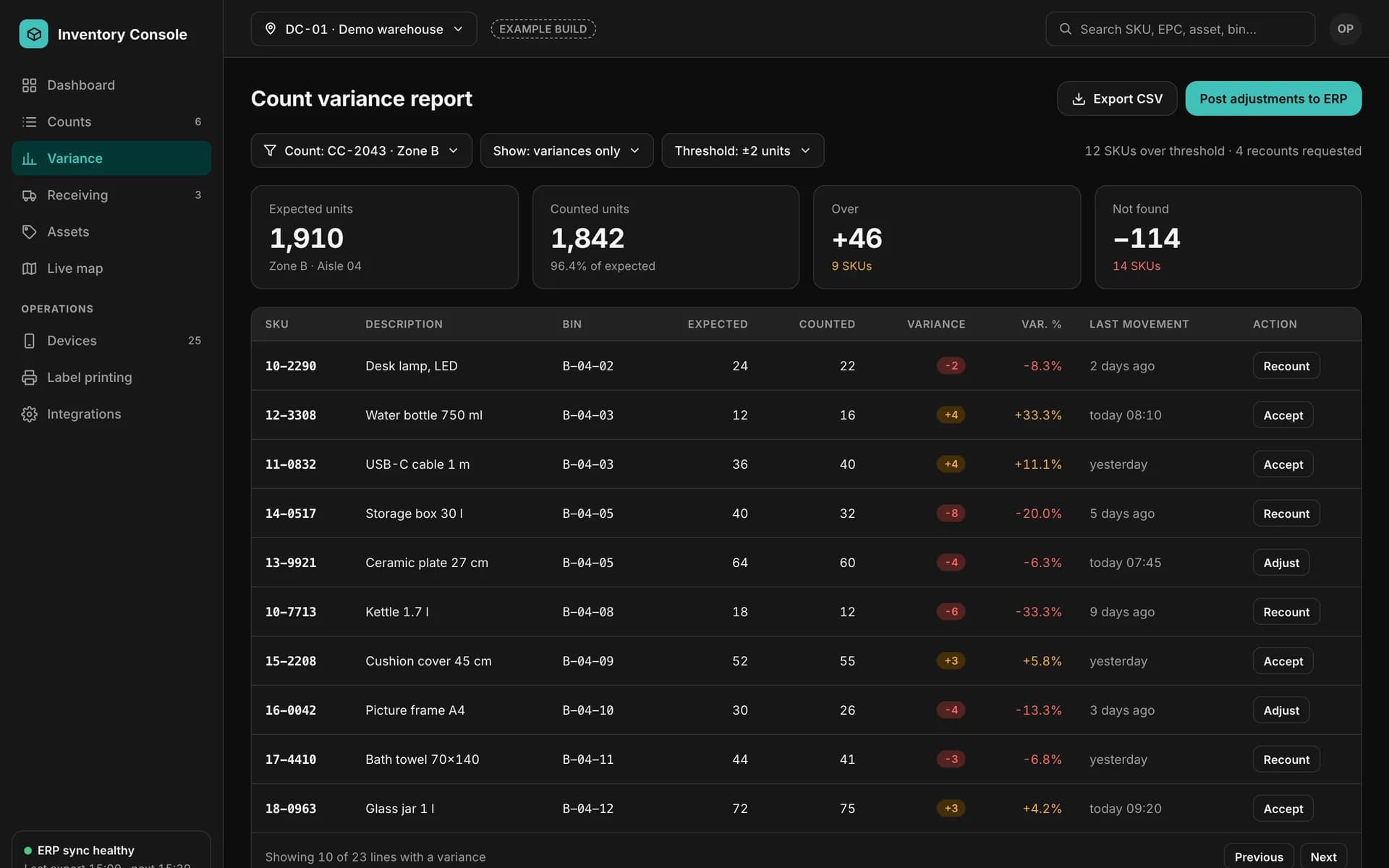
Example count variance report: expected, counted, over and not-found totals, and a table of SKUs with variance, last movement and recount, accept or adjust actions.
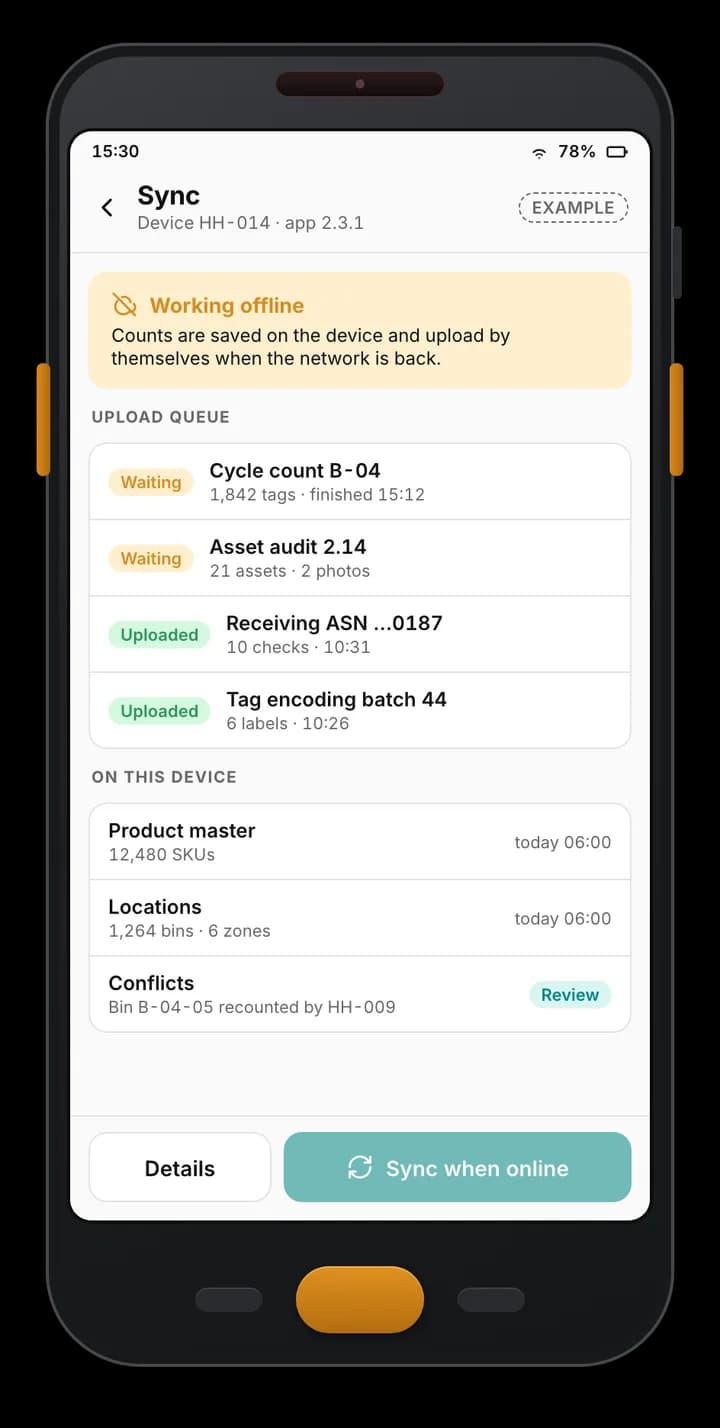
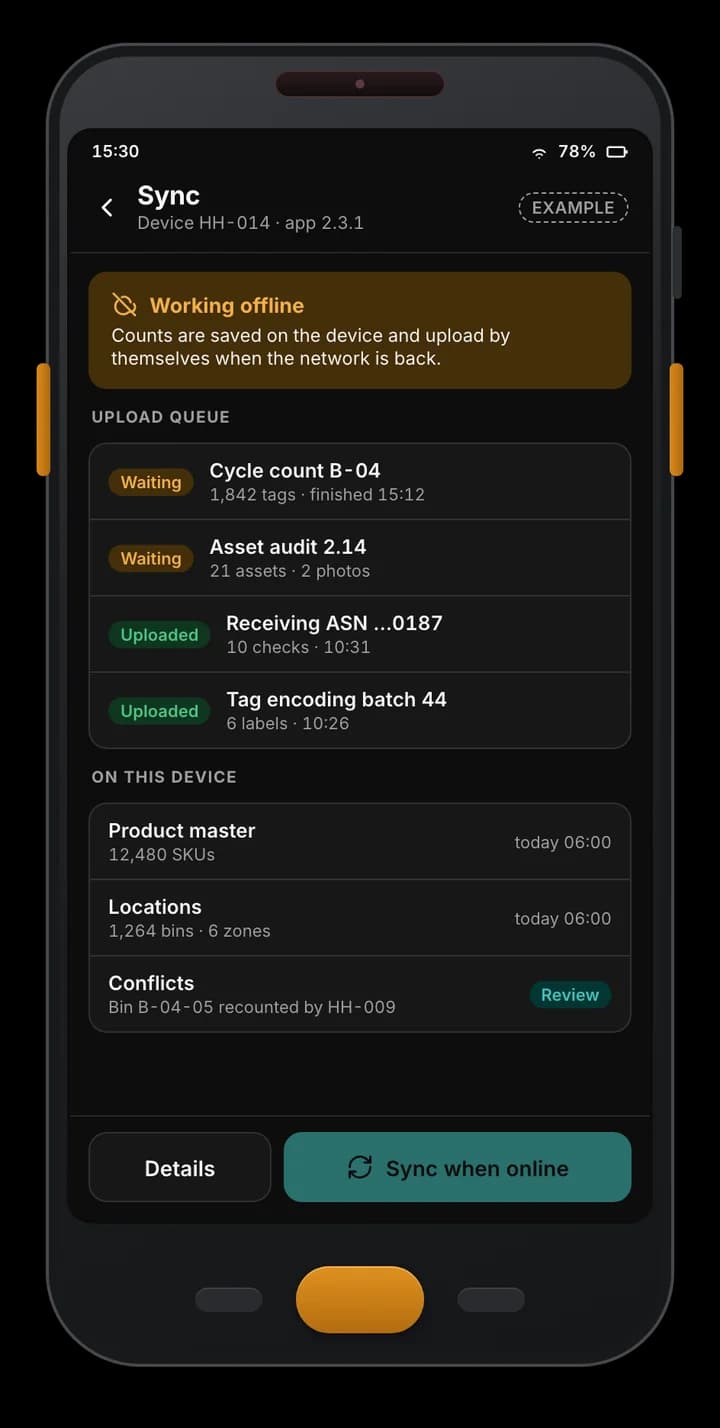
Example handheld app working offline: counts queued on the device, uploads already sent, product master and locations cached, and one conflict to review.
Example of a custom app we build — not part of the Spatial Map product.

Screens supervisors actually use

A back office is built around decisions, not tables. Typical modules:

  • Dashboard — inventory accuracy, open counts, variance and devices online, by site and zone.
  • Count variance and approval — expected against counted per SKU and bin, with recount, accept and adjust actions, and adjustments posted to the ERP after approval.
  • Receiving — ASNs and POs in progress, discrepancies with photos, supervisor sign-off.
  • Asset register — assets, tags and rooms, with audit history and missing-asset follow-up.
  • Device management — handhelds, readers, gates, printers and gateways with battery, software version, last seen and the task each device is on.
  • Label printing — print-and-encode jobs and the EPC register.
Where Spatial Map fits

The back office handles approvals and records; Spatial Map shows the same rows on the 3D floor plan — count progress by zone, variance hot spots, readers that went quiet. Custom screens can link straight to the facility in Spatial Map, and its reports and read-only share links cover the views that don’t need custom code. See built-in reports and the report builder.

Integrations behind the screens

Expected stock, item masters and asset registers come from your ERP or WMS; approved results go back. Device data arrives from the handheld apps and reader connectors. The integration side is described on integration development.

Examples

Example screens

Fictional data. The back office has its own look so it is never mistaken for Spatial Map.

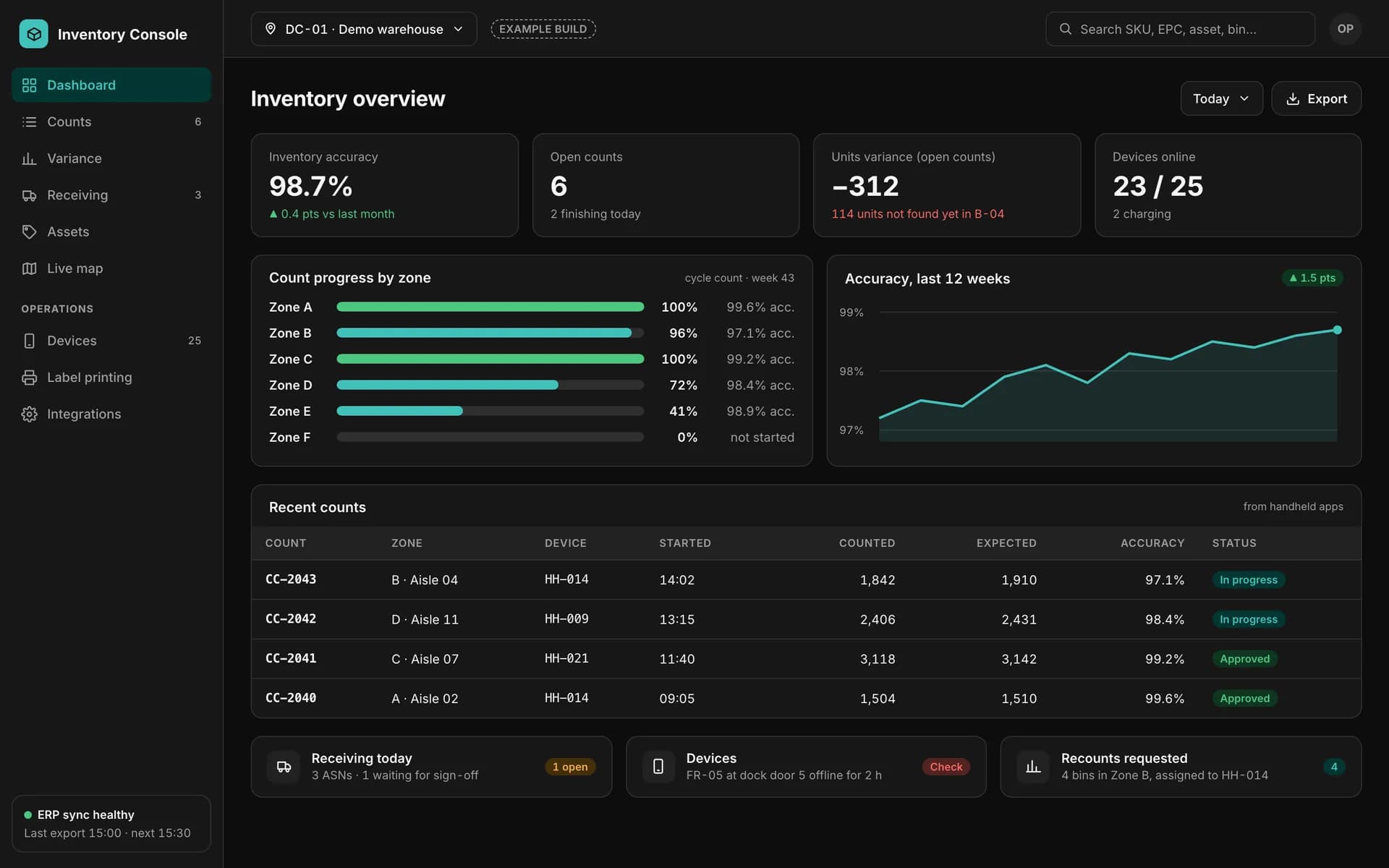
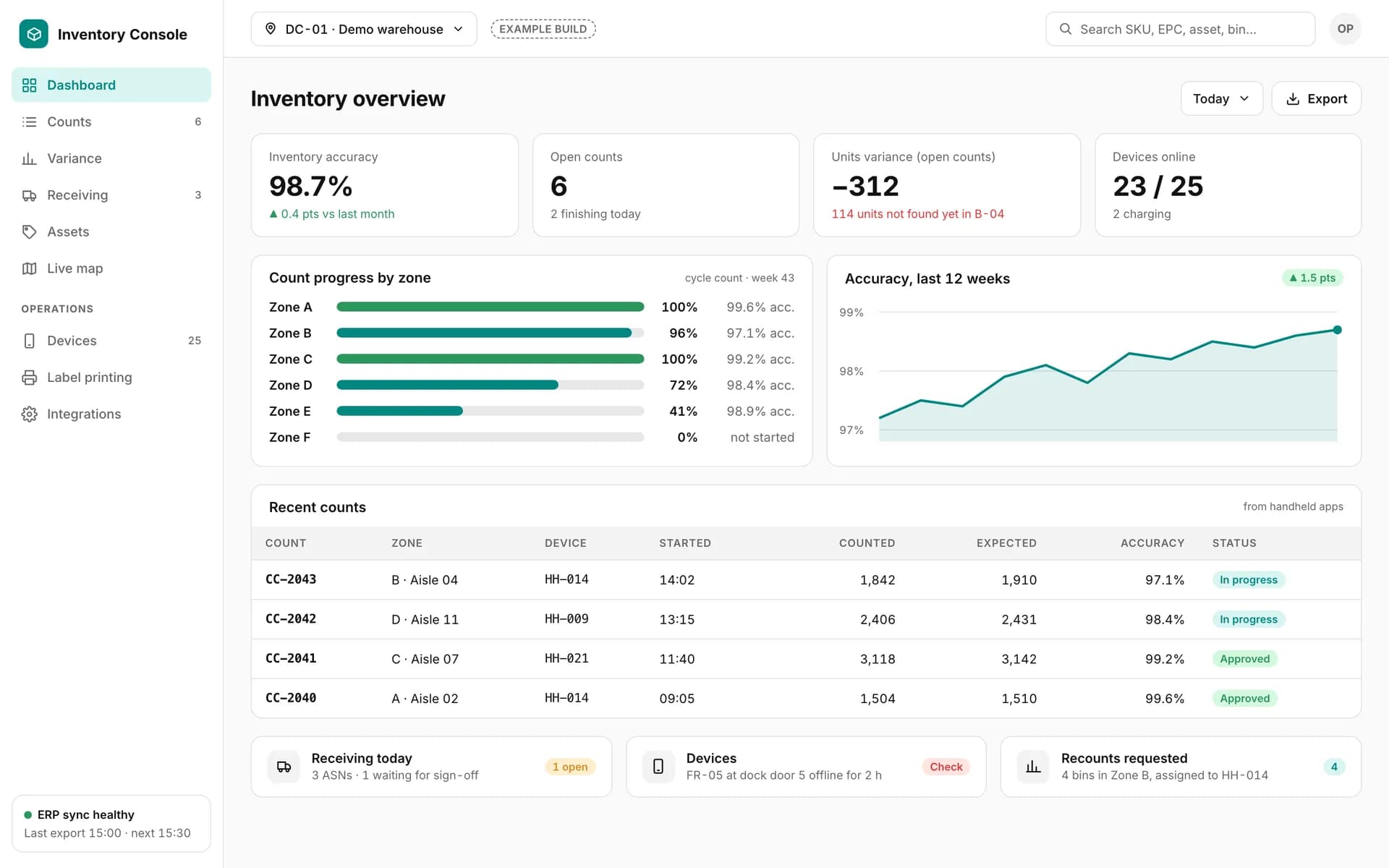
Example inventory back office: accuracy, open counts, variance and devices online, count progress by zone, a 12-week accuracy trend and recent counts from handhelds.

Inventory dashboard

Example of a custom app we build — not part of the Spatial Map product.
Example count variance report: expected, counted, over and not-found totals, and a table of SKUs with variance, last movement and recount, accept or adjust actions.

Count variance report

Example of a custom app we build — not part of the Spatial Map product.
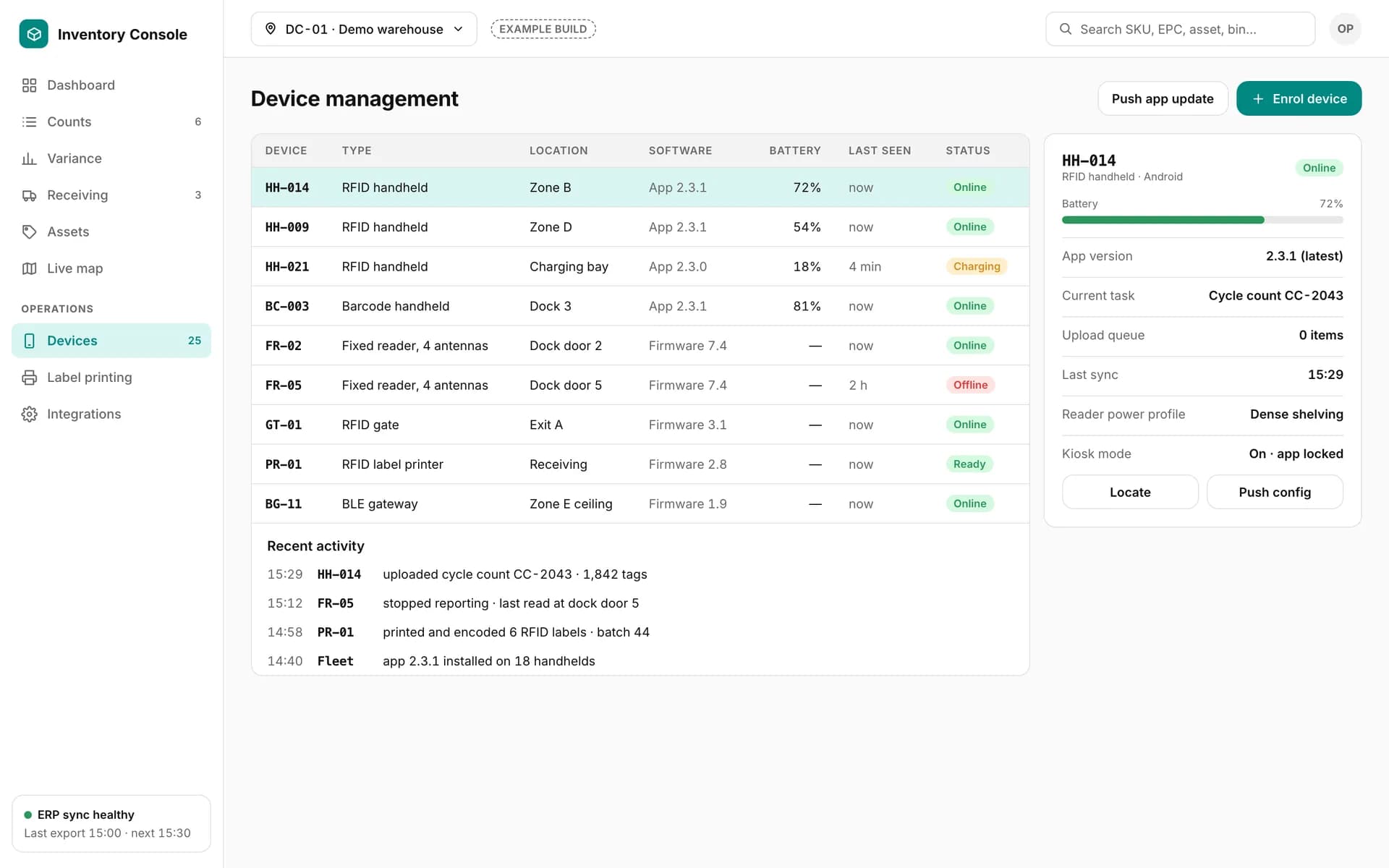
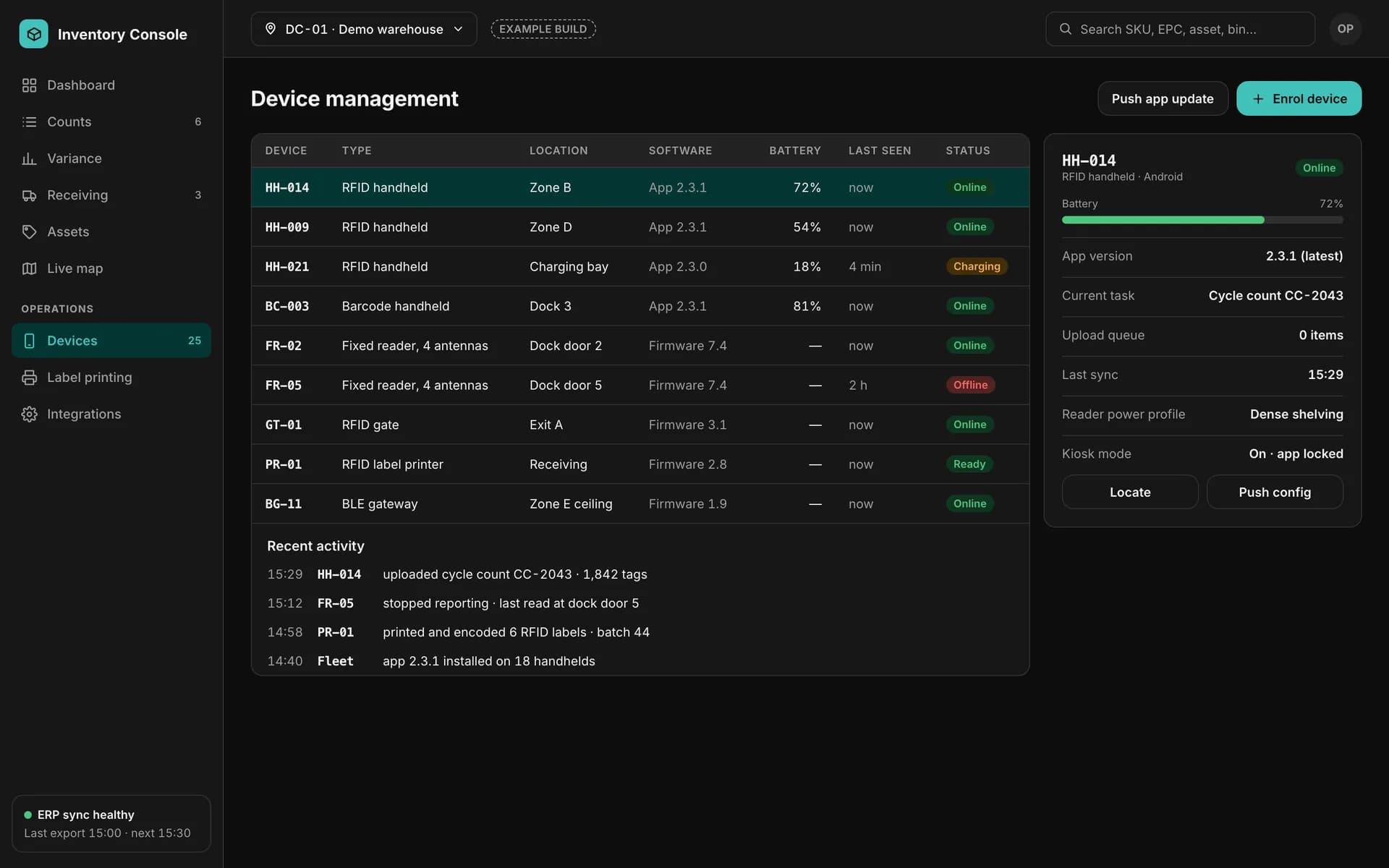
Example device management screen: RFID handhelds, fixed readers, a gate, a label printer and a BLE gateway with battery, software version, last seen and status.

Device management

Example of a custom app we build — not part of the Spatial Map product.
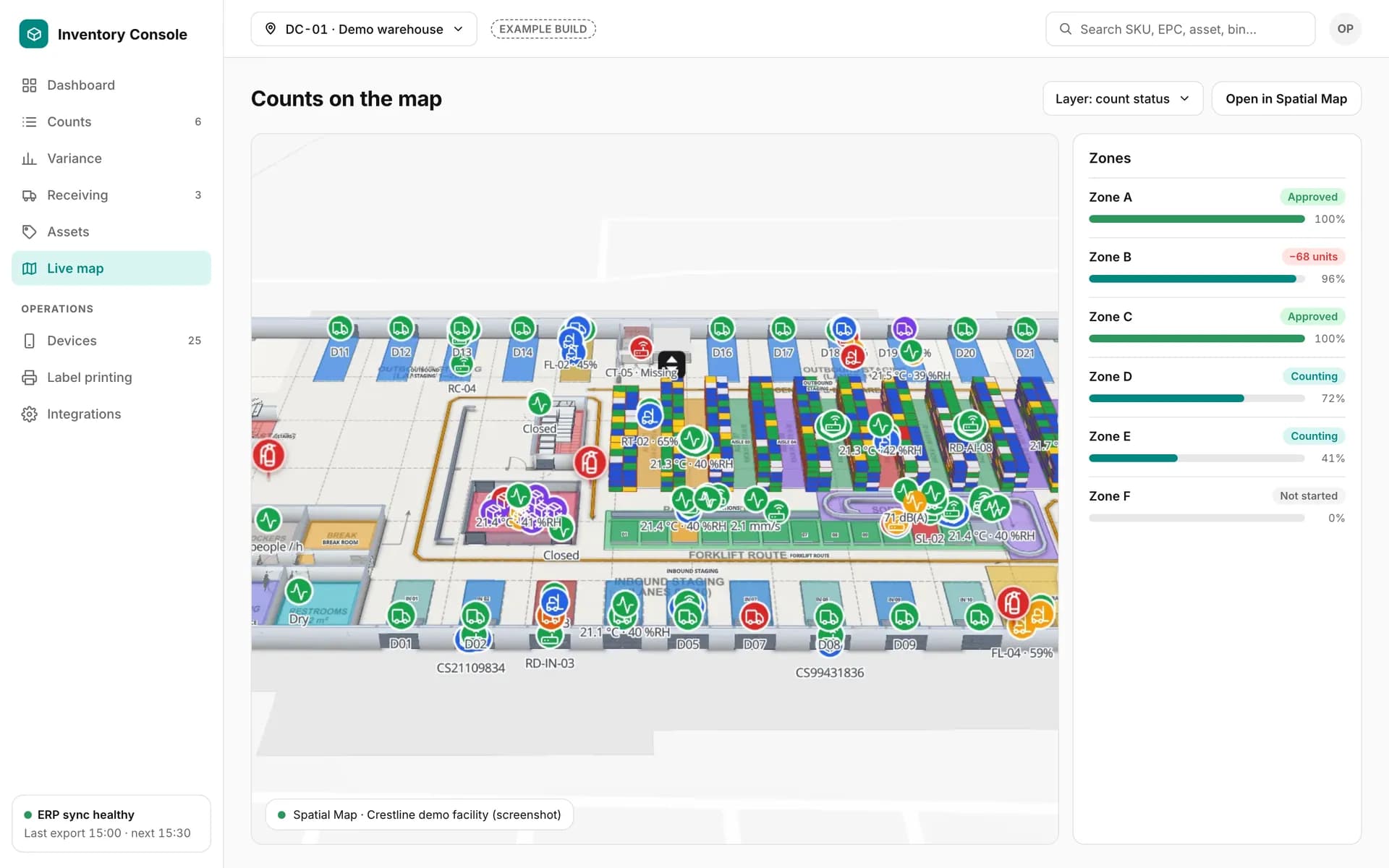
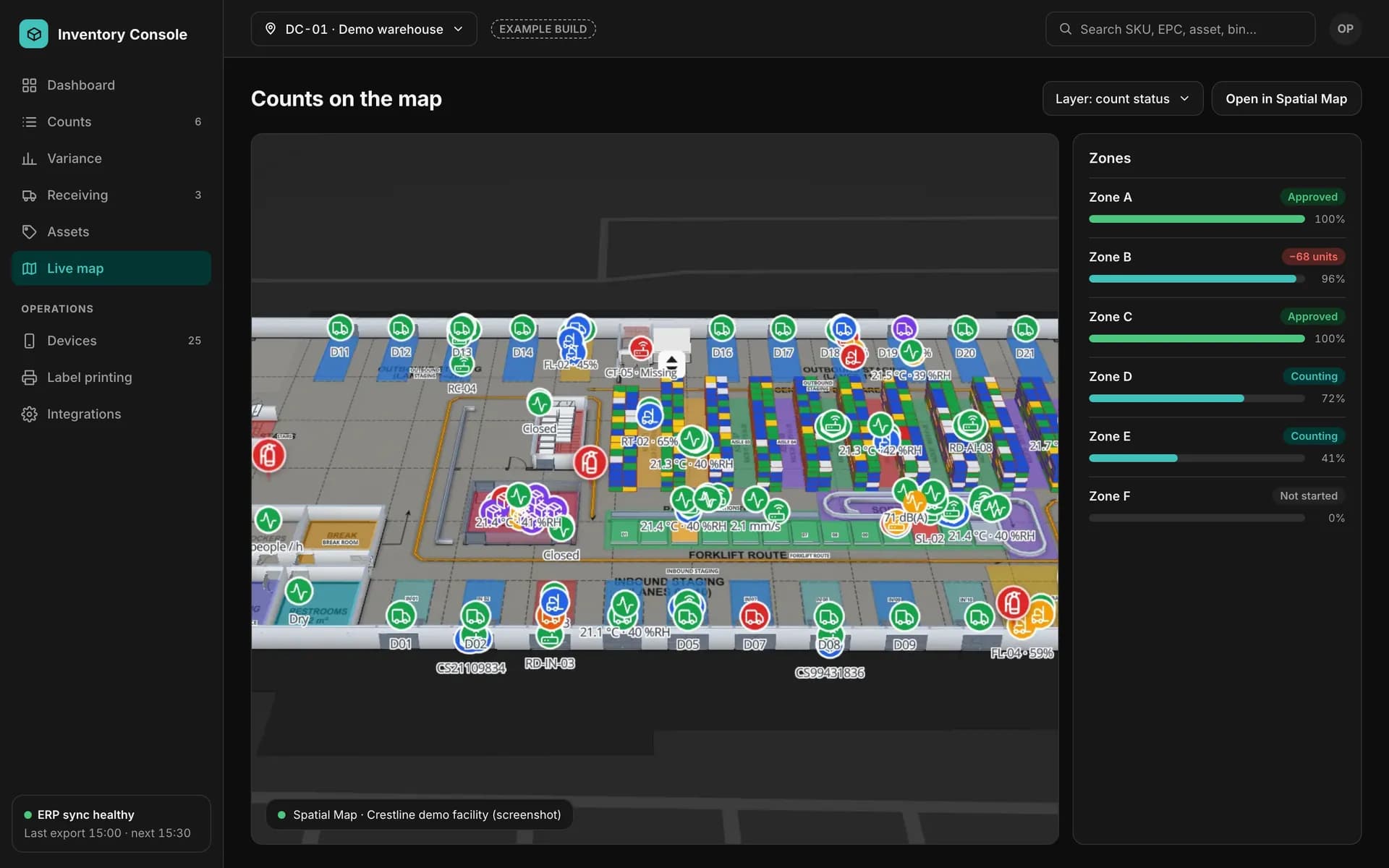
Example back office with count progress per zone next to a screenshot of the Crestline demo facility in Spatial Map.

Counts next to the map

Example of a custom app we build — not part of the Spatial Map product. The map panel is a screenshot of the Crestline demo facility in Spatial Map.

What you get

Web back office

The modules your supervisors need, with roles that match your team.

ERP / WMS connector

Expected stock in, approved results out — on your schedule.

Spatial Map tables

The same results on the live floor plan, in reports and share links.

Back-office development — frequently asked questions

No. It is custom software built for one client; the screens on this page are examples with fictional data. Spatial Map provides the live map, its own reports and share links.

Yes, as part of the project: approved counts, receipts and adjustments are written back through the ERP’s or WMS’s own API or import format.

Yes. Spatial Map’s built-in reports and report builder cover many views on day one; a back office is worth it when you need approvals, write-back or device management.

Give your supervisors one place to approve the count.

Tell us how counts, receipts and adjustments are approved today and which systems are involved. We will scope the back office and connect it to your live map.