
Every cold room at a glance — temperatures, doors and excursions on one live map.
Spatial Map Cold Chain is cold chain monitoring software that tints every cold room, freezer and dock on a live floor plan by its temperature, so excursions and open doors stand out, with reports on probes, reefer docks and QC samples.
No credit card. Runs in the browser. Pro is $60/month for up to 4 facilities.
Last updated:
Download brochure(PDF, 2.4 MB)Open in a new tab — Cold Chain brochure, PDF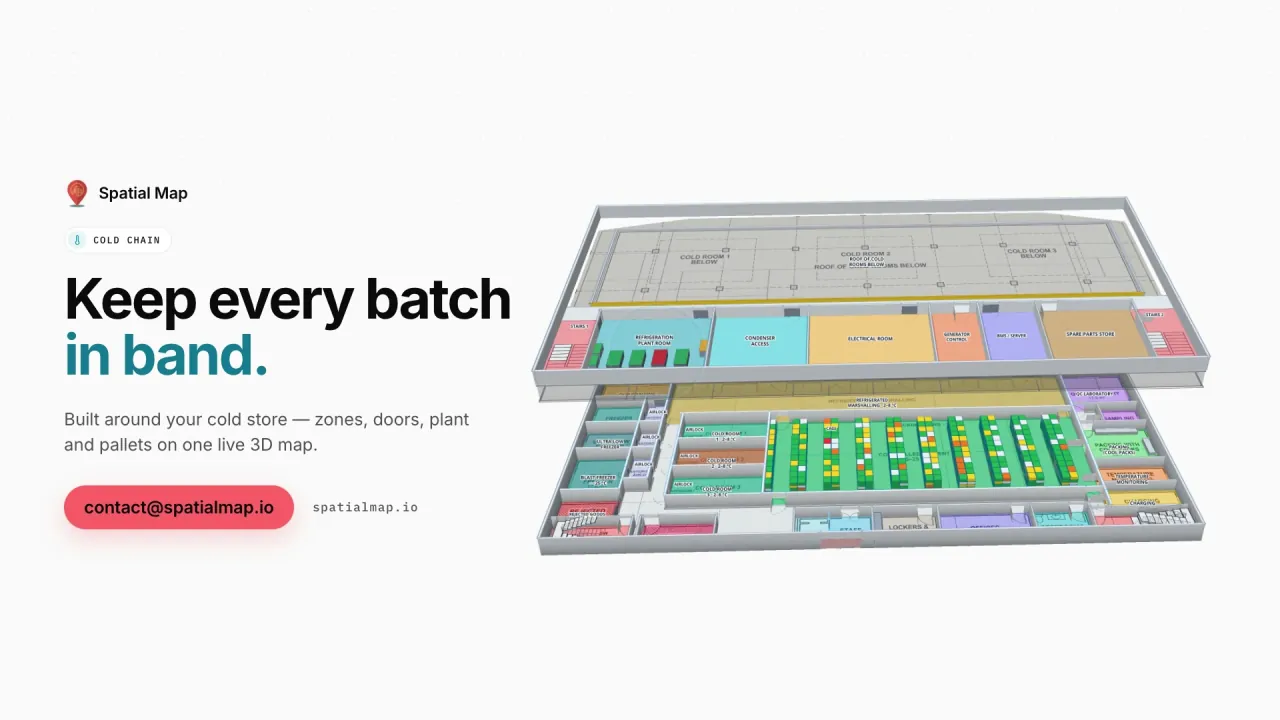
What gets in the way today
A probe ID is not a place
An alarm on “T-114” doesn’t tell the shift lead which freezer, which door or which pallets are affected.
Excursions found after the fact
Temperature logs are reviewed once a day, long after the door was left open.
Audit evidence in five systems
Probe history, door events, quarantine and QC results all live apart.
What your cold chain team sees
Stills from the Cold Chain film, made from the product’s demo facilities, and screenshots of the app where the film doesn’t go.
Temperature zones, live
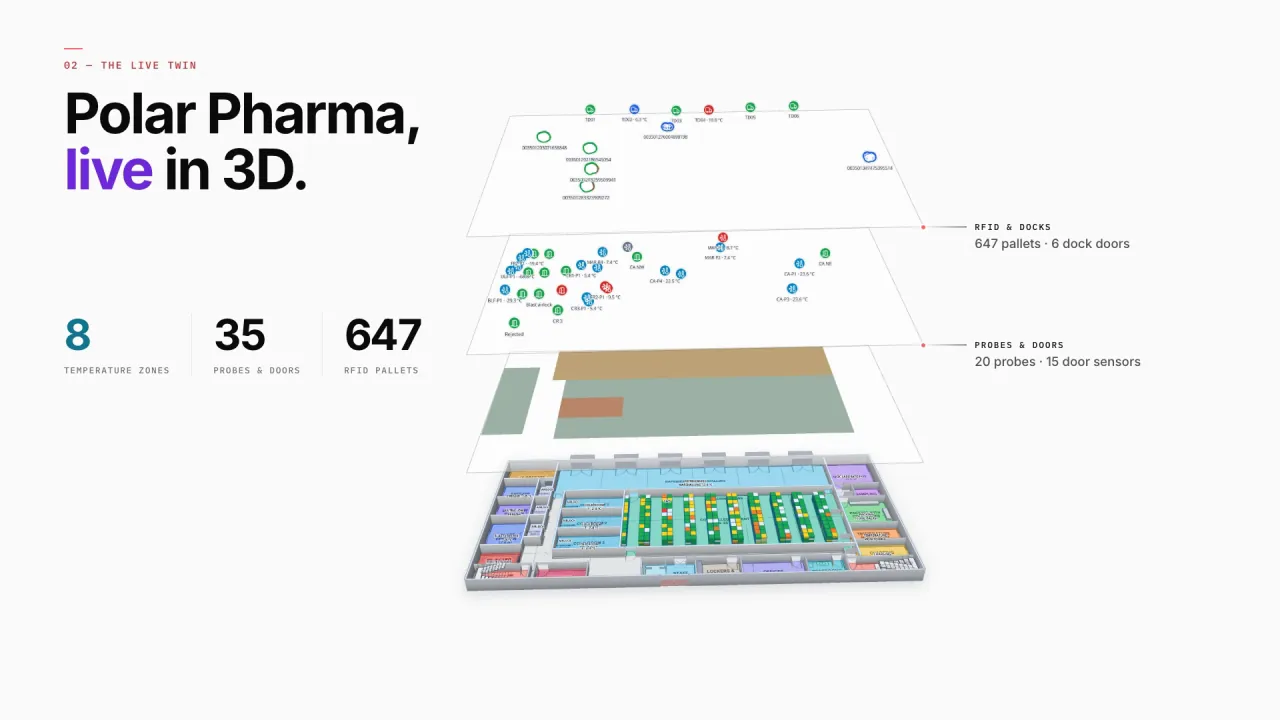
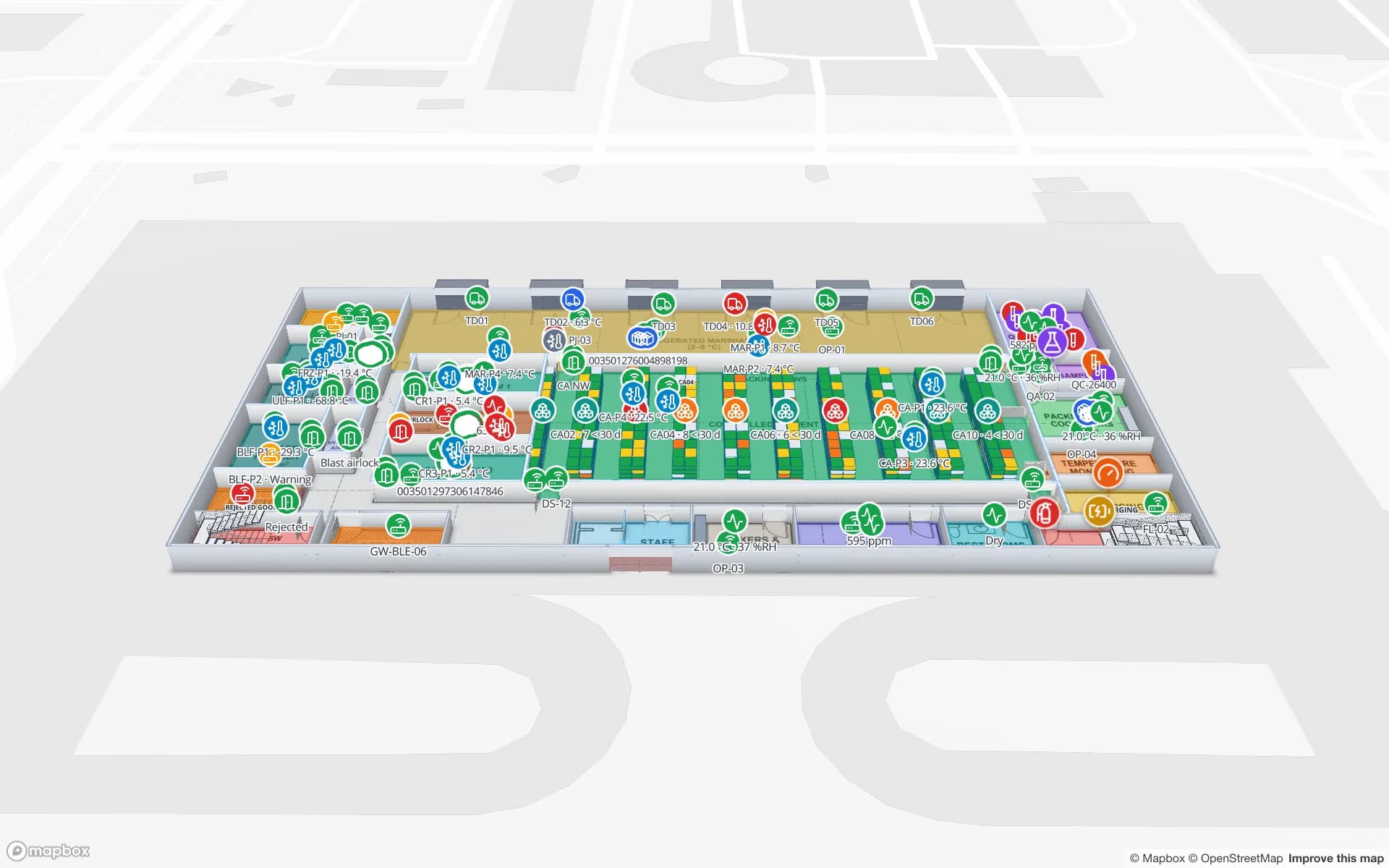
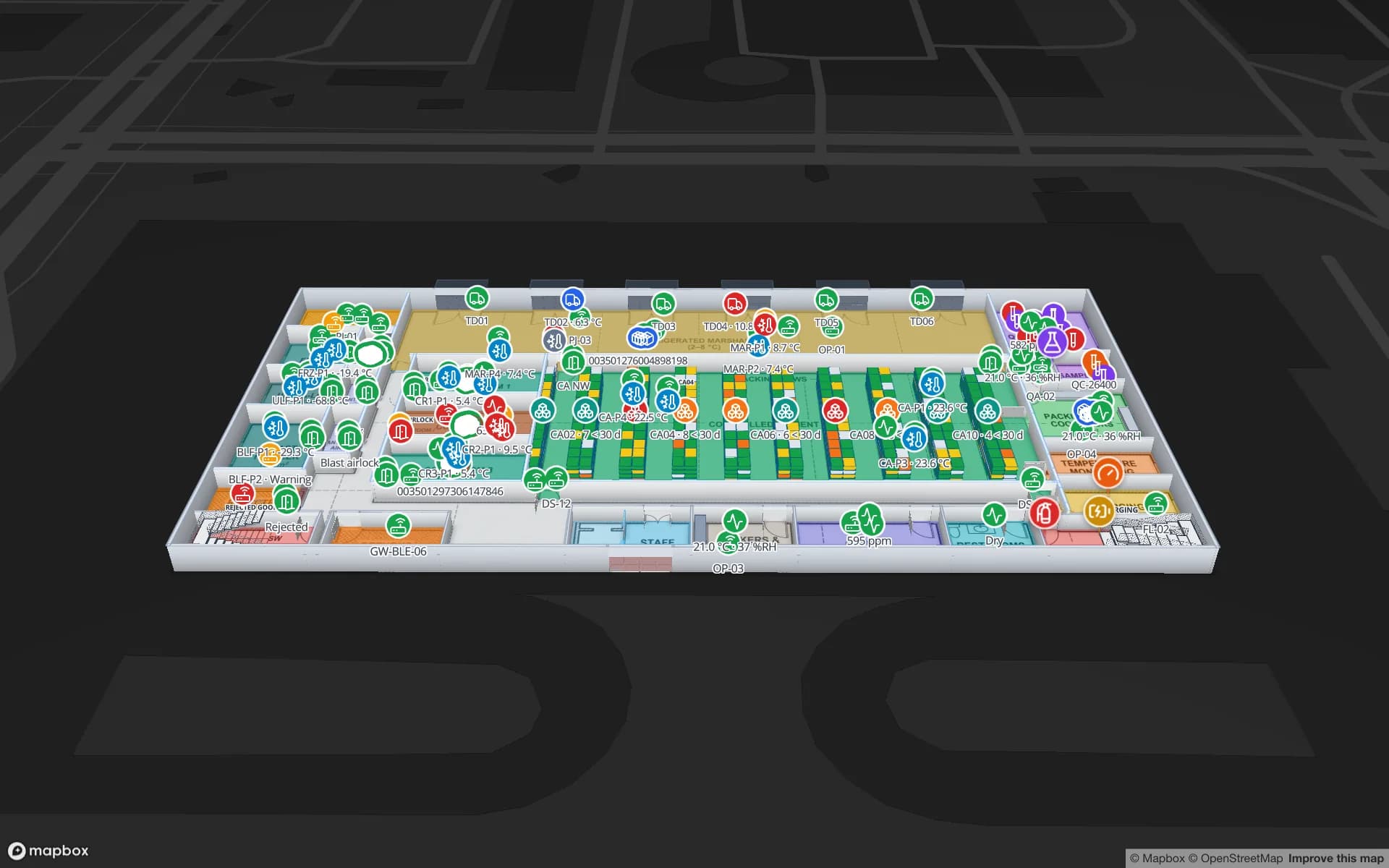
Every cold room and freezer at Polar Pharma is tinted from its probes, with door sensors, reefer docks, quarantine and the QC lab on the same floor plan — 8 zones, 35 probes and door sensors and 647 RFID pallets in the demo.
Fridges and freezers in the store
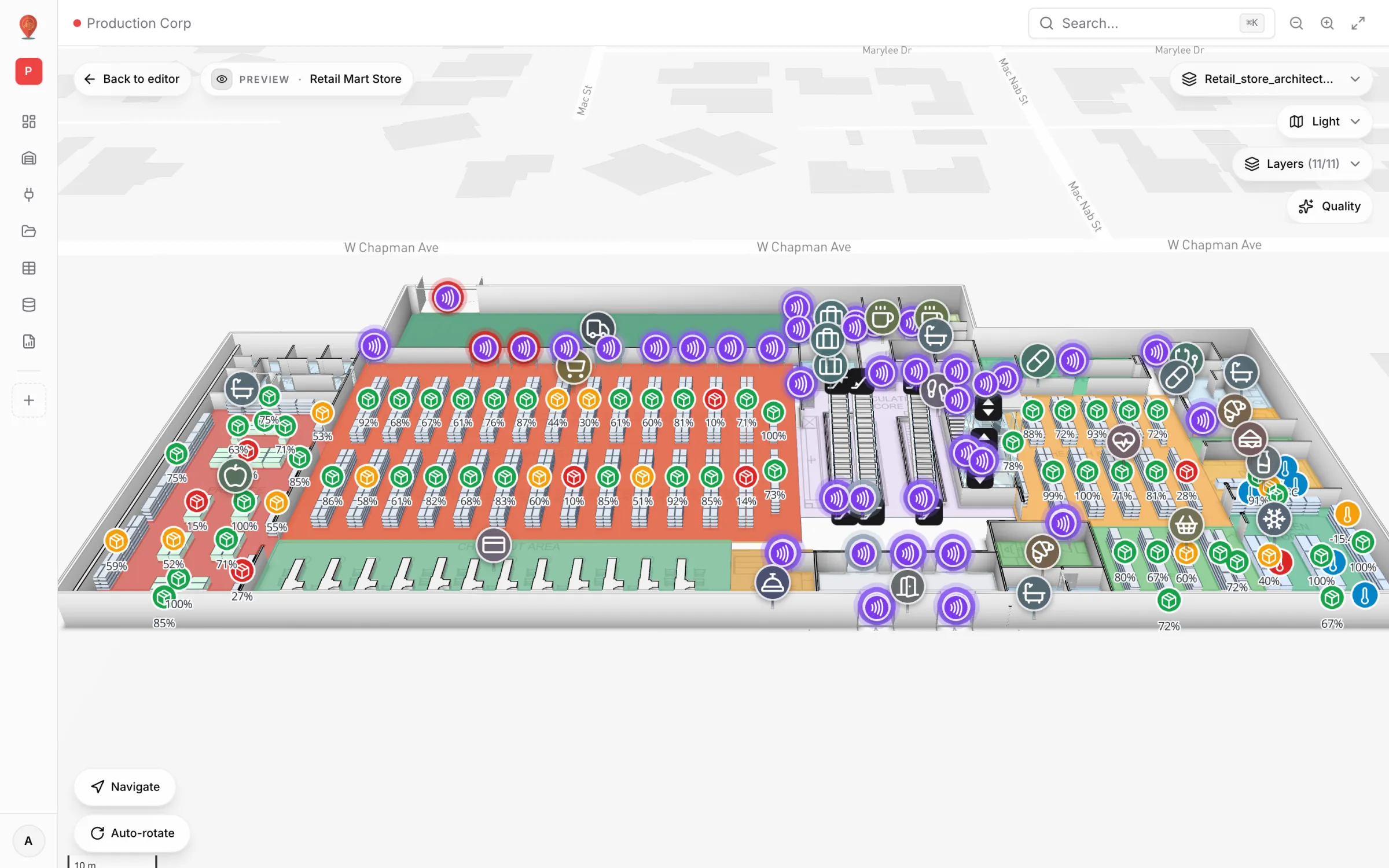
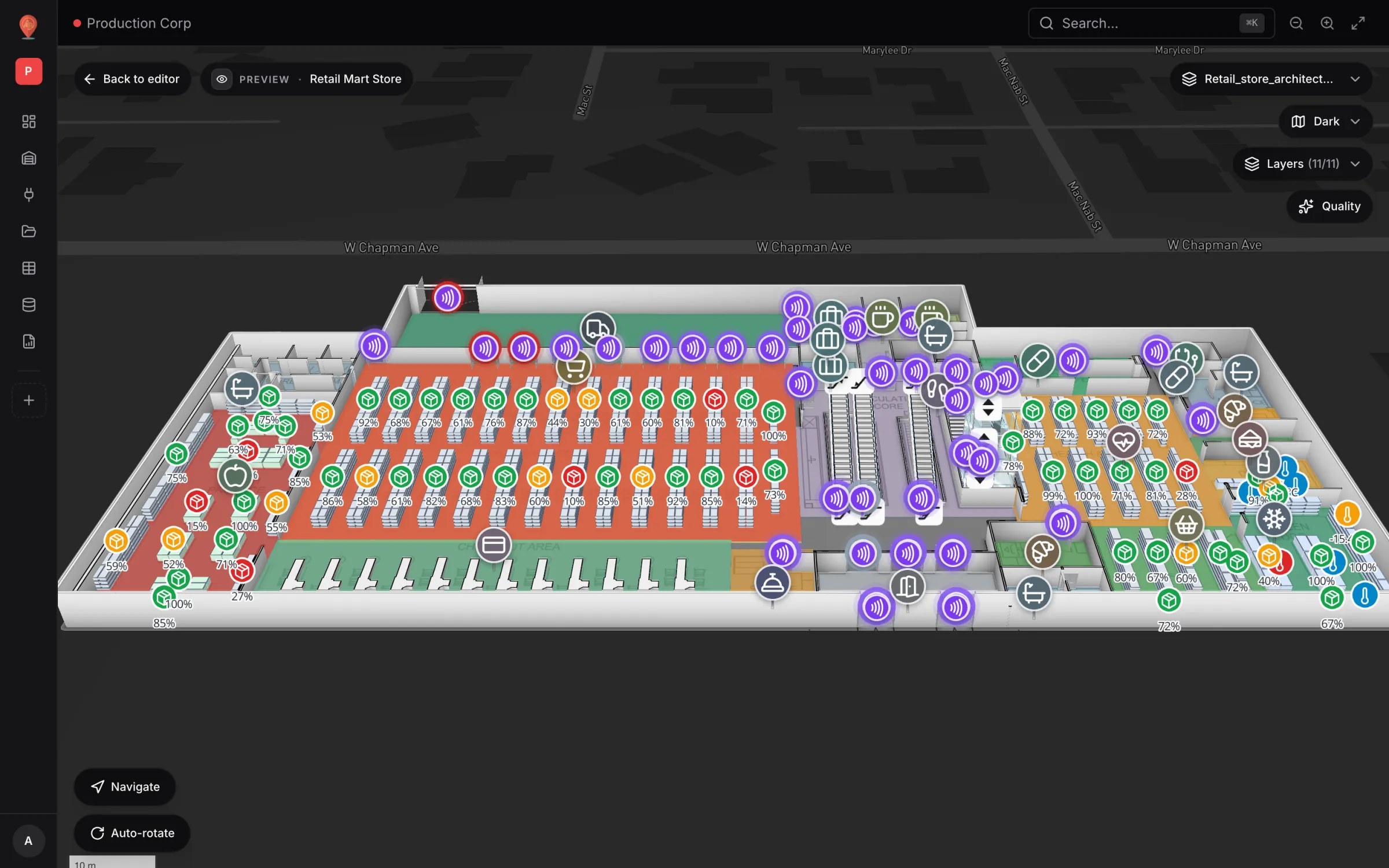
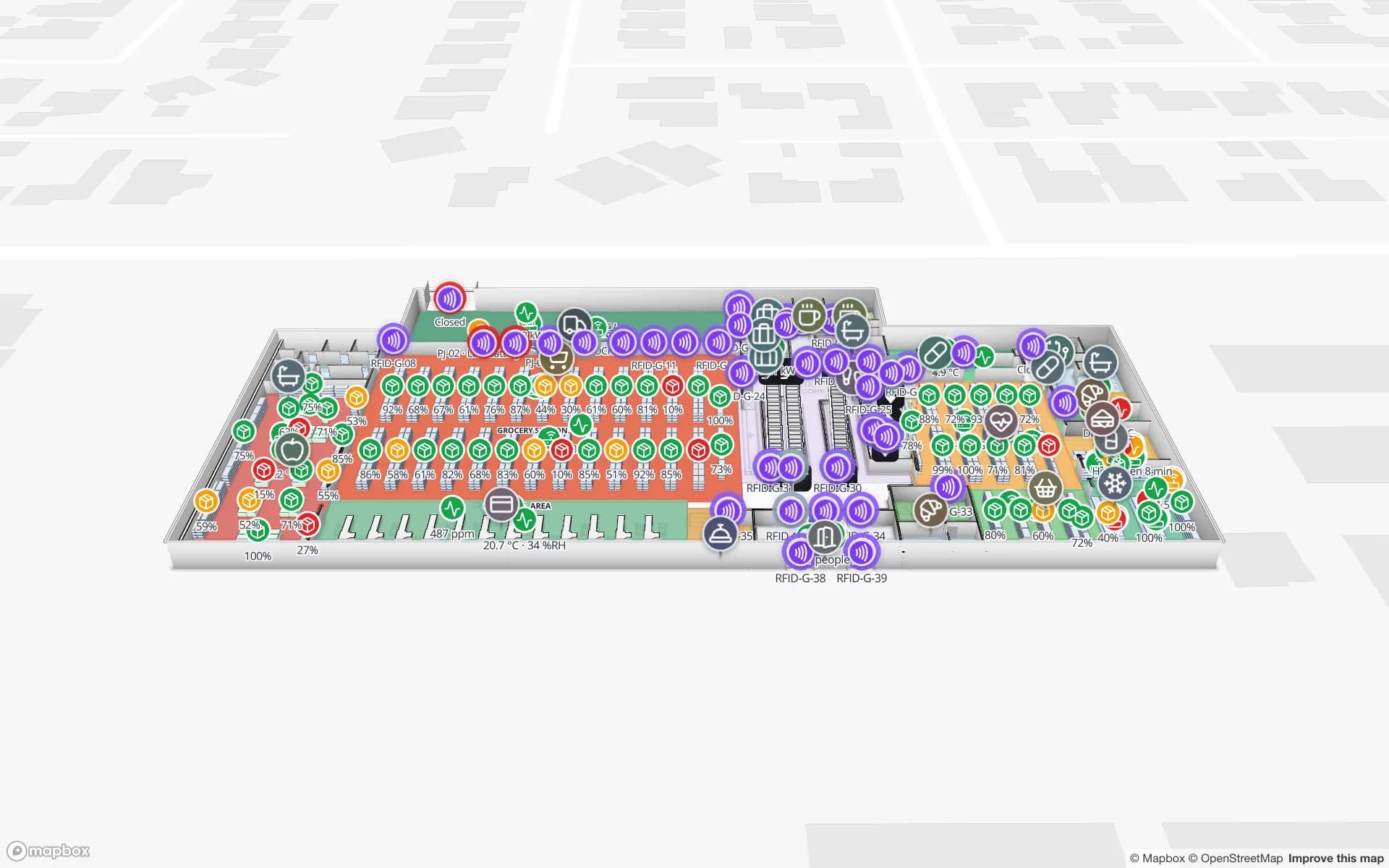
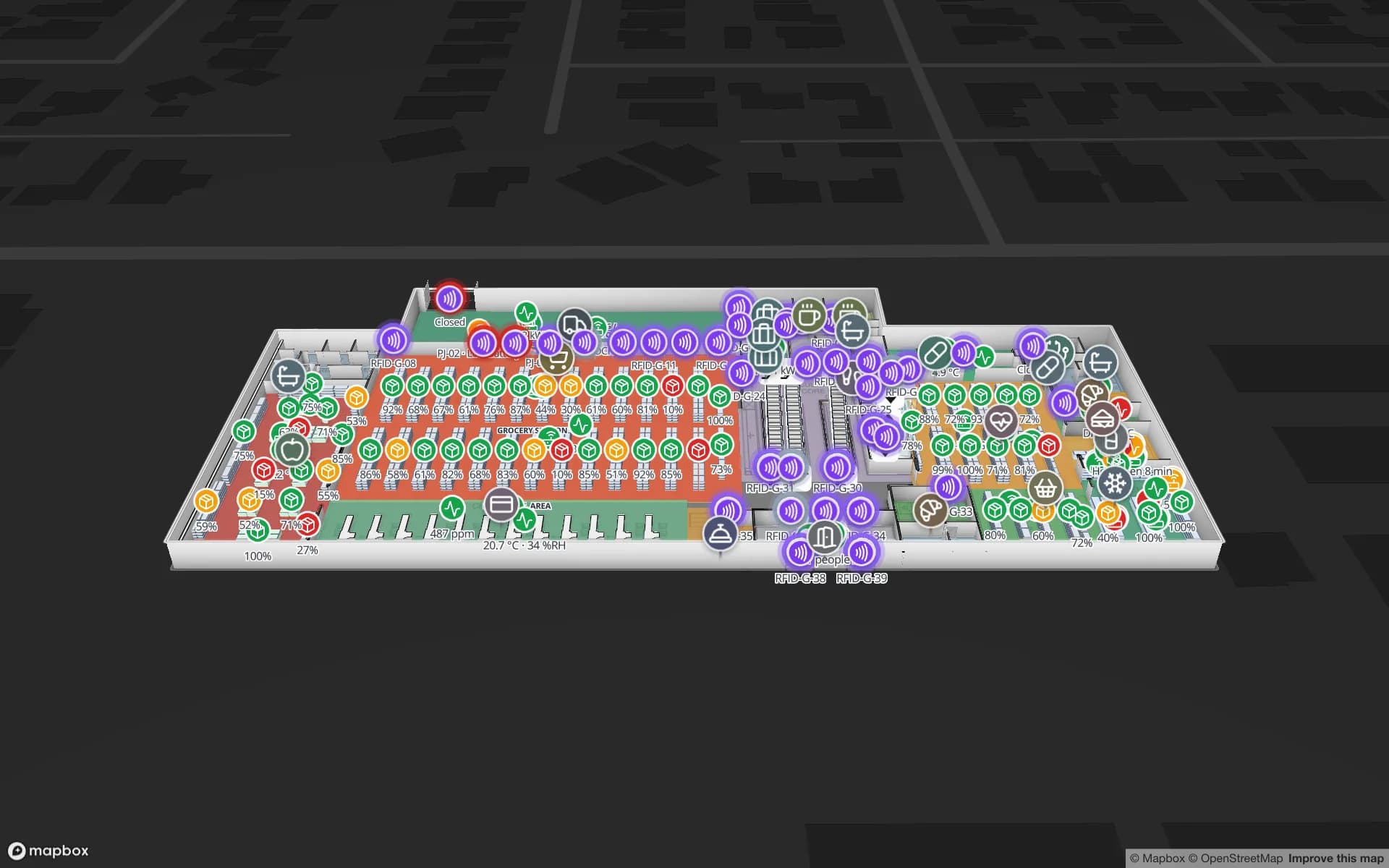
In retail the same cold-chain sensors sit on the fridges and freezers as thermometer markers, next to shelf stock and RFID readers.
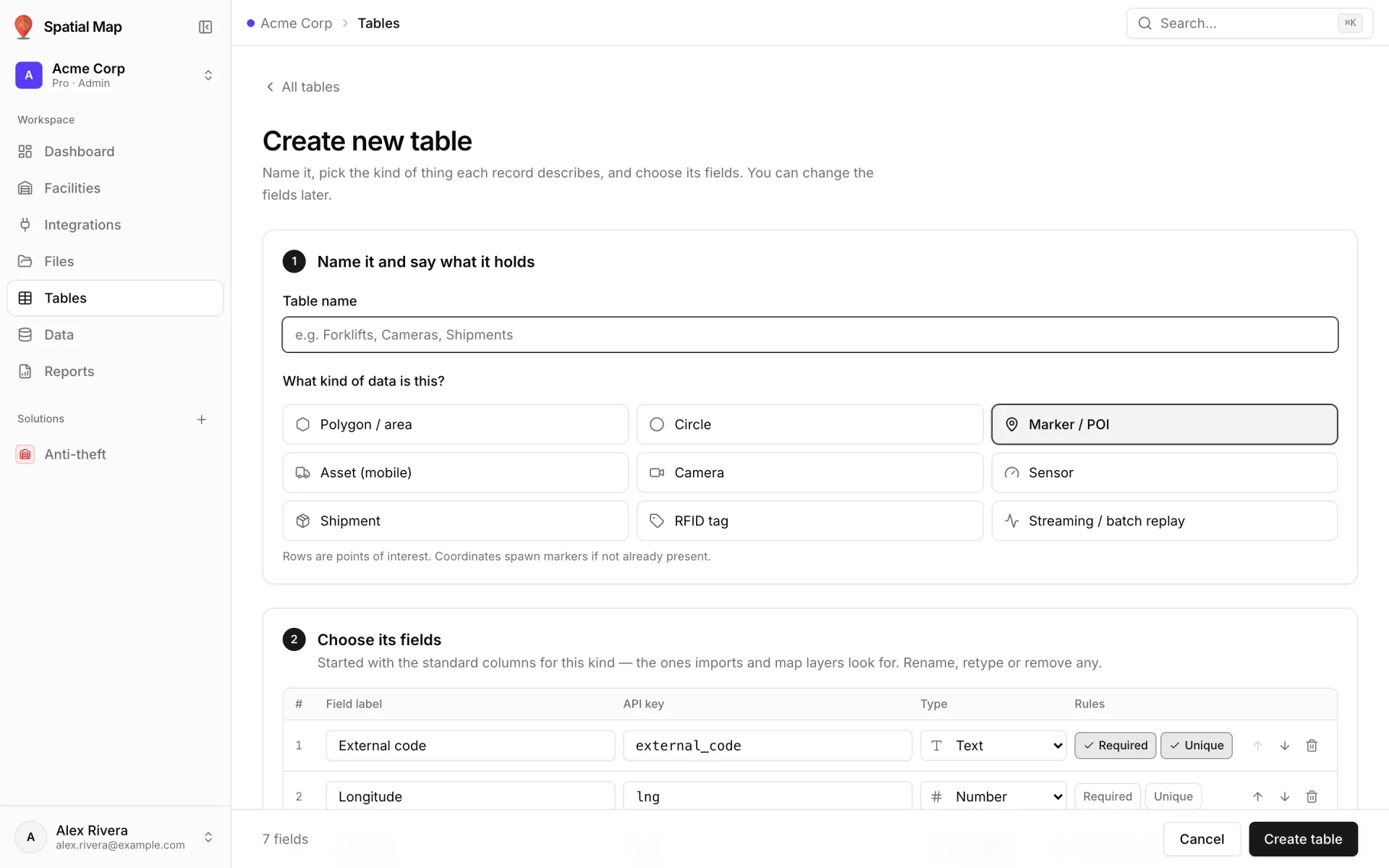
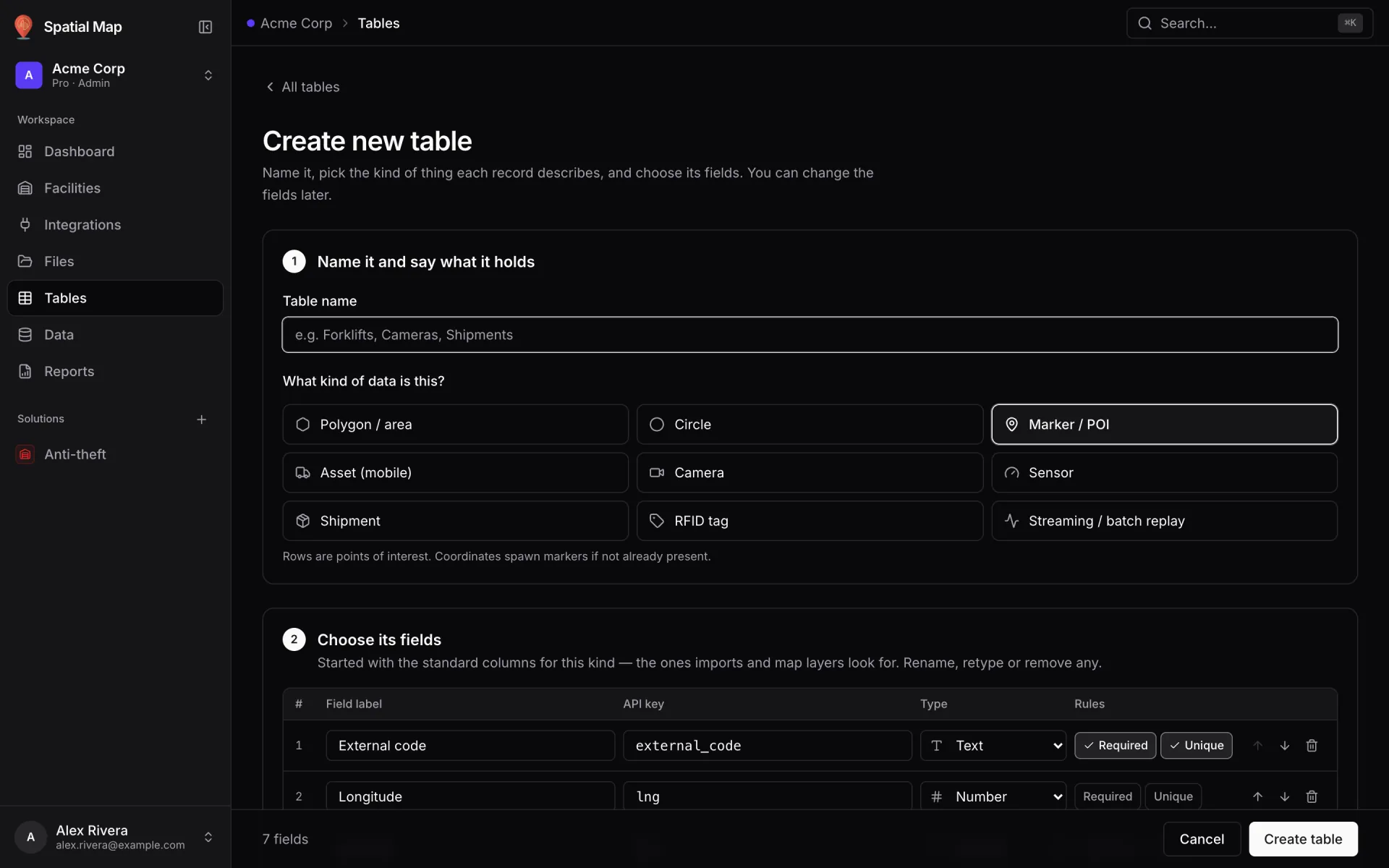
Sensor tables with a write API
Create a Sensor table, pick its fields and post readings from your gateway with an API key — or let the table pull from the gateway’s REST endpoint on a schedule.
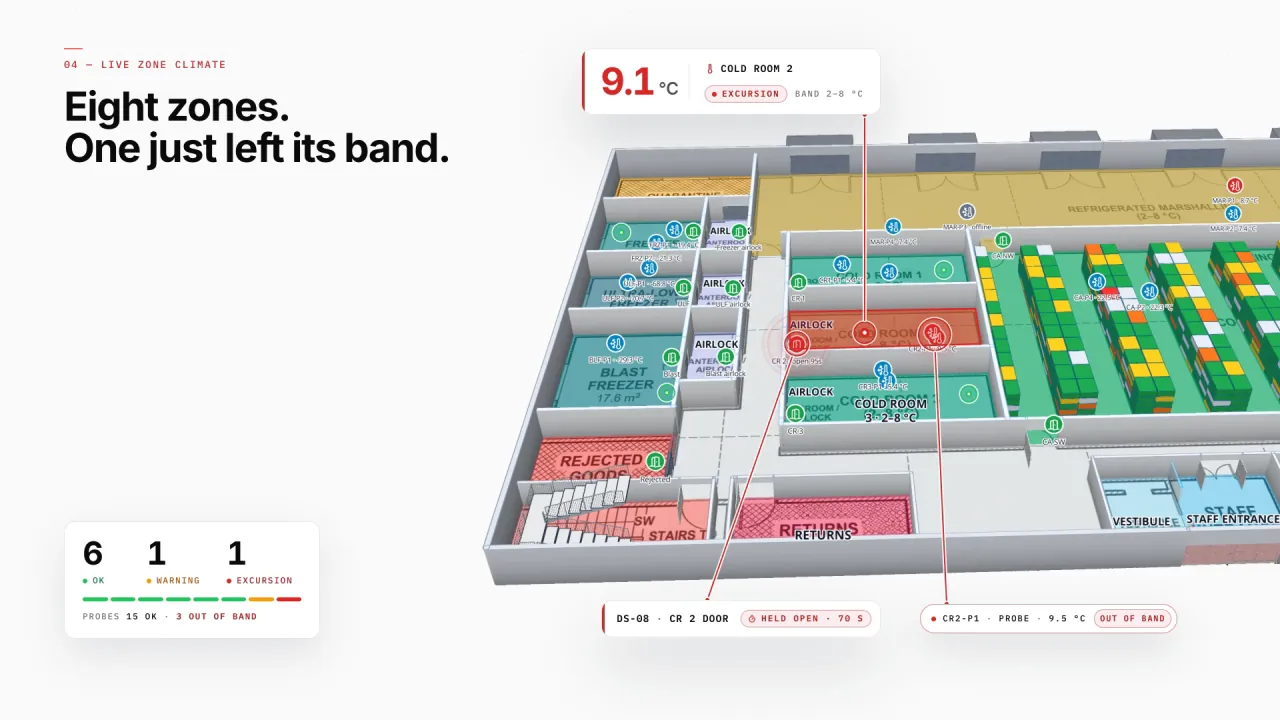
Colour rules you write once
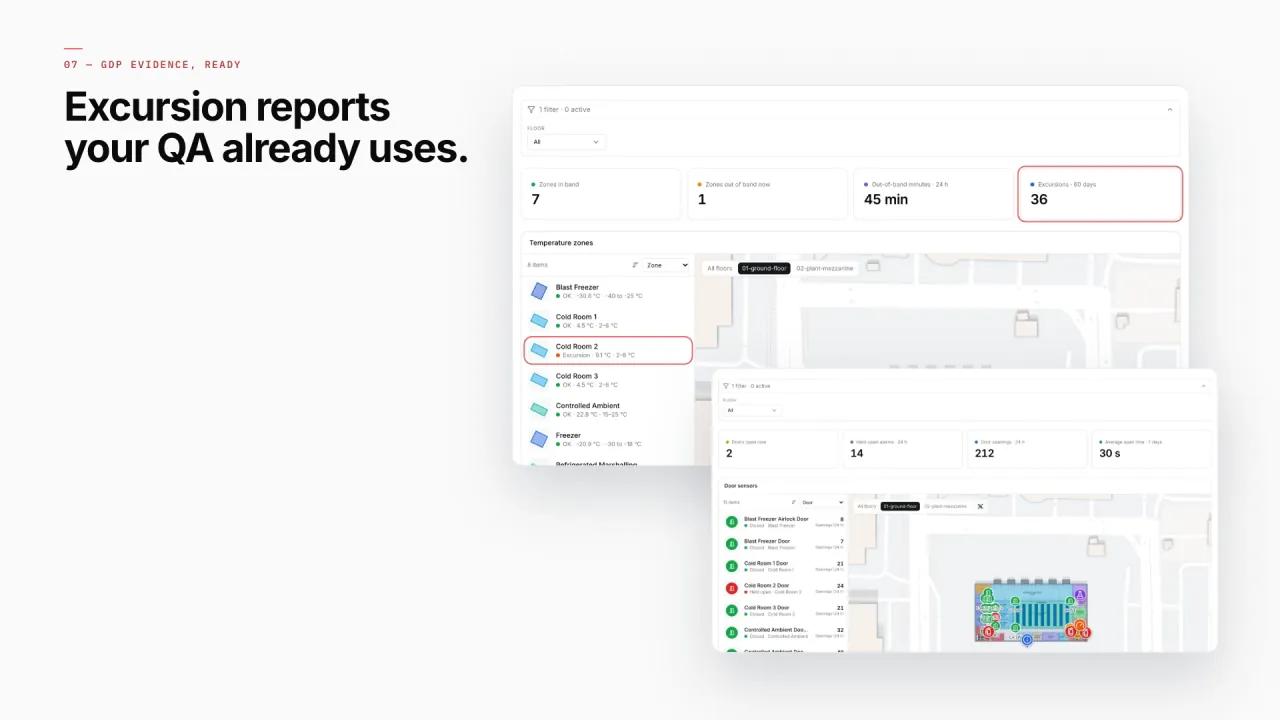
Style rules turn readings into colours — “red above 8 °C”, “amber when the door is open” — first match wins, on the map and in reports. Here Cold Room 2 has just left its 2–8 °C band and its door is held open.
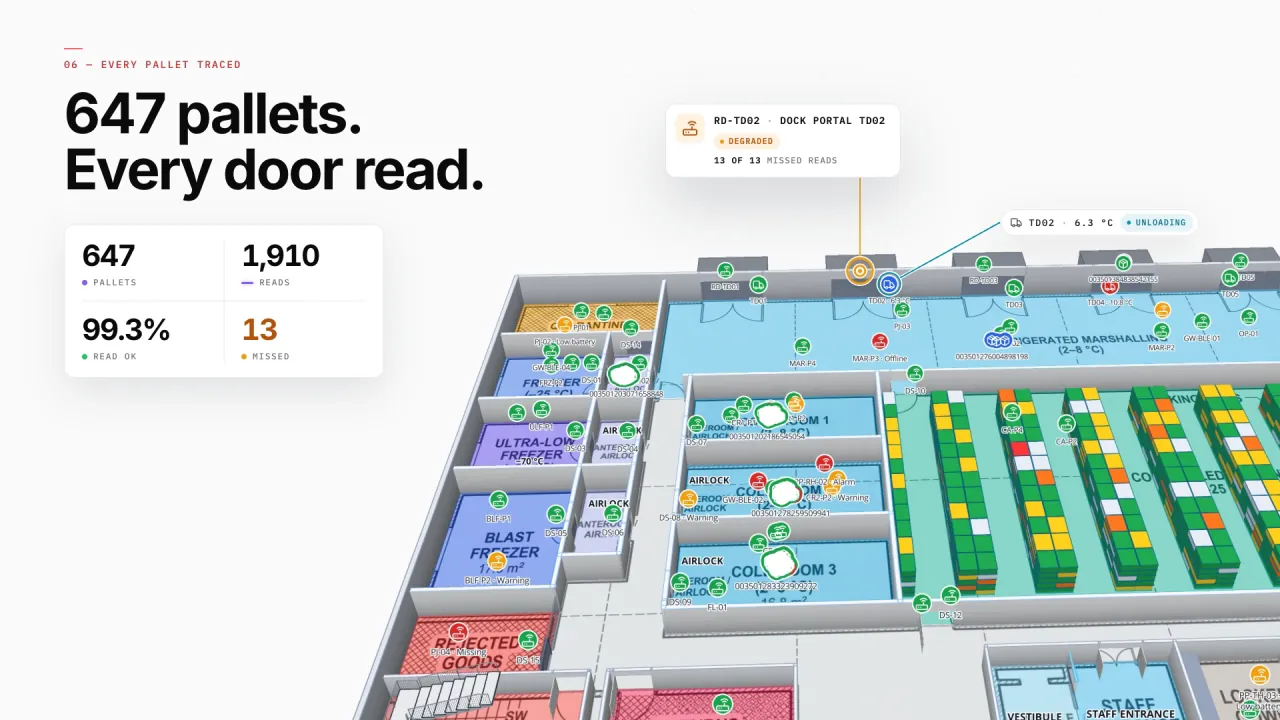
Every pallet, every door read
RFID portals at the dock doors read every pallet in and out, each with its product and temperature band — and a portal that stops reading stands out on the map.
Cold Chain on 2 real demo facilities
Mapped from real floor plans, with live sensors, RFID, BLE tags and gateways, tables, reports and simulators.
Reports built from the same data
Every report has an Export button: pick PDF, Excel, CSV or JSON, choose which widgets to include, the paper size and orientation, and whether to print the applied filters and the time it was generated.
- Polar · Temperature Zones & Excursions — Every zone with its current temperature and excursions.
- Polar · Temperature Probes & Mapping — Probe readings and the mapping of probes to zones.
- Polar · Cold-Zone Doors — Door events and doors held open.
- Polar · Reefer Docks & Shipments — Reefer shipments at each dock.
- Polar · Quarantine, Rejects & Returns — Stock on hold and why.
- Retail Mart · Cold-Chain Sensors — Live temperature readings, placed on the store map.
Connect what you already run
- Temperature and door gateways polled from a REST API
- Probe readings written into a Table via its write API
- Refrigeration plant logs and QC results as CSV or Excel uploads
- Reefer shipment data from your TMS, through REST or a Table
Data comes in through REST sources pulled on a schedule, file uploads, and your own tables with a write API — see integrations.
Live in four steps
- 01
Map the cold store
Floor plan, cold rooms, freezers, docks and the plant room.
- 02
Place probes and doors
Markers for every probe and door sensor, with the zone they belong to.
- 03
Connect the readings
A sensor table or REST integration, then colour rules for zones and doors.
- 04
Report for audits
Excursion, probe and quarantine reports, exported to PDF or Excel.