
Supply-chain visibility inside the plant: lines, WIP, racks and docks on one live map
See line-side stock, WIP carriers, tools, racks and dock appointments on a live indoor map of your assembly plant, with OEE, andon and quality reports.
Key takeaways
Supply-chain visibility stops at the plant door
An assembly plant’s supply chain is well tracked up to the gate. The ERP knows what was ordered, the haulier’s portal knows when the truck will arrive, and the MES knows which production order is running on which line. Then the pallet crosses the dock plate, and visibility drops to whatever someone remembers. Is the kit for the next order staged? Which carrier is sitting between stations three and four? Is the torque tool back in the crib, or on the other line?
Those are location questions, and record-based systems answer them badly. A live indoor map turns the order around: the plant comes first, and every feed — orders, andon calls, rack stock, tag reads, dock appointments — is pinned to the line, station, rack cell or door it describes. That is what supply-chain visibility inside a factory should mean: not another dashboard of percentages, but the floor plan as the shared index for every system.
Model the plant once: lines, stations, racks and docks
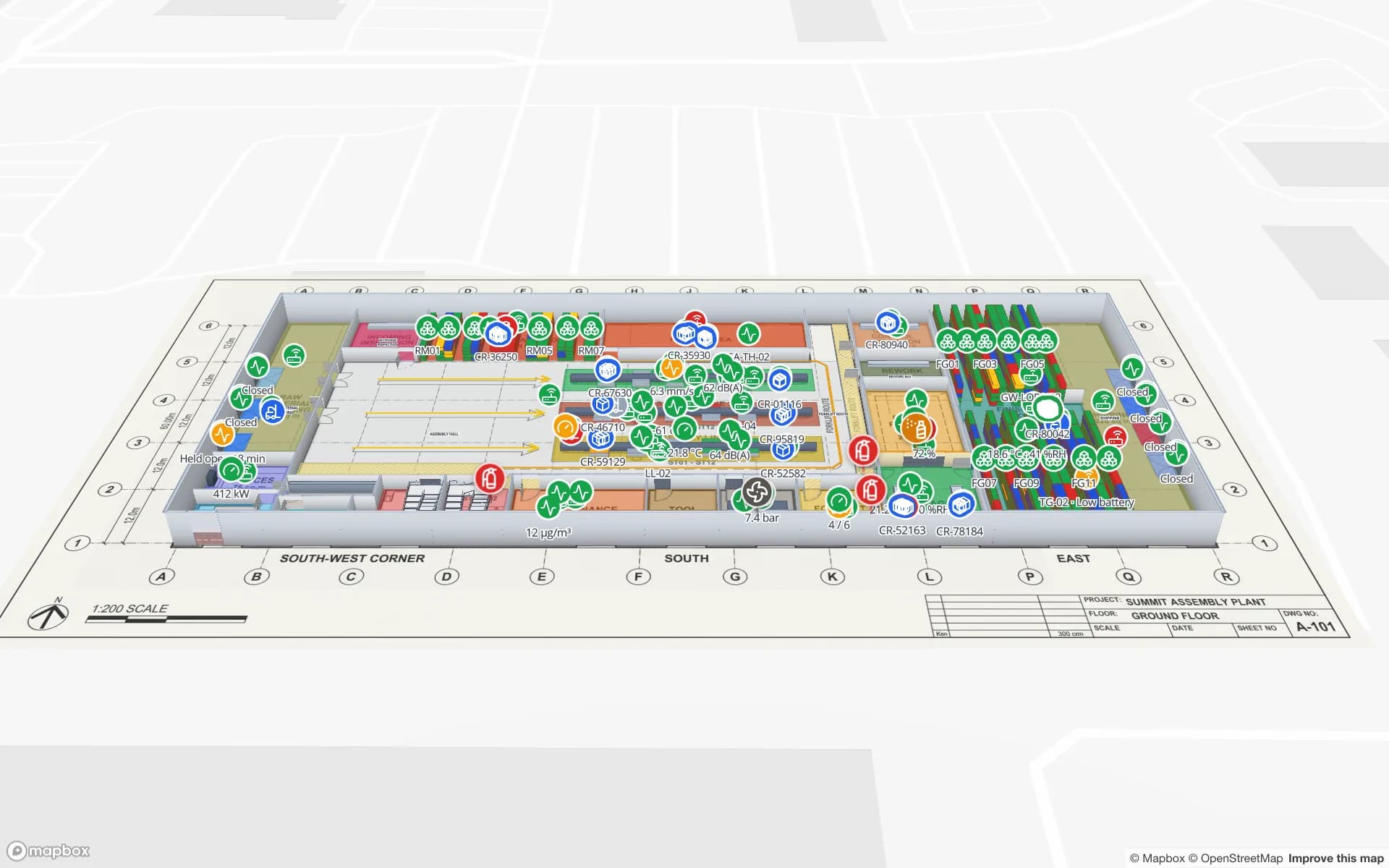
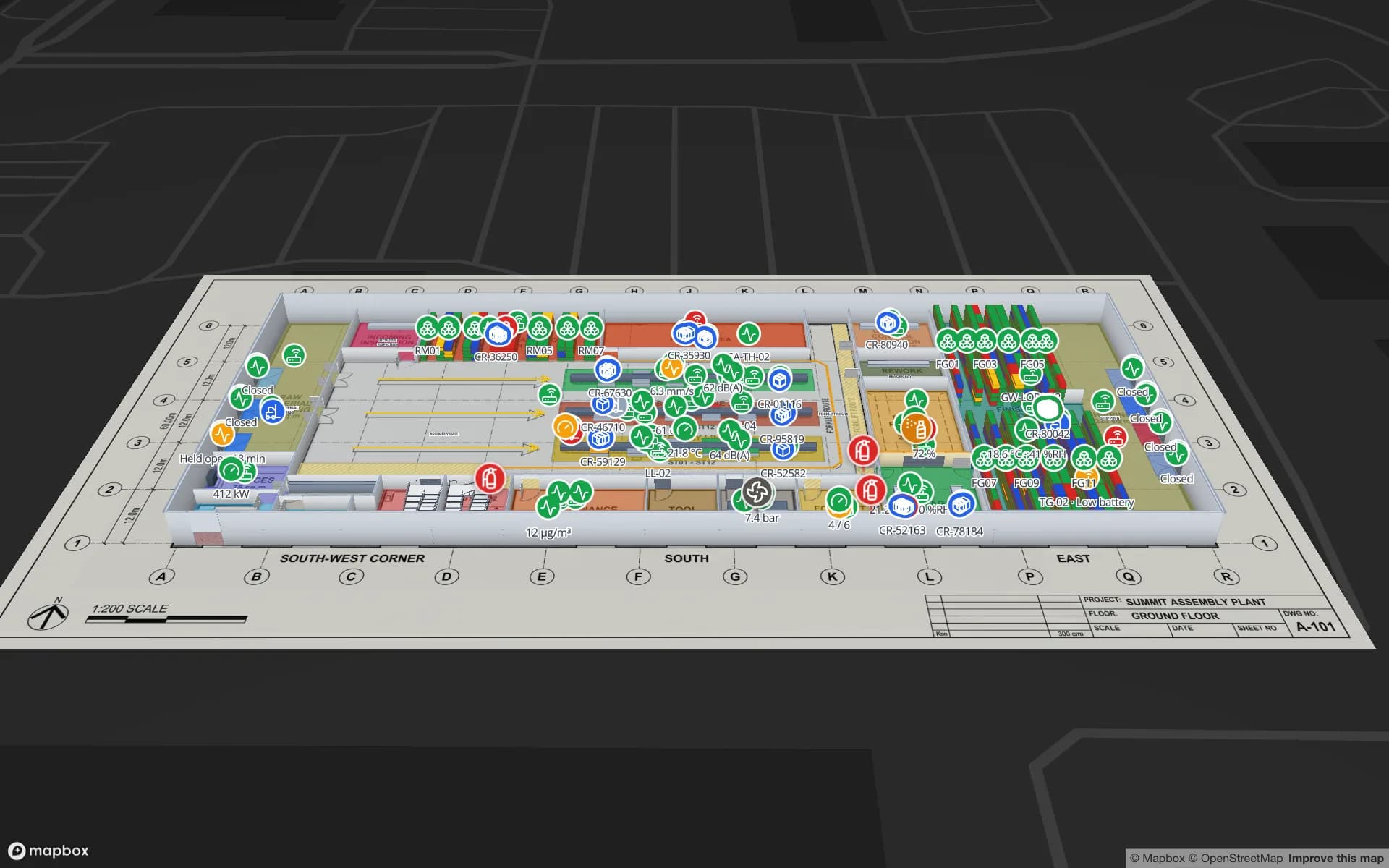
Everything starts with the building. In the editor you place each floor’s plan — a PDF is scaled from its sheet size, a DWG drawing is rendered as a floor-plan image, or use a PNG or JPG — and align it at true scale on a real basemap. Summit’s ground floor sits on its architectural drawing sheet, with the assembly hall, racking, docks and utilities traced on top. See CAD and PDF import.
- Areas — assembly lines, workstations, quality and inspection areas, receiving and shipping docks and plant utilities, each named the way your other systems name them.
- Racks — raw-material and finished-goods racking as grids of cells; at Summit that is 867 locations, each addressable by row, column and level.
- Markers — fixed equipment such as andon boards, reader and gateway positions, fire points and tool cribs.
- Walls, doors, routes and stairs — so the model reads as a building, and the second floor connects to the first.
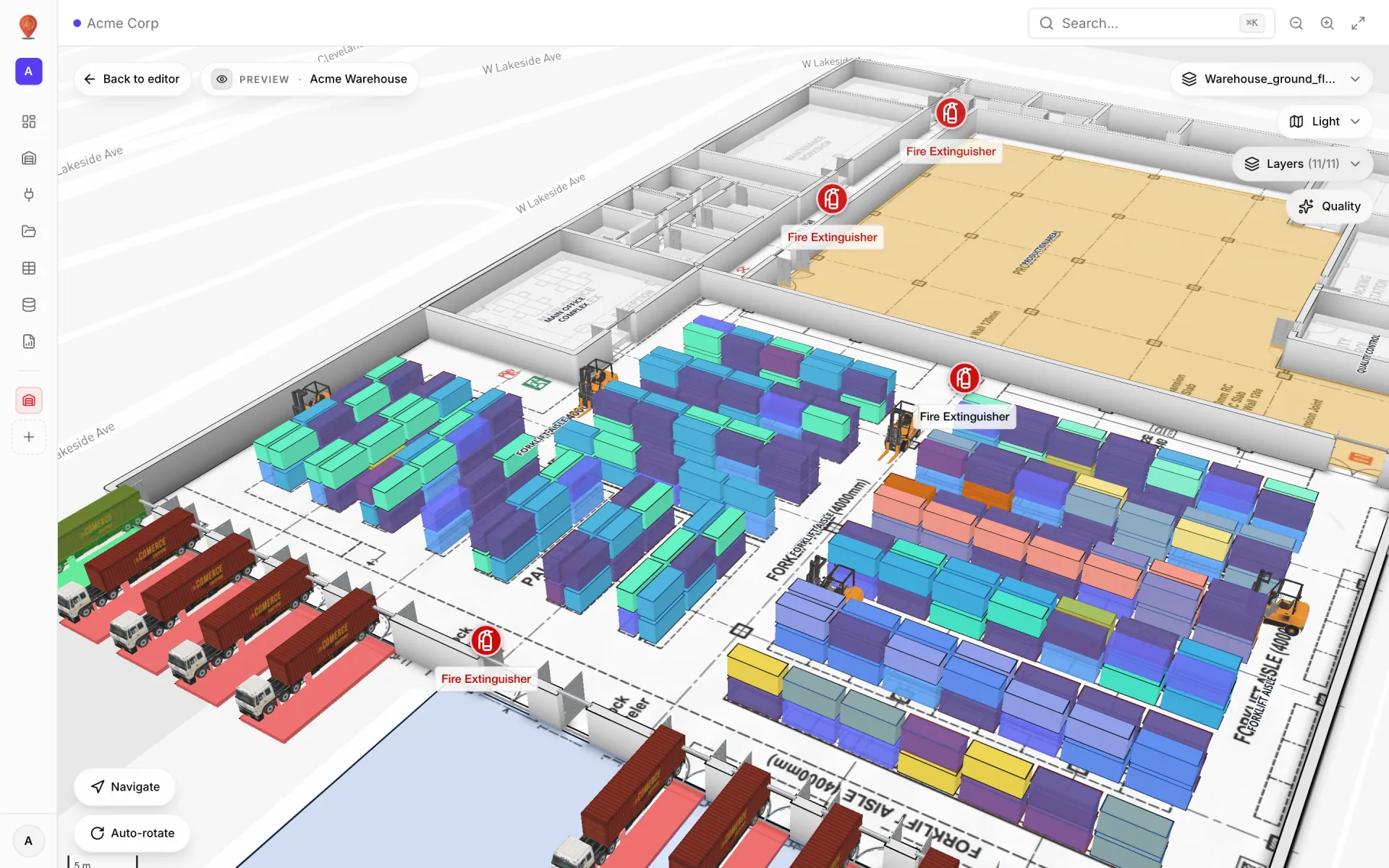
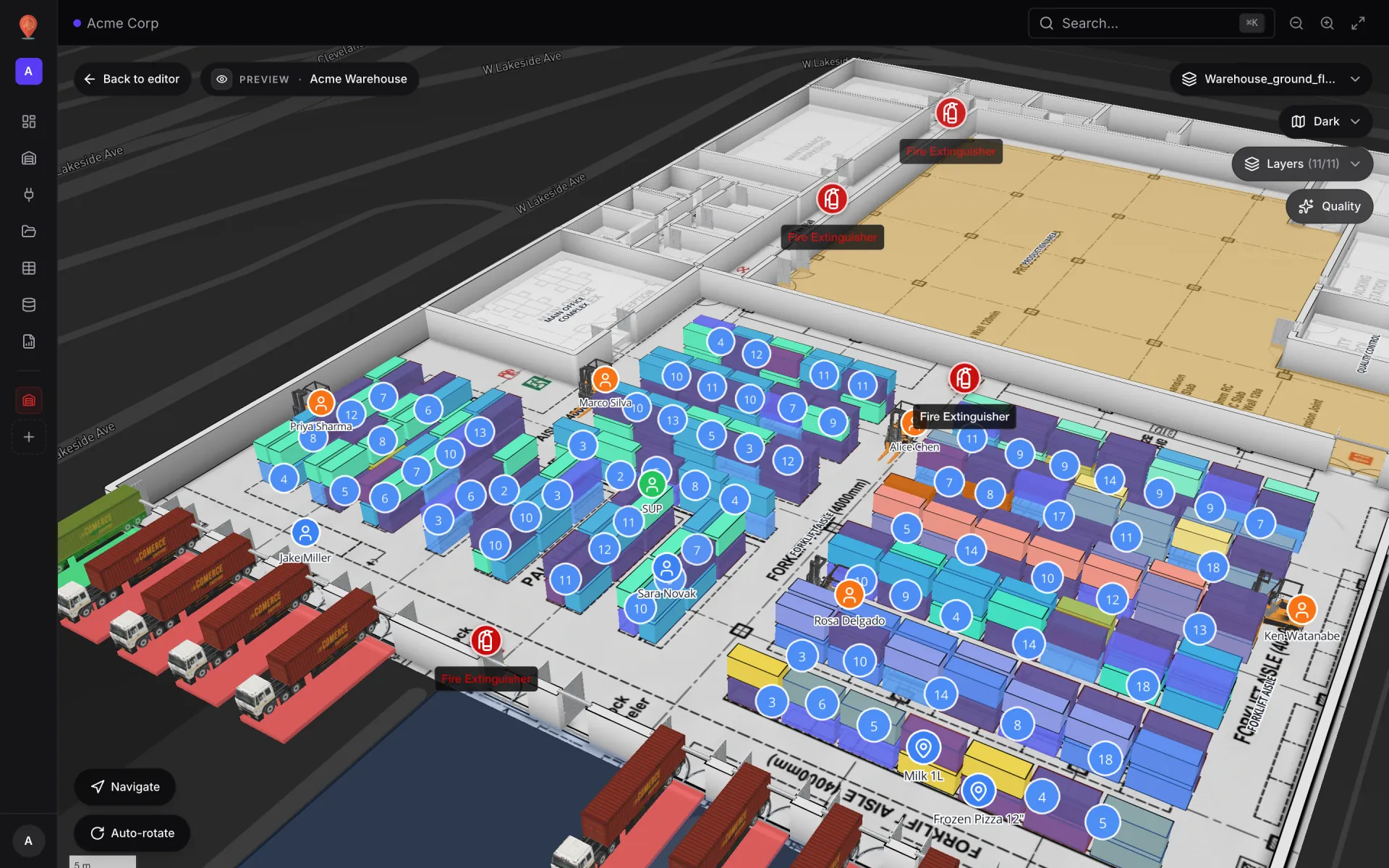
Racks are the workhorse for supply-chain work. The rack tool draws a grid in two clicks; every cell can hold a bin with a status, an SKU, a capacity and an external code, and a square rack can be stacked into levels like a pallet rack. Style rules then paint each cell by whatever field you choose.
Line-side inventory and kitting, modelled as your own data
Line-side stock is where supply chains usually go dark: small bins and flow lanes beside each station, refilled by a material handler on a loop. Spatial Map has no special “line-side” feature, and it doesn’t need one. A line-side location is a rack cell, and a replenishment signal is a row in a table.
- 1Draw the line-side racks
Draw a small rack beside each workstation, one cell per bin or flow lane. Give each cell an external code that matches your bin labels, for example L2-ST04-B03.
- 2Create a line-side bins table
Tables → Create new table, with the bin code, part number, quantity on hand, reorder point and a status such as Full, Low, Empty or Blocked.
- 3Attach the table to the cells
Create a data link on the table and choose Match by external code, so each row lands on the rack cell with the same code.
- 4Style by status
Add style rules — Empty red, Low amber, Full green. The first rule that matches wins, so put the most urgent one first.
- 5Write from your scanners
Let the scanning app or MES write each pick and refill into the table through its write API; open maps update without a refresh.
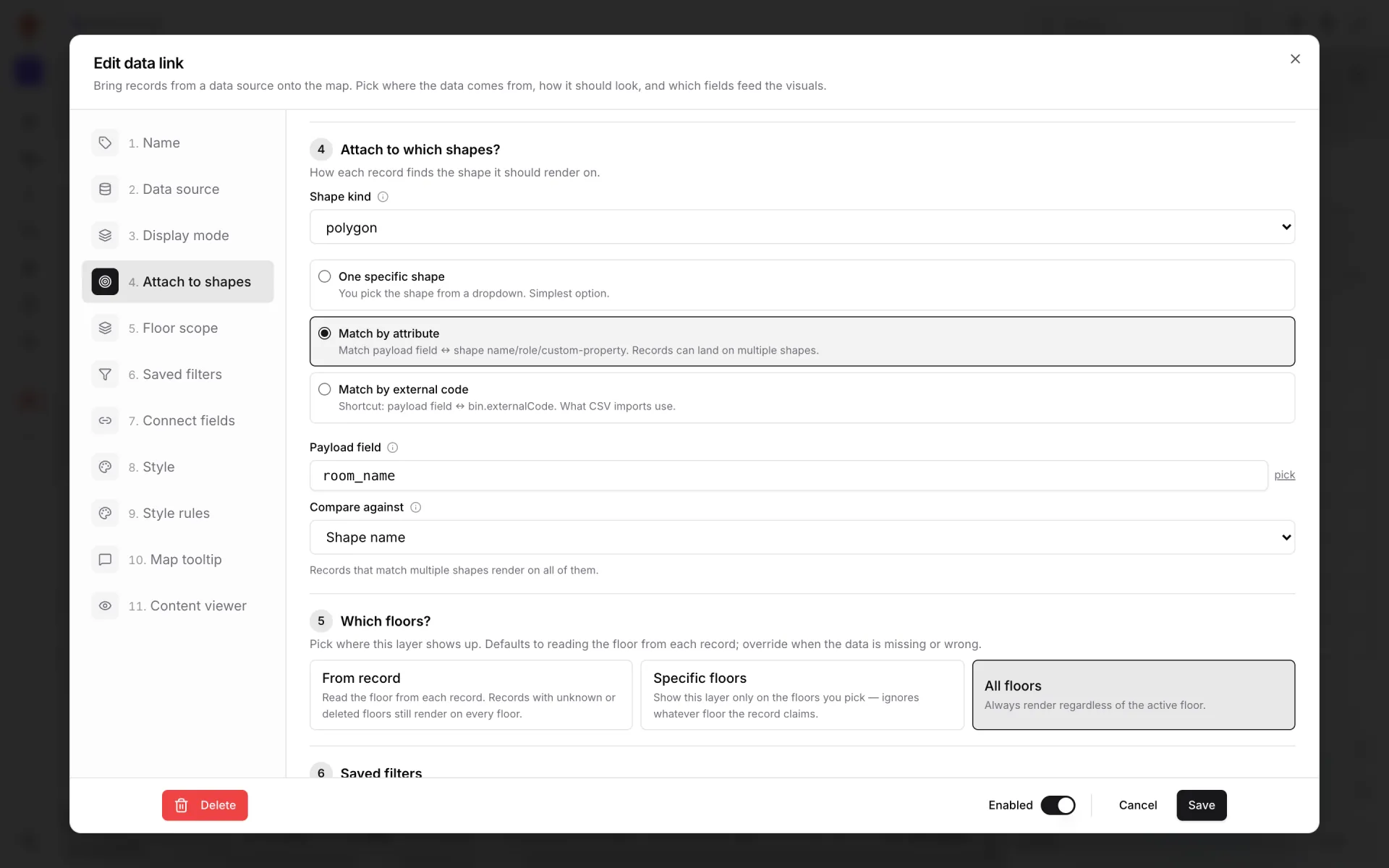
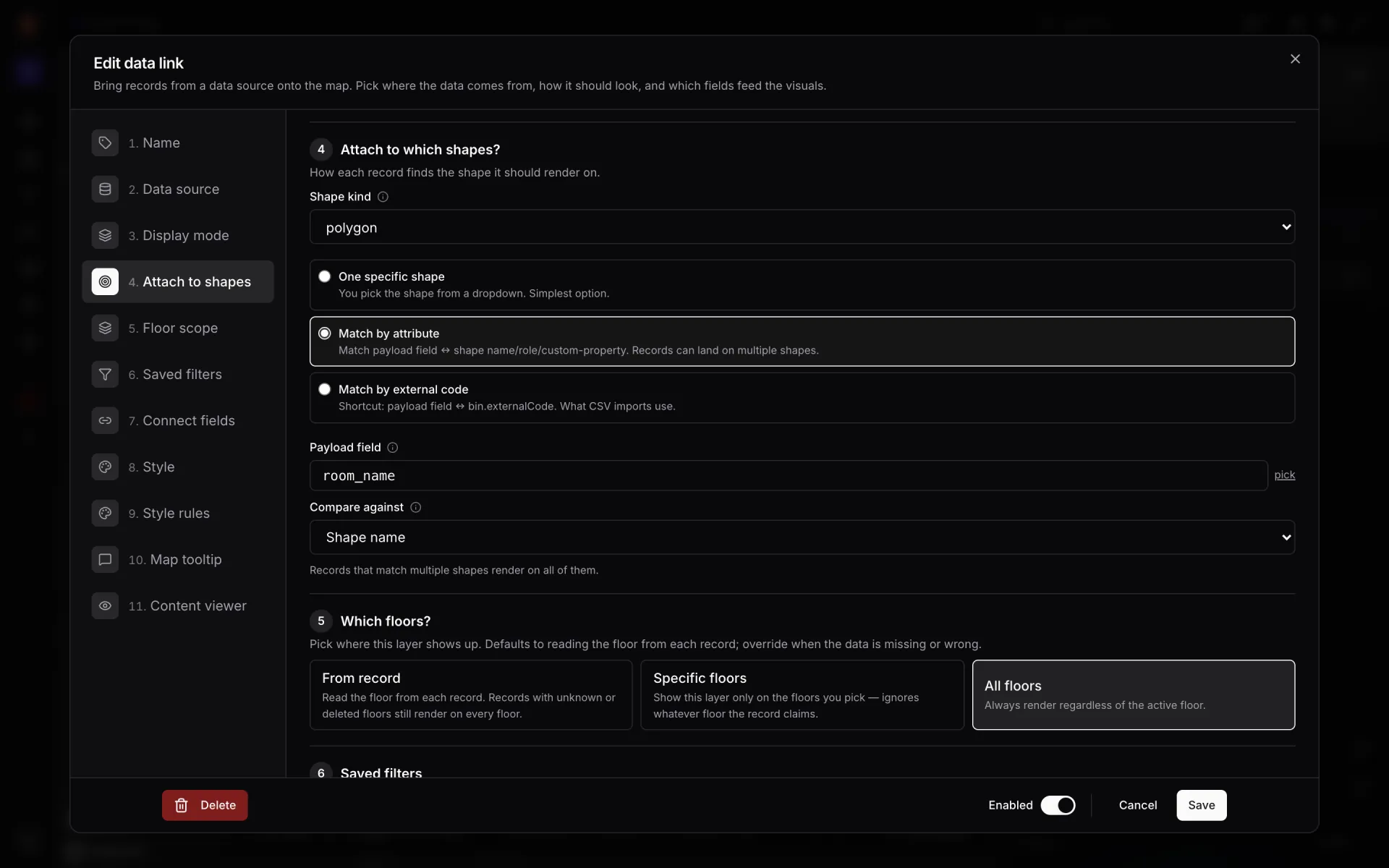
Kitting follows the same pattern from the other end. A kitting area is a set of areas or rack cells; a kits table with a production order, a kit status (Picking, Staged, Delivered) and a location tells everyone which kits are ready. If kit carts carry a tag, make the table an Asset (mobile) kind and each cart shows as a live marker at its last read. The bin-to-cell pattern is walked through step by step in CSV bin inventory to a live rack map.
WIP carriers, tools and crews on the move
At Summit, WIP carrier tags are read by RFID between stations, BLE tags locate tools and crews on the shop floor, and gateways report device health per area; 11 tracked assets are shown on the map. Each of those feeds is a table, and each table can be shown in more than one way:
| Question | Data you need | Display mode |
|---|---|---|
| Where is each WIP carrier now? | Last read per carrier, with lng/lat | Live location marker |
| Which way did a carrier travel between stations? | The table’s change history | Movement trails or Historical movement |
| Where is the torque tool or the gauge cart? | BLE positions per tool | Live location marker + style rules |
| Where does activity build up on the floor? | Positioned reads or events | Heatmap of activity |
| Which readers and gateways are offline? | One row per device with a status | Pulsing zone activity + style rules |
Saved filters keep layers readable: one data link can show only the carriers for the order running on Line 2, another only tools that are due for calibration. For the general pattern behind tag-based tracking, read real-time indoor asset tracking and the live markers example.
Raw materials in, finished goods out: racks and docks
Both ends of the line are on the same plan at Summit. Raw-material racks sit on the receiving side and finished-goods racks on the shipping side, with 867 locations between them. The Raw Materials & Finished Goods report shows rack stock on both ends, and Material Flow & Orders follows production orders and material moves through the plant.
Docks are areas with a schedule. Dock Appointments, one of Summit’s tables, holds the slots, and the Receiving & Shipping Docks report lists them beside the map. In your own plant, a Color a shape link can tint each door by the status of its current slot — for example Expected, At door, Unloading, Done — so the yard team and the line see the same picture.
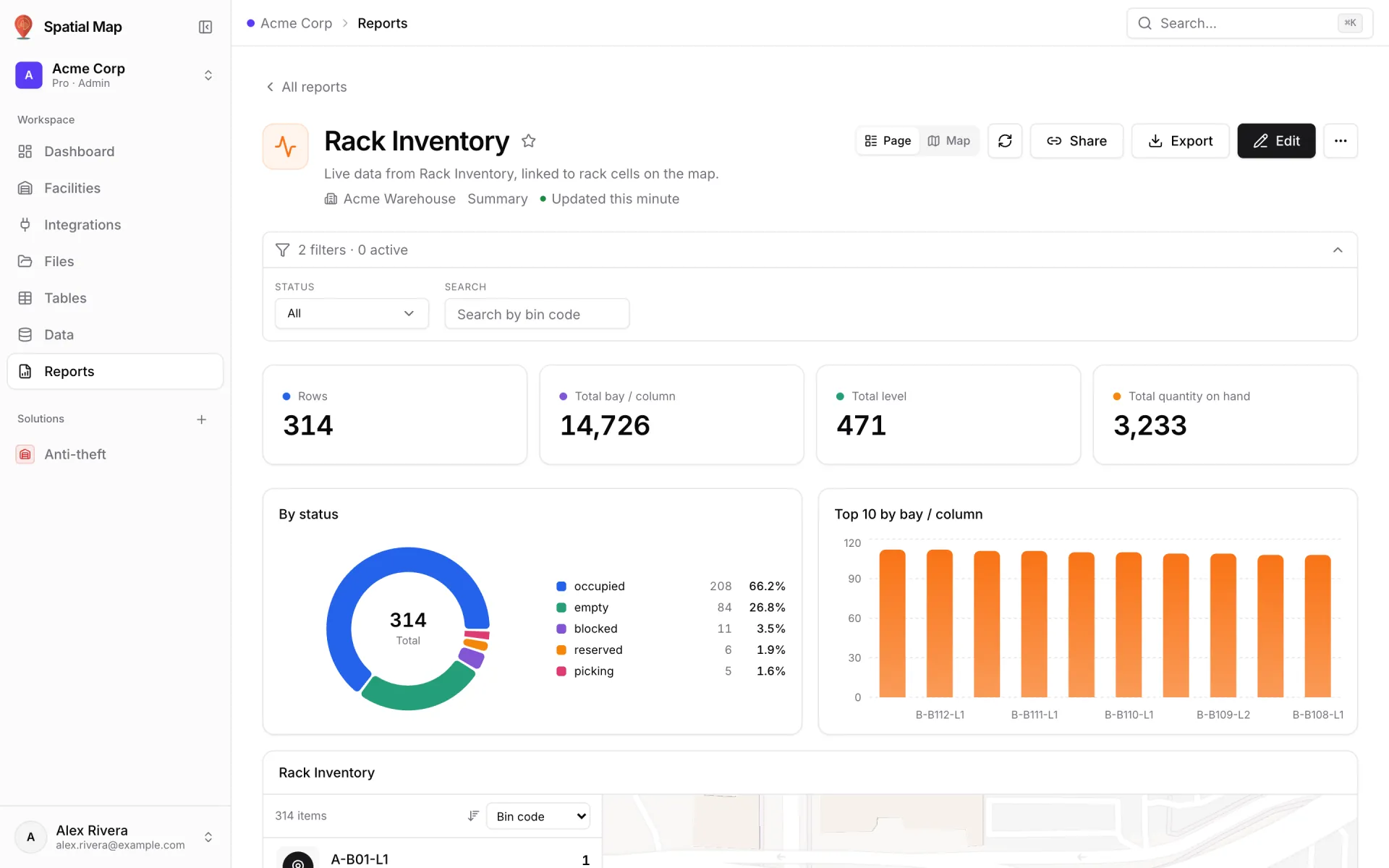
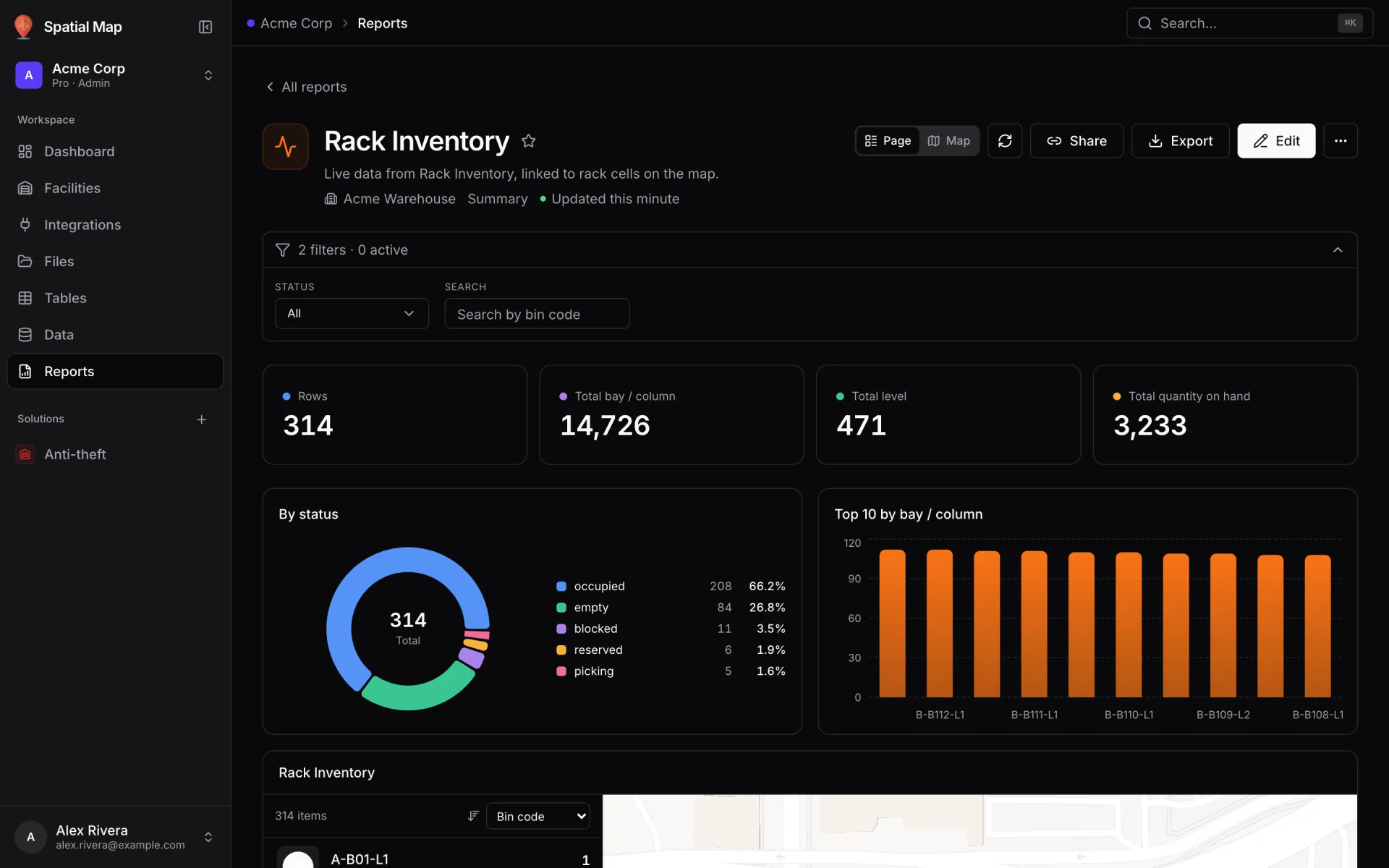
Forklifts tie the two ends together, and Summit has a report for them as well: Forklifts & Walkway Safety. Reading forklift markers next to the walkways and dock doors they cross is exactly the kind of question a floor plan answers better than a list.
Andon, line performance and quality where they happen
Summit’s assembly lines and workstations report output and andon calls into tables such as Assembly Lines and Andon Events. On the map, a style rule can turn a station with an open andon call red, and a value badge can print each line’s output on the line itself. The colour does the signalling: Spatial Map does not send notifications, so put the map on the screen your supervisors already watch.
- Line Performance & OEE — output, availability and OEE per line.
- Workstations & Andon — andon calls and station status.
- Quality & Inspection — inspections and results by quality area, from the Inspections table.
- Plant Utilities — utility and environment readings from the plant’s sensors.
Reports are built from the same tables — summary, detail, editable or history — with KPI widgets and charts, and a full-map report puts the live plant in the middle with the list and charts around it. On top of those, every facility gets eight built-in reports about what is drawn, from floors and areas to racks and markers. Every report exports to PDF, Excel, CSV or JSON.
“An OEE percentage tells you a line is losing time. A red station on the map tells you which one — and the rack beside it often tells you why.”
From secure store to line: Northgate Electronics
Electronics assembly adds a second supply-chain problem: components are small, valuable and easy to lose. Northgate Electronics — Assembly & Secure Store puts production lines on the same two-floor map as the secure store, vault and cages that feed them. Material RFID tags are read as components move between store and line, BLE tags locate tools room by room, and access points and choke-point counters sit at every exit.
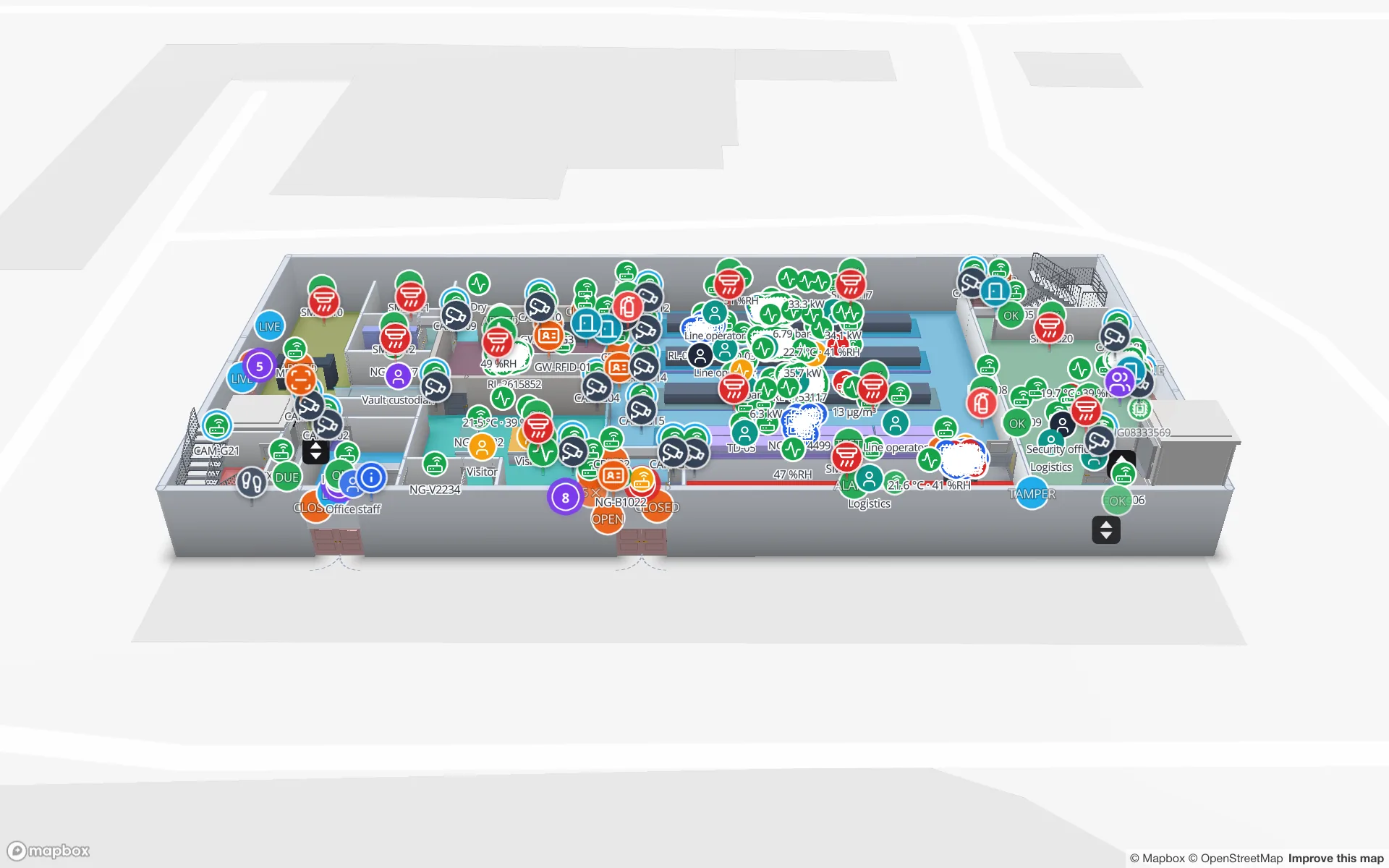
- Line Output & Component Shrink — line output beside component issues, so a short count at a line reads next to what left the store.
- High-Value Stock & Shrink — vault and cage stock, from the Vault & Cage Inventory table.
- Choke-Point Flow and Access Control — what and who passed the exits and secure doors.
Northgate demonstrates both the supply chain and the anti-theft solutions: the same RFID reads that show material flow also show where shrink happens. Explore it on the Northgate showcase page.
Connecting your MES, ERP, scanners and readers
There are no vendor connectors to wait for. Anything that can send or serve JSON, or export a file, can feed the plant map:
- Tables with a write API — one table per feed and one API key per system. Best for andon events, inspections and tag reads. See the table write API and the write API example.
- REST pull — a table fetches your MES or ERP endpoint on a schedule, with an API key, a bearer token or custom headers.
- File upload — CSV, XLSX, JSON or GeoJSON for dock appointments, production orders or a nightly stock export.
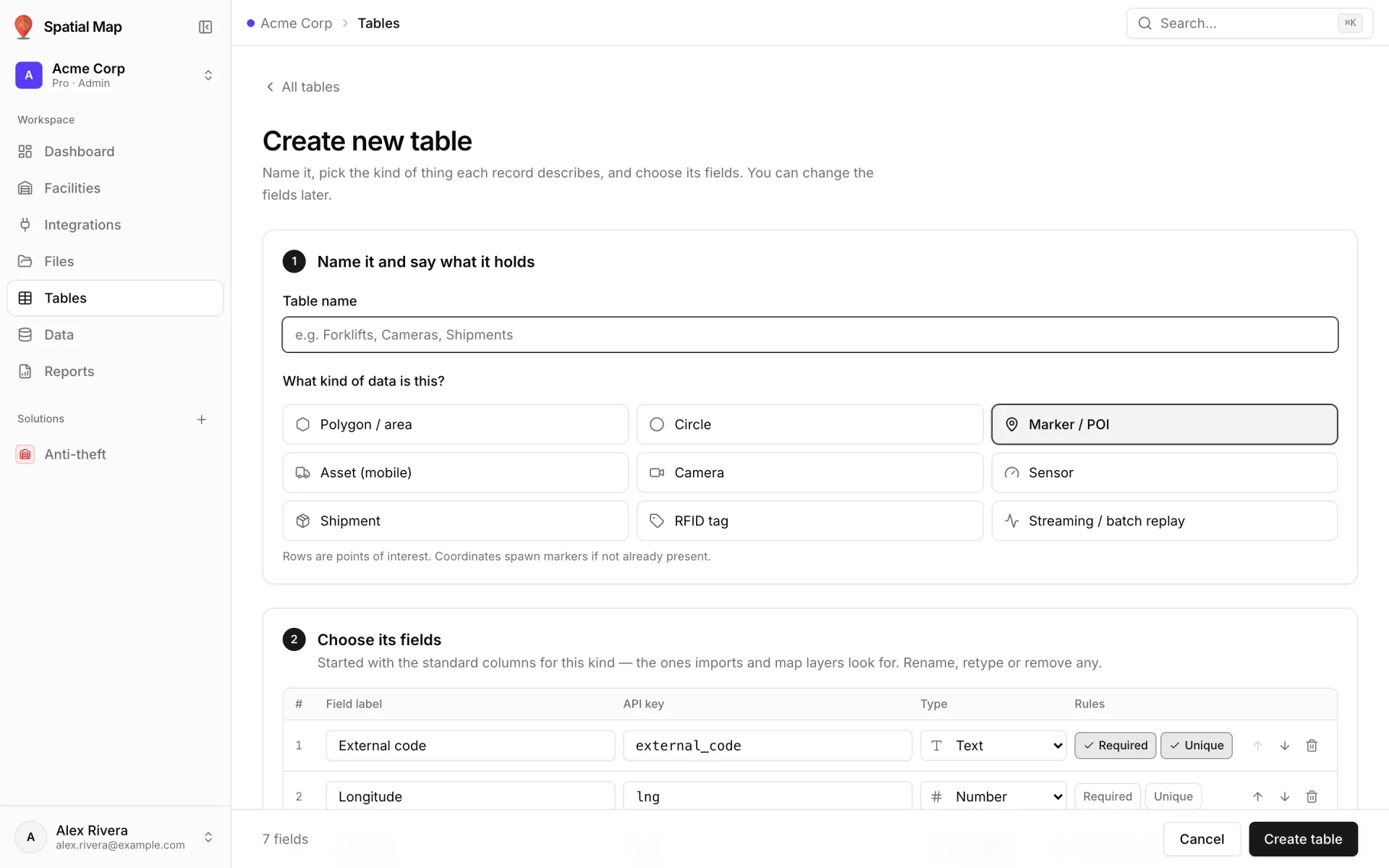
Pick the kind that matches the thing: Polygon / area for lines and docks, Asset (mobile) for carriers, tools and kit carts, RFID tag for tag reads, Sensor for utilities. The kind sets the standard fields a new table starts with, and you can rename, retype or remove any of them. Then create one data link per layer and add style rules.
Share it, group it, try it on your plant
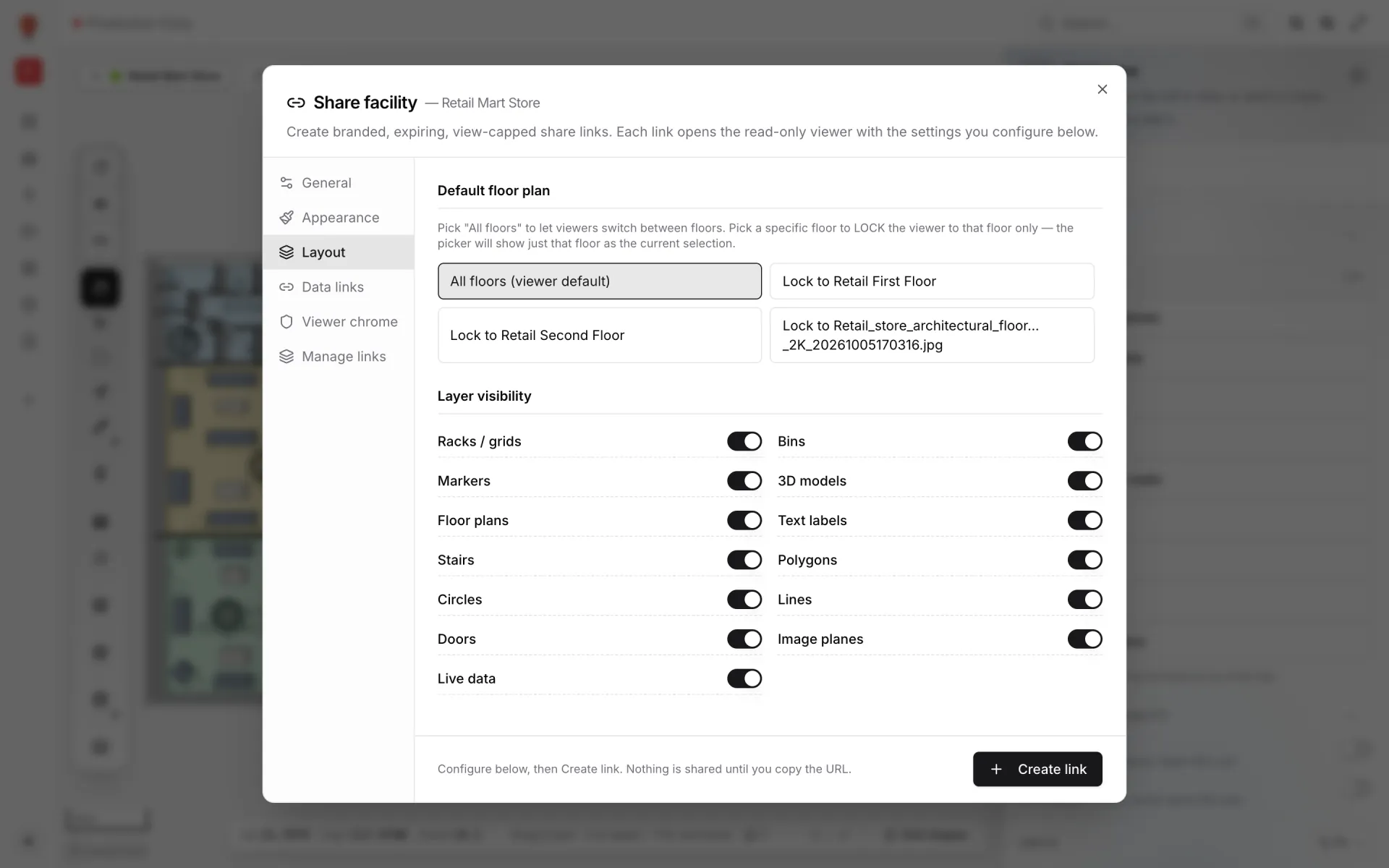
Not everyone who needs the plant map should edit it. Share links open a read-only viewer with their own settings: lock a link to one floor, choose which layers and data links it shows, set an expiry and a maximum number of views, and revoke it at any time. A supplier can see the receiving docks and raw-material racks without seeing the line.
Group the plant, its reports and its tables in a solution — the Manufacturing template pre-ticks items whose names mention a plant, line or production — so the team finds everything on one page. Walk through the demo on the Summit Assembly Plant showcase, see the supply chain solution, and read how reports come together in warehouse reports and dashboards on a live map.
Start a 7-day free trial with no credit card; the trial holds up to 5 facilities. After that, Pro is $60/month or $600/year for up to 4 facilities — see pricing.
Try the platform your data belongs on.
Spatial Map turns spreadsheets, sensor streams, and CAD drawings into one live 3D facility view — nothing to install, seven-day free trial.
See it live
Keep reading
- IndustryStadium and venue operations on a live 3D map: gates, seats, concourses and crewsOn match day, gates, stewards, concessions and guest services each watch a different screen. A live 3D map of the bowl and concourses is where they agree on location. Here is how our Crown Park Stadium demo is built — 30,513 seats included — and how Lakeside Convention Center uses the same tools for events.
- IndustryMall operations on one live 3D map: floors, units, devices and tenantsSecurity, cleaning, the loading dock, building systems and leasing each live in a different tool. A live 3D map of every floor is the one place they can agree on location. Here is how to build one, using our multi-floor Retail Mart demo as the worked example.
- IndustrySupermarket digital twin: staff, traffic and safety on one mapThe POS knows what sold, the rota knows who is in, the inventory system knows what is low — but none of them can tell a store manager where the problem is right now. A live 3D store map can.