
Push rows into a table with the write API (curl)
Every table gets a REST API automatically, with 12 endpoints for reading, writing, bulk and filtered changes. Each key writes to exactly one table. Rows are keyed by entityKey: writing the same key again updates the row instead of adding a duplicate. This is how an RTLS, WMS or sensor gateway feeds the live layers in the other recipes.
Steps
- 1
Have the table ready
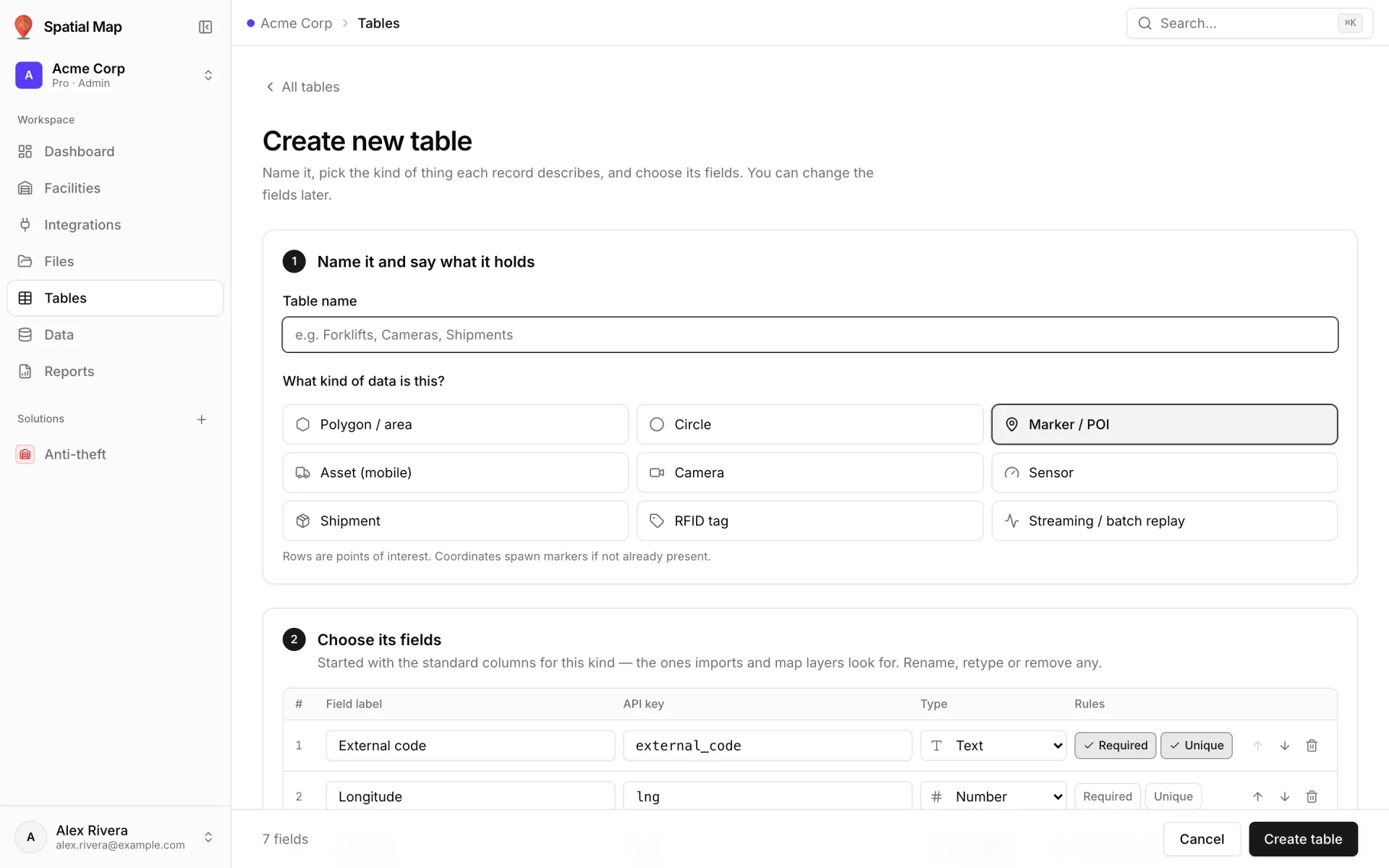
Create the table first (here "Equipment", kind Asset (mobile)). The API key of each field is what callers send; the label is what people read. Fields marked Required must be in every write, and saved keys can’t be renamed.
- 2
Create an API key
Open the table’s API & access tab. Under API keys, type a name such as "rtls-gateway" and click Create key. Copy Your new API key — it starts with `sgv_tbl_` and "won’t be shown again" — and click I’ve saved it.
- 3
Find the endpoints
The Endpoints card shows the Base URL (on the hosted app: https://app.spatialmap.io/api/v1/public/tables) and the Auth header. Each endpoint has Copy curl with a sample built from your fields.
- 4
Upsert one row
POST to `/rows` with an entityKey and a payload whose keys match your field keys. The payload is the full row state, so send every field on an upsert. The response echoes the row with its timestamps.
- 5
Load in bulk, update in place
POST up to 1,000 rows to `/rows/bulk` in one call. PATCH `/rows/{entityKey}` merges only the keys you send — ideal for a new position or battery level. Every write is recorded in the row’s History.
- 6
Watch it land, stay within limits
Rows appear on the Records tab, and any data link on the table updates open maps without a refresh. Each key is limited to 60 requests a minute, so batch frequent updates through the bulk endpoints.
- 7
Rotate keys safely
Keep keys in a secret manager. To rotate, create a new key, deploy it, then Revoke the old one; rows it already wrote stay.
BASE="https://app.spatialmap.io/api/v1/public/tables"
TOKEN="sgv_tbl_..."   # one key = one table

# Upsert one row (same entityKey again = update). Send every required field.
curl -X POST "$BASE/rows" \
  -H "Authorization: Bearer $TOKEN" \
  -H "Content-Type: application/json" \
  -d '{"entityKey":"FL-03","payload":{"asset_tag":"FL-03","asset_name":"Forklift 03","asset_type":"Forklift","status":"In use","location":"Aisle 4","battery_pct":76,"lat":42.4637,"lng":-5.8802,"elevation_m":0}}'

# Upsert up to 1,000 rows in one call
curl -X POST "$BASE/rows/bulk" \
  -H "Authorization: Bearer $TOKEN" \
  -H "Content-Type: application/json" \
  -d '{"rows":[{"entityKey":"PJ-09","payload":{"asset_tag":"PJ-09","asset_name":"Pallet jack 09","asset_type":"Pallet jack","status":"Available","lat":42.4636,"lng":-5.8805}}]}'

# Partial update: only the keys you send are merged
curl -X PATCH "$BASE/rows/FL-03" \
  -H "Authorization: Bearer $TOKEN" \
  -H "Content-Type: application/json" \
  -d '{"status":"Available","location":"Charging bay","lat":42.4634,"lng":-5.8801}'

# Read it back
curl "$BASE/rows/FL-03" -H "Authorization: Bearer $TOKEN"