
How to choose digital twin software: a 2026 buyer’s checklist
A vendor-neutral digital twin buyer’s guide for warehouses, factories and retail: 15 questions to score, the live-data traps, and a two-week pilot plan.
The short version
This guide is for operations, facilities and IT leads comparing digital twin software, indoor mapping software and facility management software in 2026 for warehouses, factories, retail, malls, venues and logistics sites. The questions are vendor-neutral; where we describe Spatial Map, we include its limits so you can hold us to the same checklist.
Five kinds of tools that get called a “digital twin”
“Digital twin” is stretched across very different products. Decide which category you are shopping in before comparing features: each is good at something, and trouble starts when a tool is asked to do a job it was not designed for.
| Category | Strong at | Watch out for |
|---|---|---|
| BIM / CAD viewers | Precise geometry, engineering detail, design coordination | Built for designers; live data and non-technical sharing are usually add-ons |
| RTLS vendor dashboards | Accurate location for the tags and anchors that vendor supplies | Often tied to one vendor’s hardware; other data lives elsewhere |
| BI tools | Charts, KPIs and ad-hoc analysis across many data sources | Maps are usually flat images or pins; floors, racks and rooms are not first-class objects |
| Game-engine twins | Photorealistic 3D, simulation, immersive walkthroughs | Often a bespoke project per site, with specialist skills and capable hardware |
| Browser-native twin platforms | Floor plans, live data overlays, reports and sharing in one web app | Less engineering depth than BIM, less photorealism than a game engine |
Many organisations use more than one. A warehouse may keep its WMS as the system of record and run a live map beside it; we cover that split in digital twin vs WMS. This guide focuses on the operational twin: a facility map that stays current with live data and that people outside engineering can use.
Getting the map built: import, 3D and time-to-first-map
A twin without a map is just a database. Nothing stalls an evaluation faster than weeks of manual drawing before anyone sees their own building. Ask:
- Floor-plan import: can it take the drawings you already have (a PDF drawing set, a DWG from CAD, or a PNG/JPG of the evacuation plan) and place them at true scale?
- Layers and units: for CAD, can you choose which layers to keep and read real-world units from the drawing?
- Time-to-first-map: how long from upload to a floor with racks, rooms or aisles placed? Time it yourself on one real floor.
- 3D and multi-floor: are stairs, lifts and escalators modelled, or is each level a flat image?
- Assisted drawing: does automatic detection give you drafts to review, or silently commit shapes you must later fix?
- Georeferencing: is the building placed on a real map, so sites and outdoor yards line up?
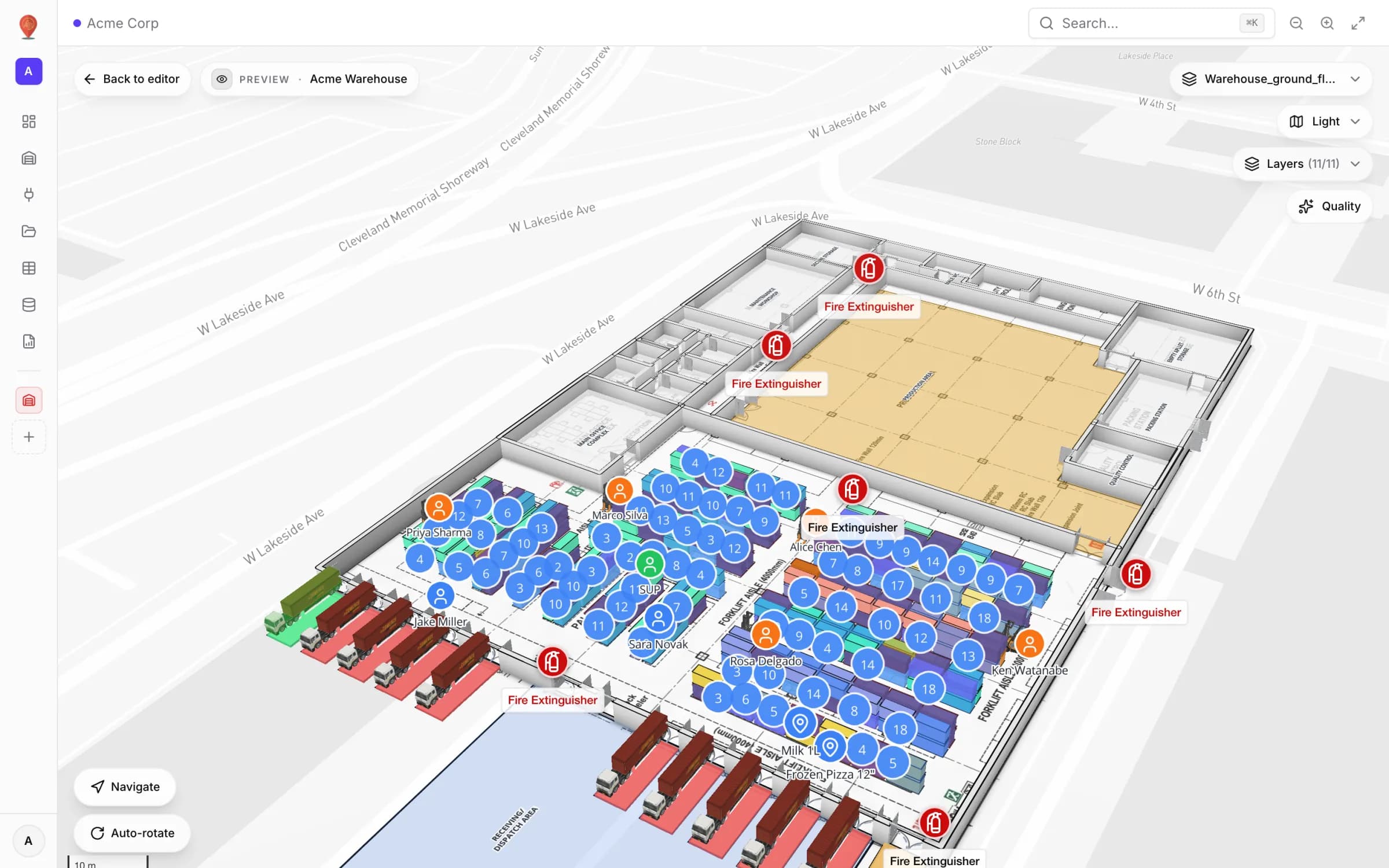
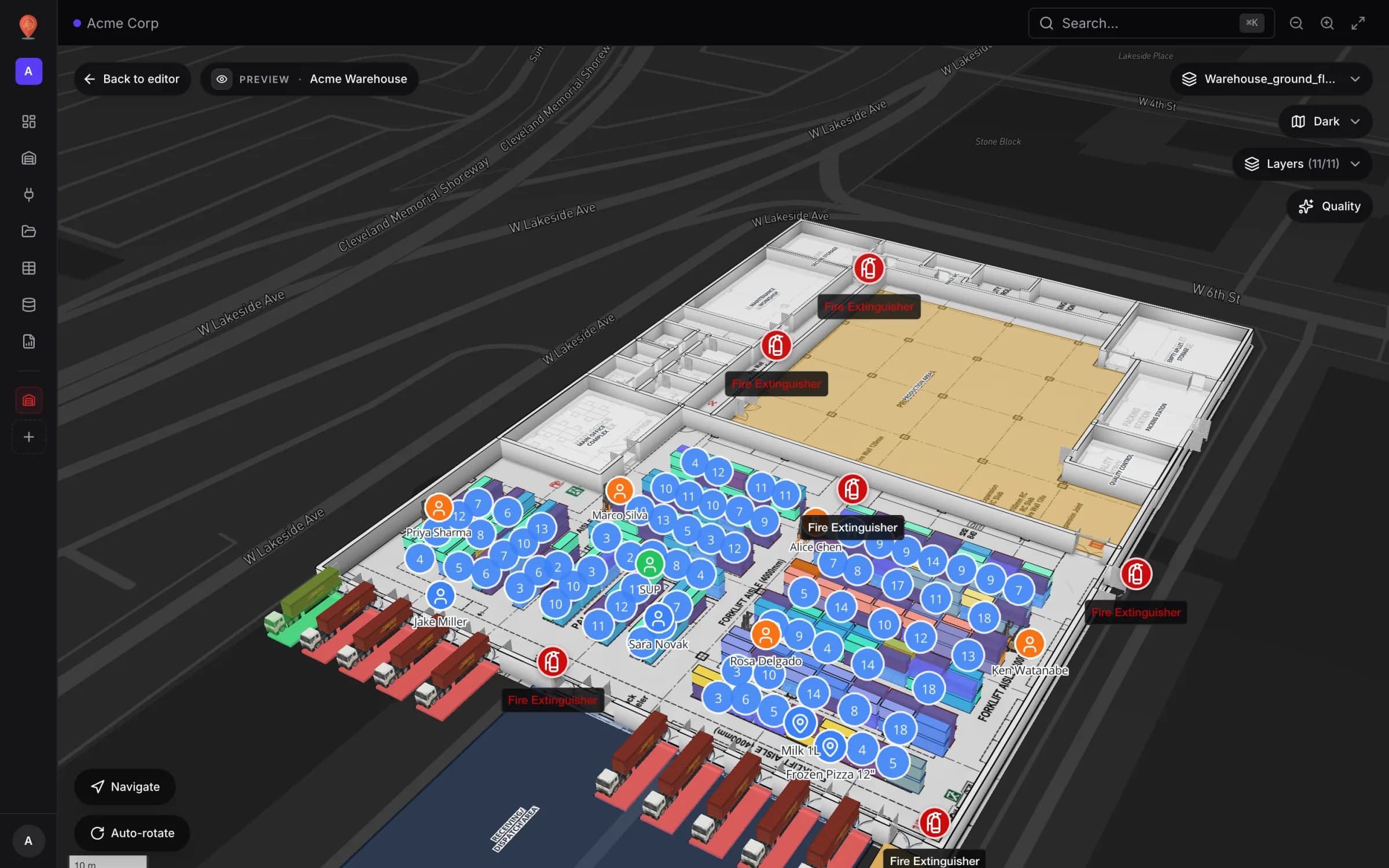
Spatial Map imports PDF drawing sets (the sheet is recognised from 17 standard ISO A, ANSI and ARCH sizes, so the plan lands at true scale), DWG files from R2004 to R2018 (you tick the layers to keep and confirm the drawing units) and PNG, JPG, GIF or WebP images. Every format becomes a floor-plan image placed at its real size on a georeferenced, multi-floor facility; walls, rooms and racks are then drawn on top with the editor tools. In the demo workspace, each of the 13 showcase facilities, from an airport terminal to a three-floor store, is traced over a real architectural floor plan, and Acme Warehouse carries 17 racks with 314 bins. See CAD and PDF import.
Live data: the part most evaluations skip
Live data is what separates a twin from a nice floor plan. Demos show data prepared for the demo; test how your own data gets in and what the map does with it.
- Ingest methods: which of your systems can be pulled on a schedule, which need to push into an API the vendor provides, and which only produce files (CSV, XLSX, JSON, GeoJSON)?
- Where the sync runs: on the vendor’s servers around the clock, or only while someone has the app open in a browser? This decides whether the night shift sees fresh data.
- Your own tables: if a system has no API, can you define a table and write to it through a generated REST API with scoped keys?
- Named connectors vs open interfaces: a wall of connector logos sounds reassuring, but ask what each one syncs. Open interfaces often matter more.
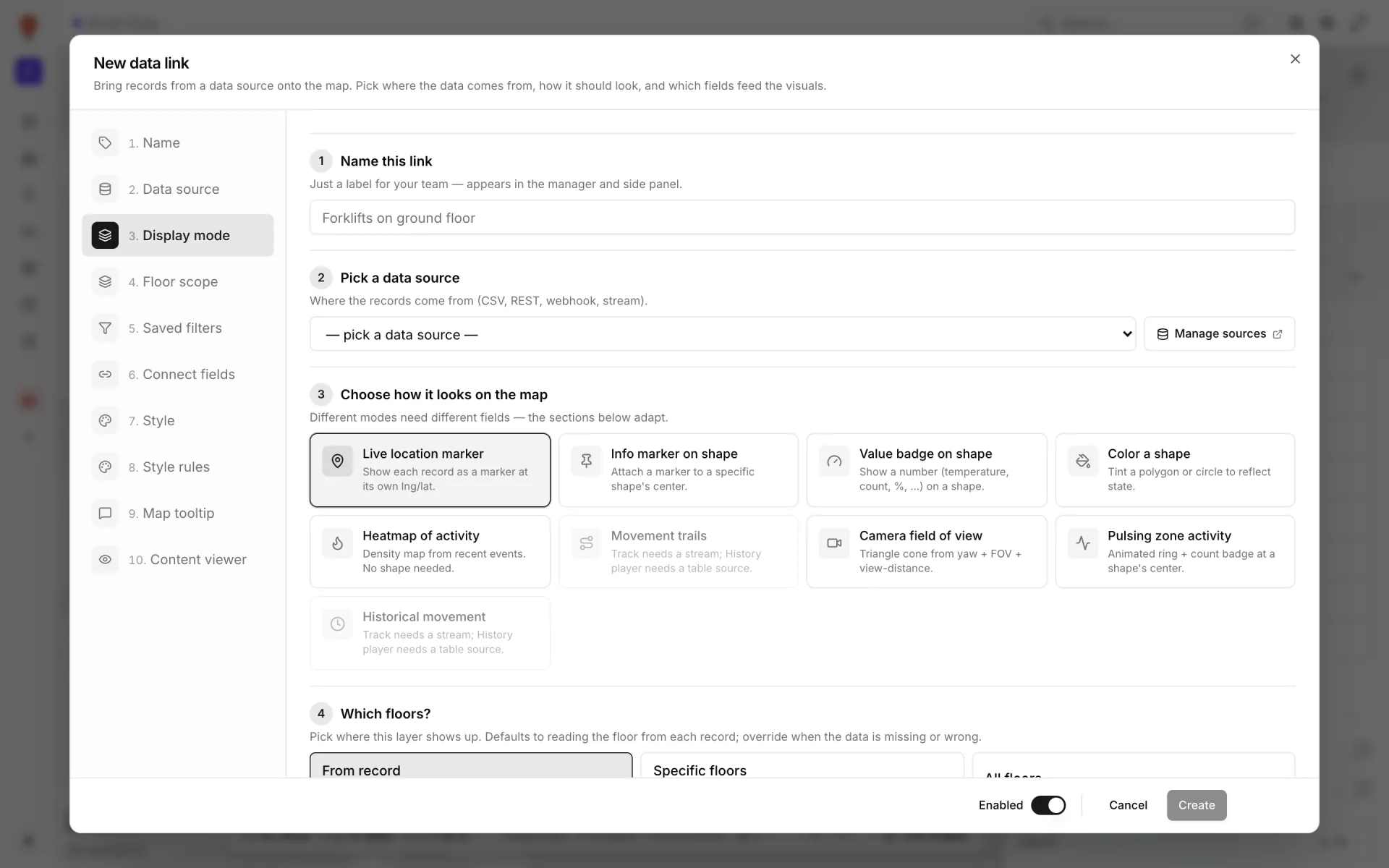
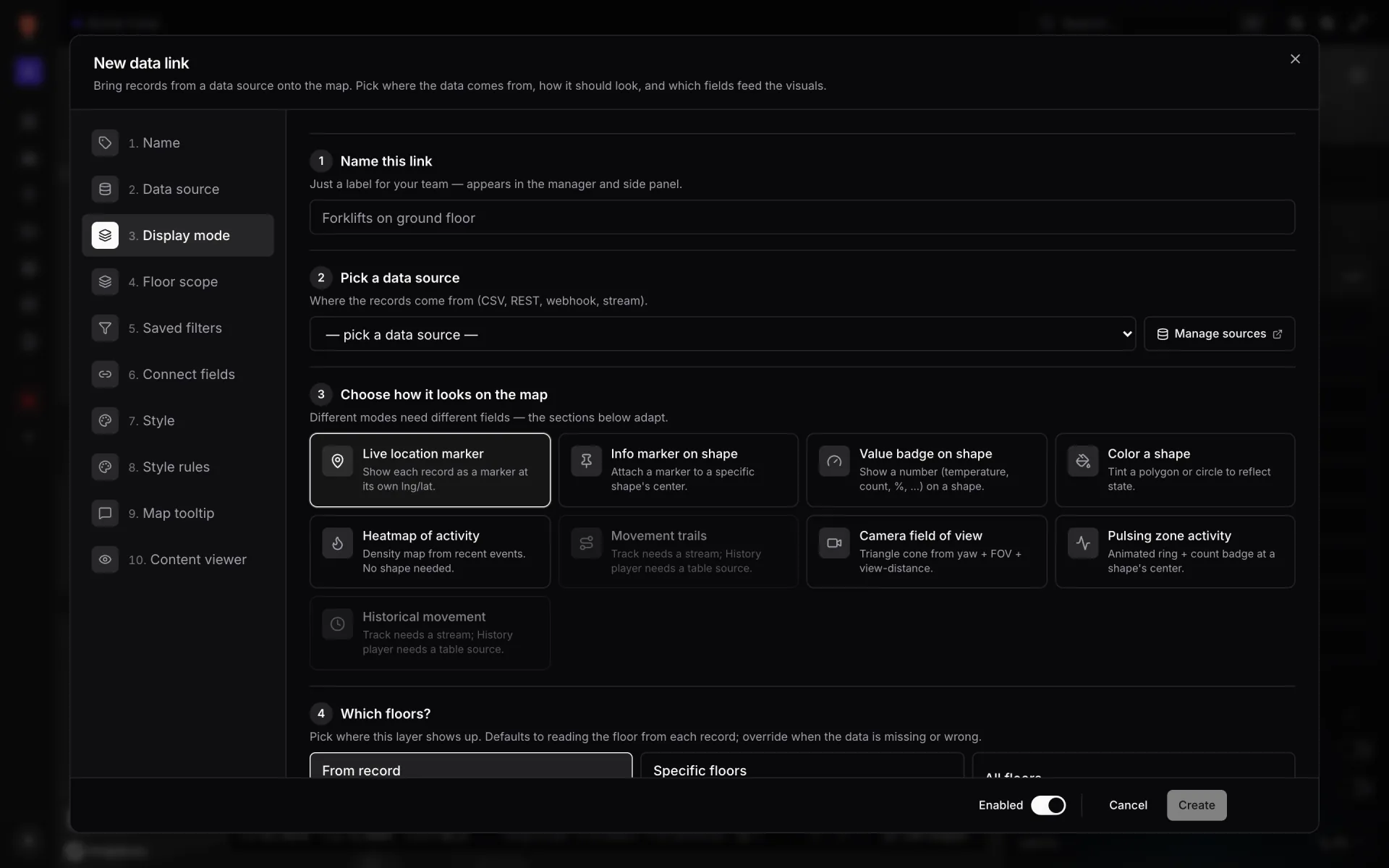
- Render modes: can one source become a live marker, value badge, coloured shape, heatmap, movement trail or camera field of view, without code?
- Health and auditing: when a feed fails at 3 a.m., is there a health view, an audit log and a list of failed runs?
- Latency: how many seconds from a change in your system to a change on the map?
Spatial Map has no named vendor connectors. Add integration offers three ways in: a REST API integration that pulls JSON, GeoJSON or CSV manually, whenever a map opens or on a timer (these syncs run in the browser of whoever has a map open, so the API must accept requests from the app); Upload file for CSV, XLSX, JSON or GeoJSON; and a Table with your own schema. A table can fill itself through server-side External REST polling, about once a minute at the fastest and even when nobody has a map open, or your systems push rows into it through its write API. There is no webhook or stream set-up in the app: an event-driven system such as a WMS or RFID middleware writes into a table, ideally in batches of up to 1,000 rows per call. See integrations, tables and the WMS integration guide.
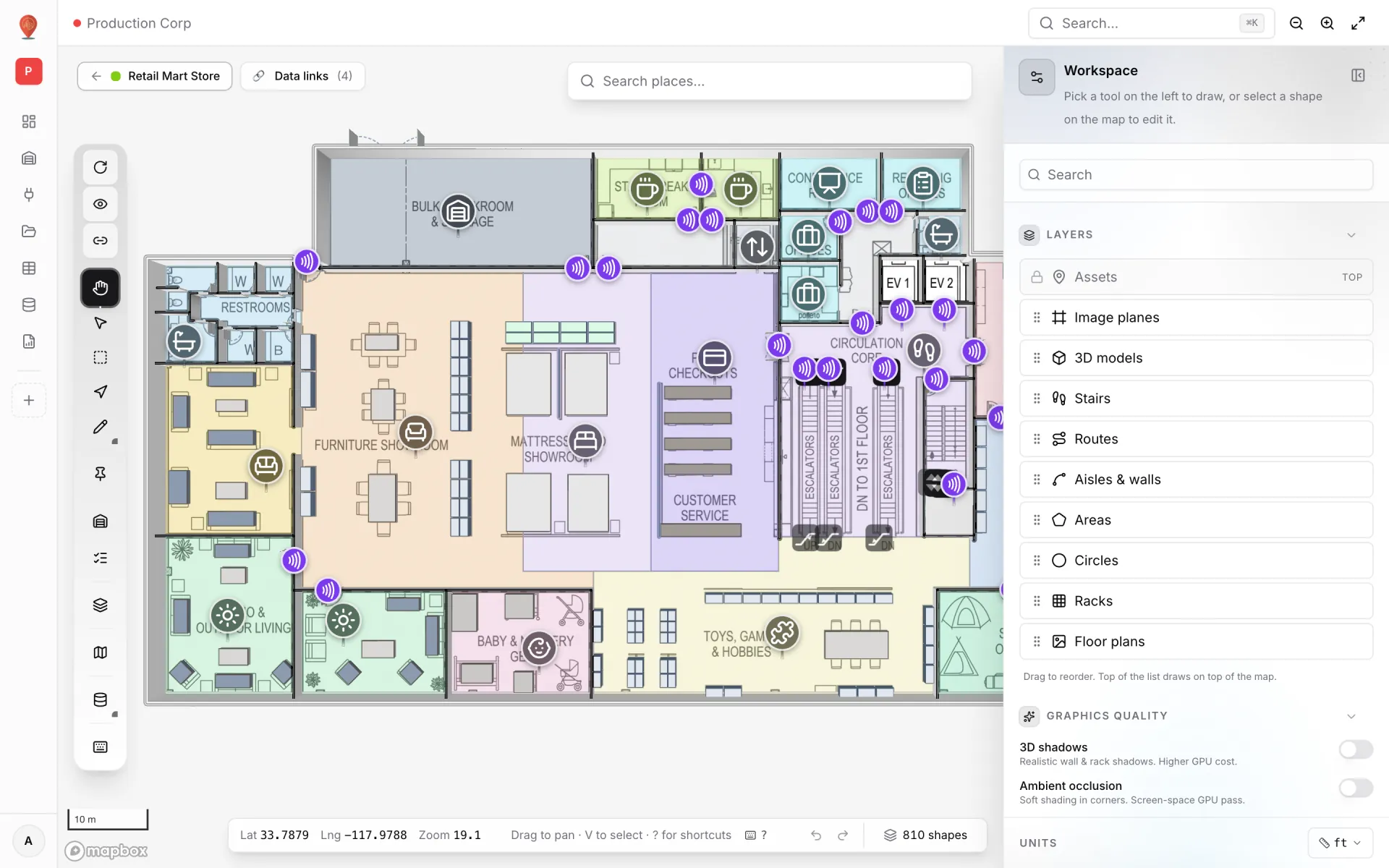
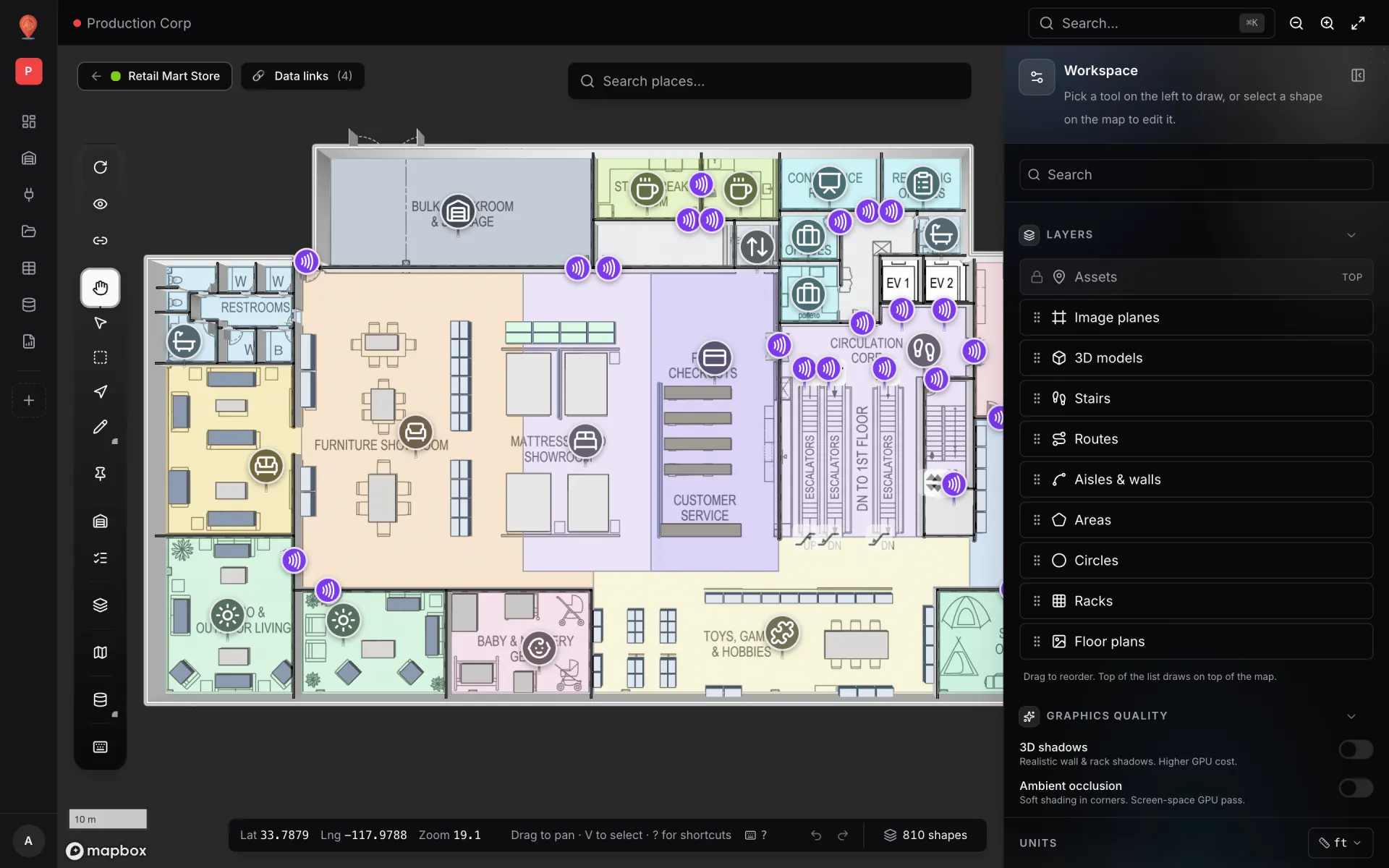
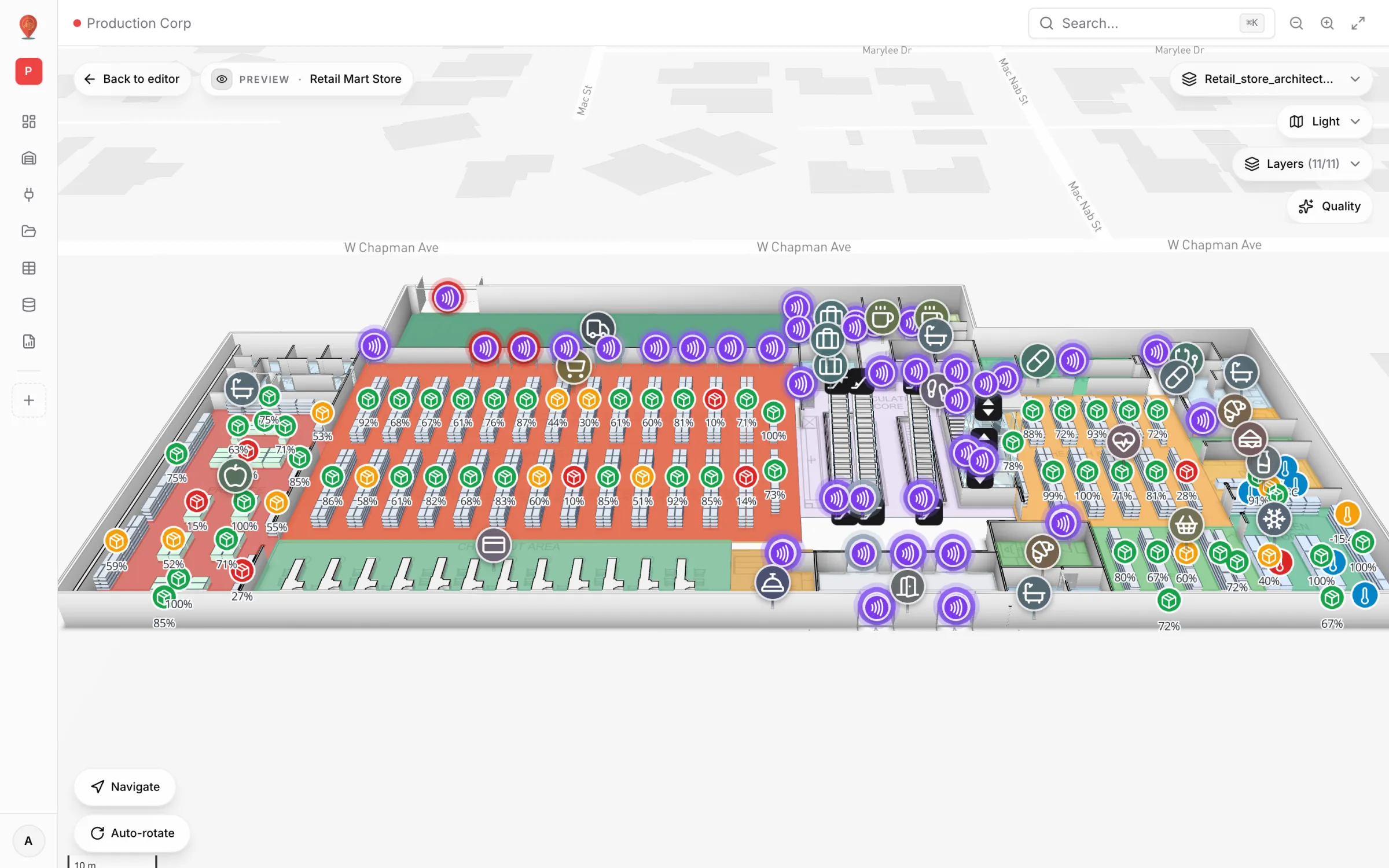
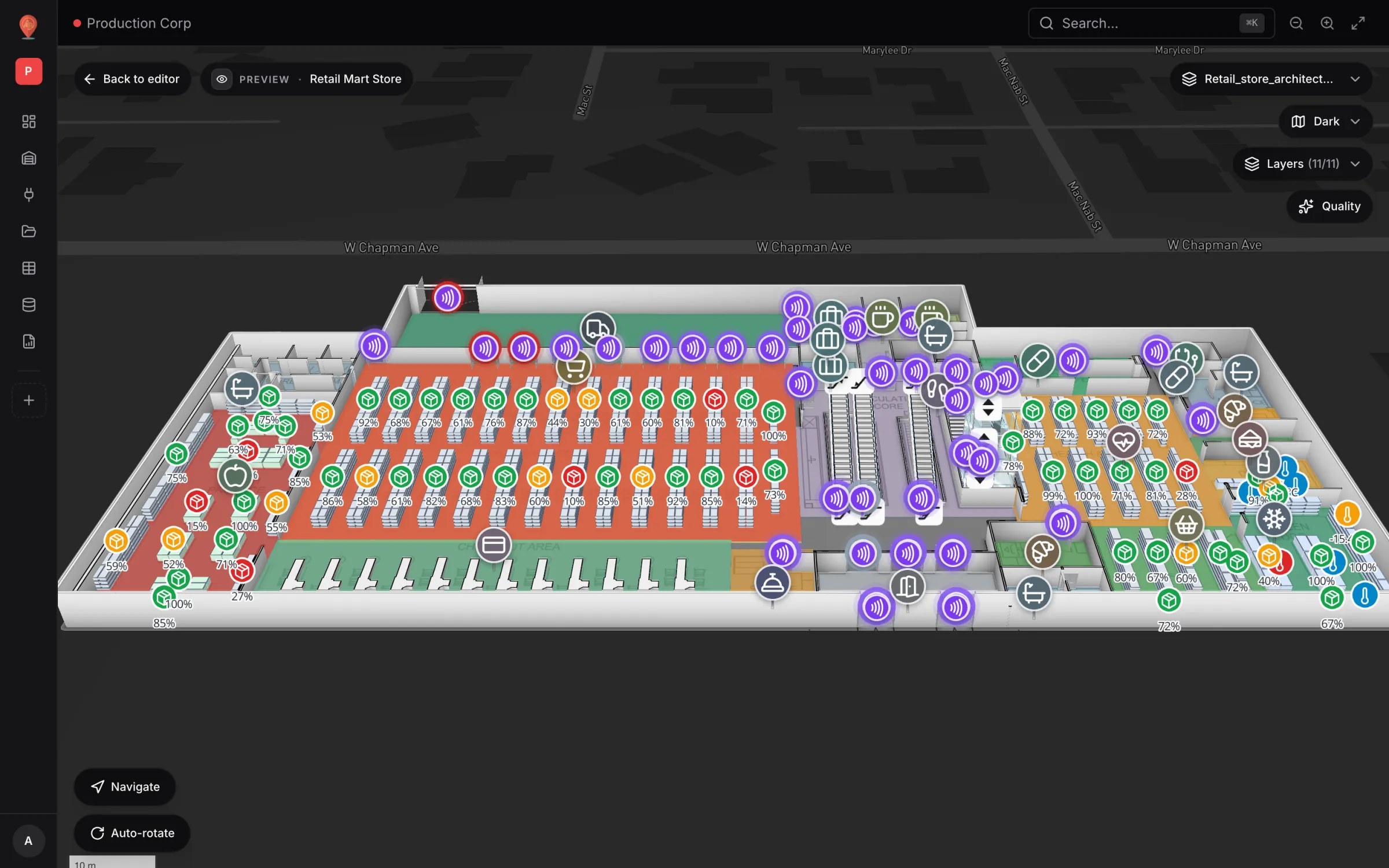
A data link then binds a source to the map with one of nine render modes: live location marker, info marker on a shape, value badge on a shape, colouring a shape, heatmap of activity, movement trails, camera field of view, pulsing zone activity and historical movement. In the demo, Retail Mart Store uses them for RFID readers at its doors and escalators, shelf stock as percentage markers and fridge temperatures, and a write to a table reaches open maps within seconds. See data links.
Reports, wayfinding, sharing and roles
A map that only its builder opens is a pilot that never scales. Check what happens once data is on the map.
- Reporting: can reports combine tables, charts and a live map and export to PDF, Excel and CSV, or does every report mean a separate BI tool?
- Starting points: does a new facility come with useful reports or a blank page?
- Wayfinding: can it route visitors or new staff between rooms, and across floors?
- Sharing: can you send a contractor or auditor a read-only view that expires and can be revoked?
- Roles: can people who only look at the map be prevented from editing it?
- Languages: is the interface available in your teams’ languages, including right-to-left scripts?
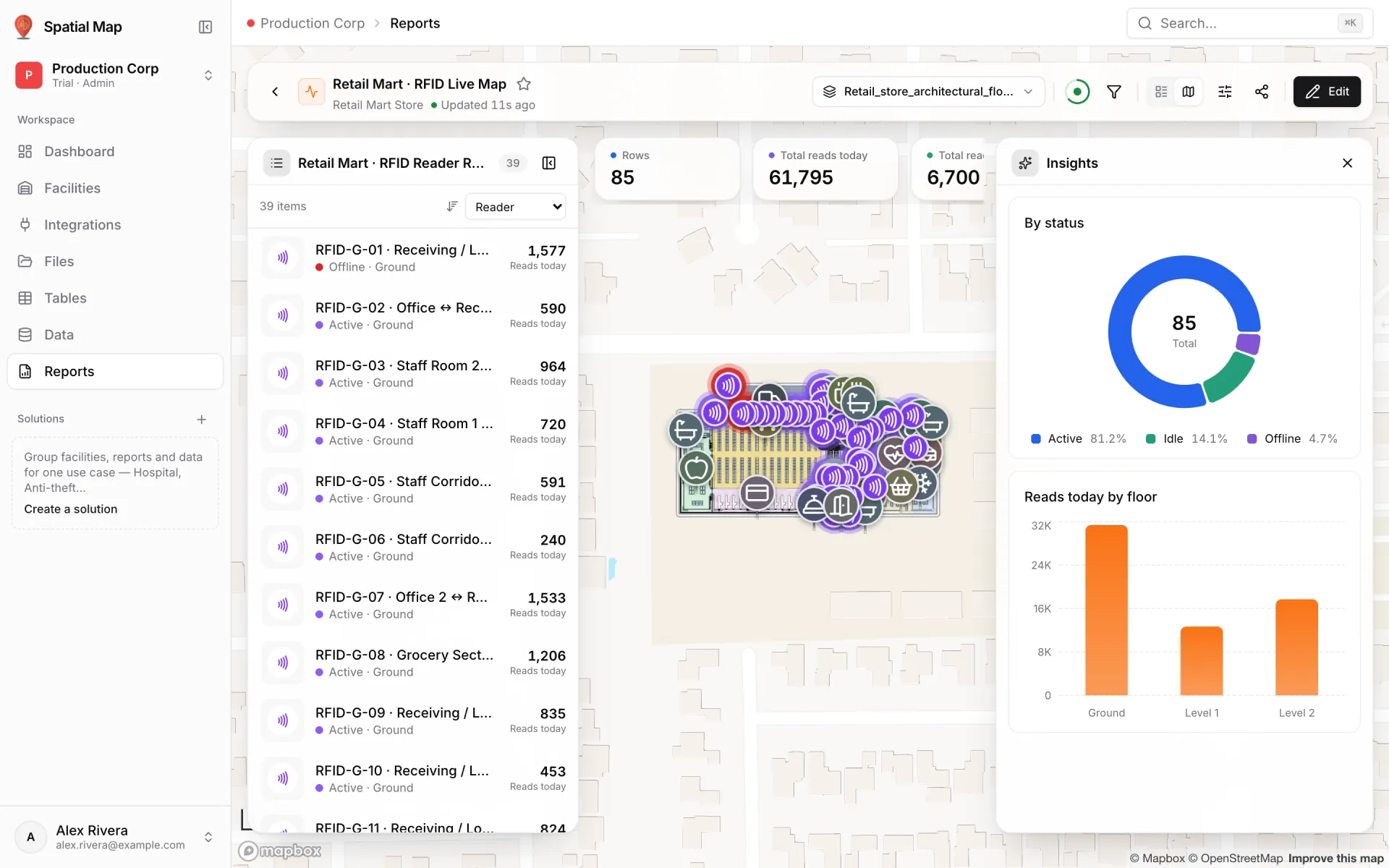
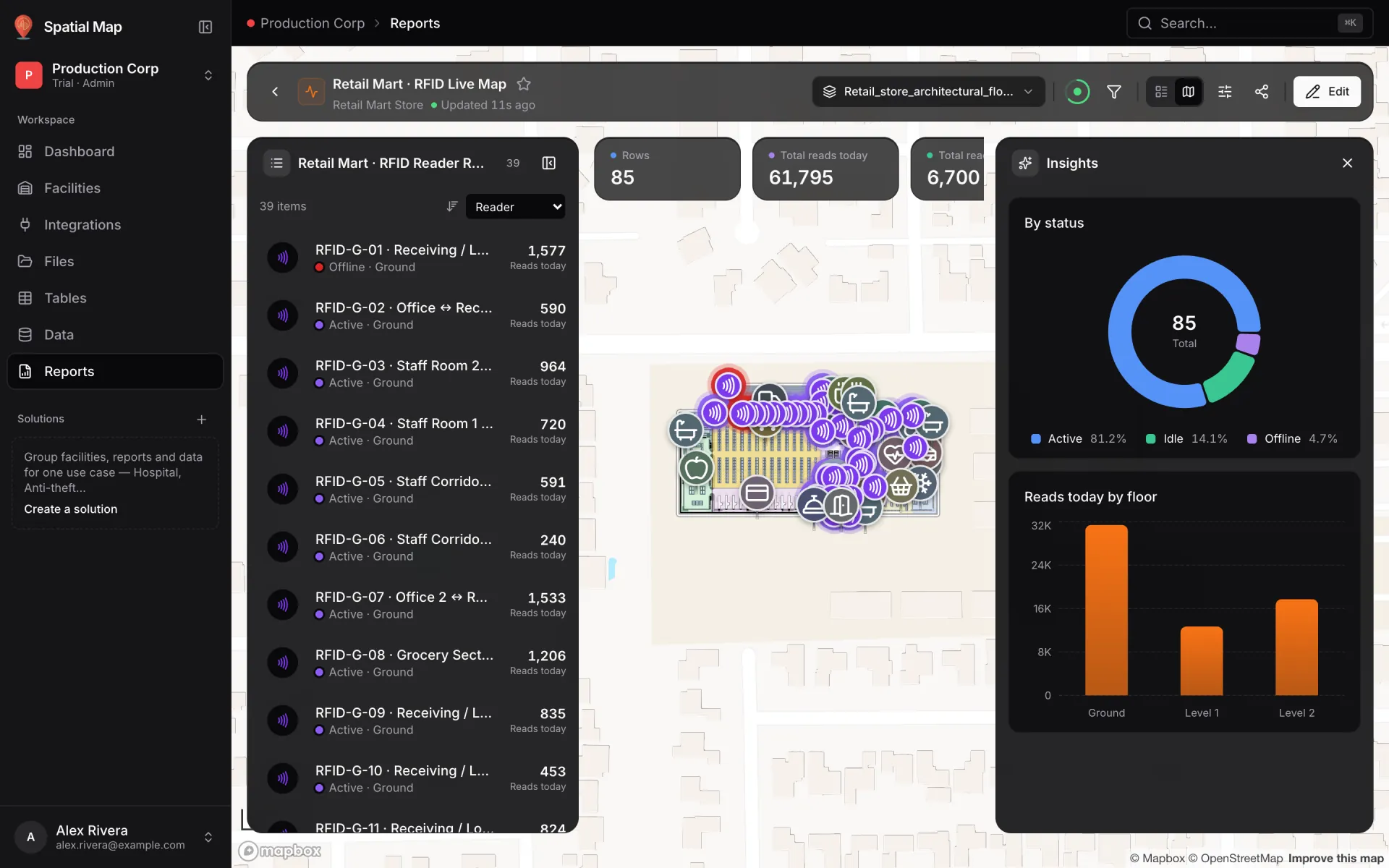
In Spatial Map every new facility starts with eight ready-made reports (Overview, Floors, Areas, Racks and more), and linking a table to a facility adds a report for that table. The step-by-step report builder adds KPIs, charts, editable tables and a facility map & list in Document, Grid or Full map layouts; Export produces PDF (through the browser’s print dialog), Excel, CSV or JSON, and each chart or KPI can also be saved as a PNG. The Retail Mart RFID Live Map report below is a full-map layout: the list of RFID readers on the left, the store on a live map and an Insights panel with reader status and reads by floor. See reports.
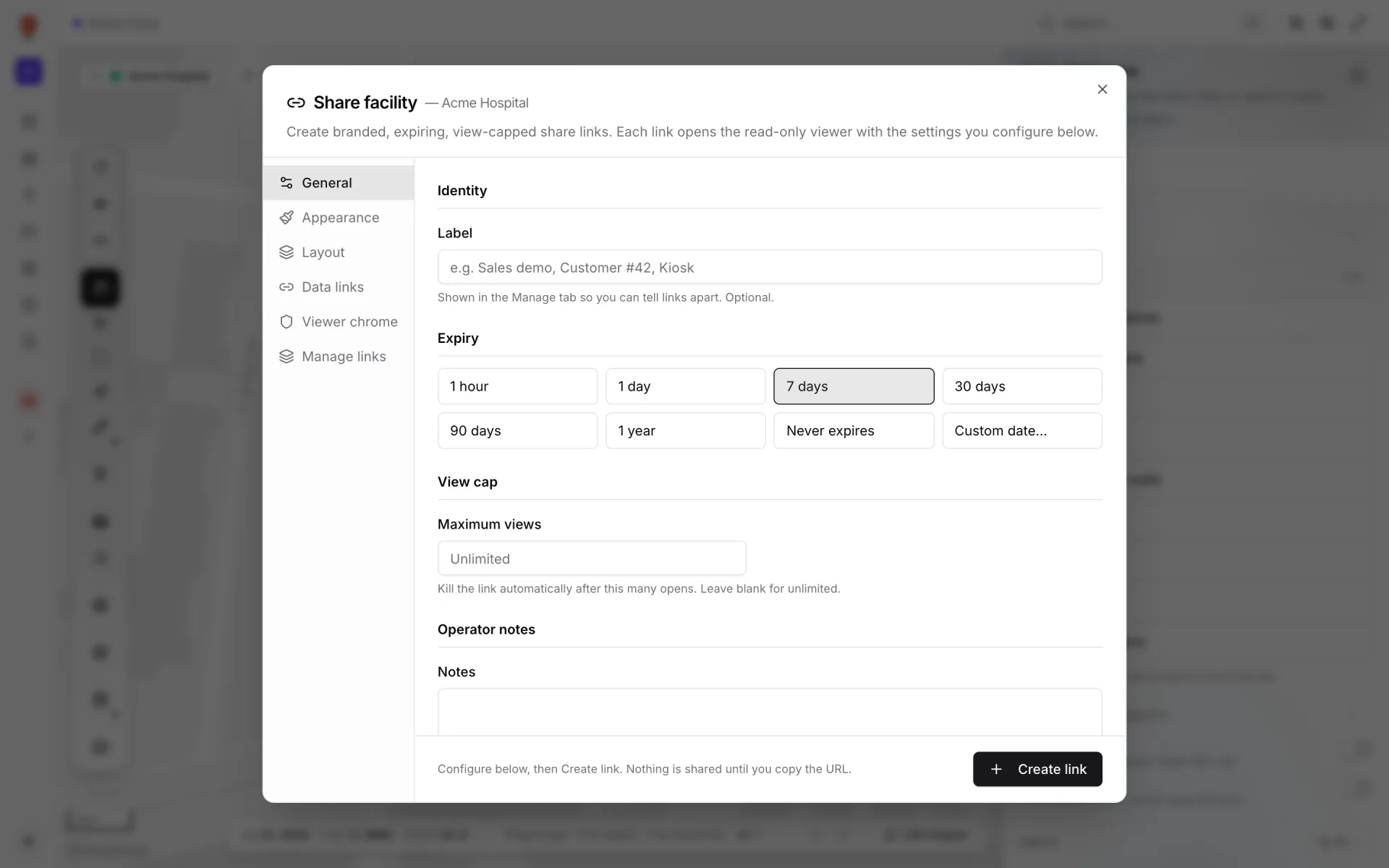
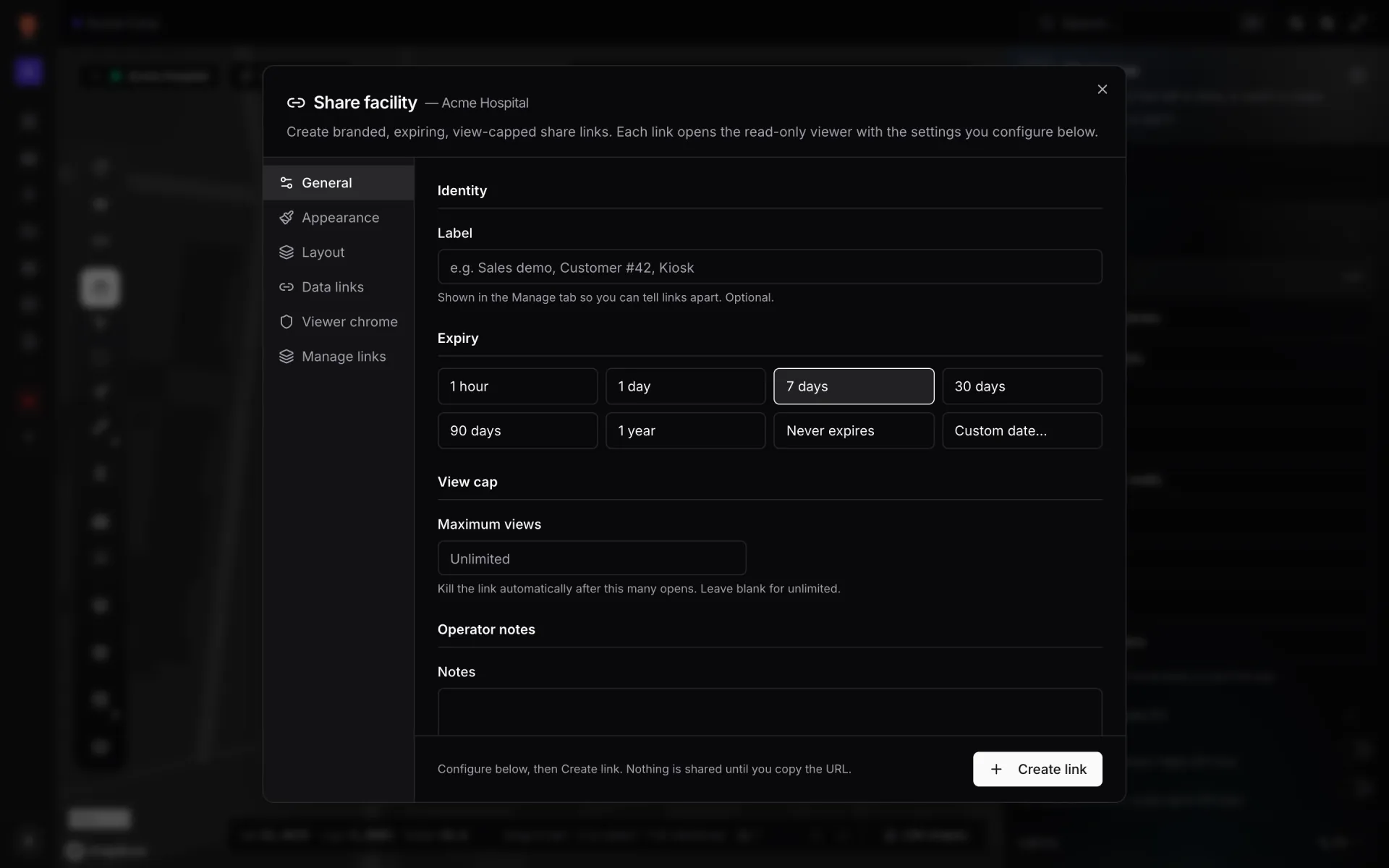
Share links open a read-only viewer and can expire (from one hour to one year, on a custom date, or never), stop after a maximum number of views, and be revoked. Members get one of four roles (Owner, Admin, Editor or Viewer), and an invitation goes to someone who already has a Spatial Map account. In the viewer, Navigate draws a route between two points on a floor with turn-by-turn directions, and the interface ships in six languages, including right-to-left Arabic. See share links, members and roles and wayfinding.
Multi-site, deployment, pricing and security
- Multi-site organisation: with several warehouses or a university campus, can you group facilities, reports and data by use case?
- Browser vs installed: does it run in a normal browser, or need a desktop install, plug-ins or a powerful GPU?
- Pricing transparency: is there a published price and a clear billable unit? What happens when you add the next site?
- Data ownership: can you export records and reports yourself, and does your source system stay the system of record?
- Security: ask about tenant isolation, session handling, rate limiting and API key storage, and ask for evidence behind any certification on the sales slide.
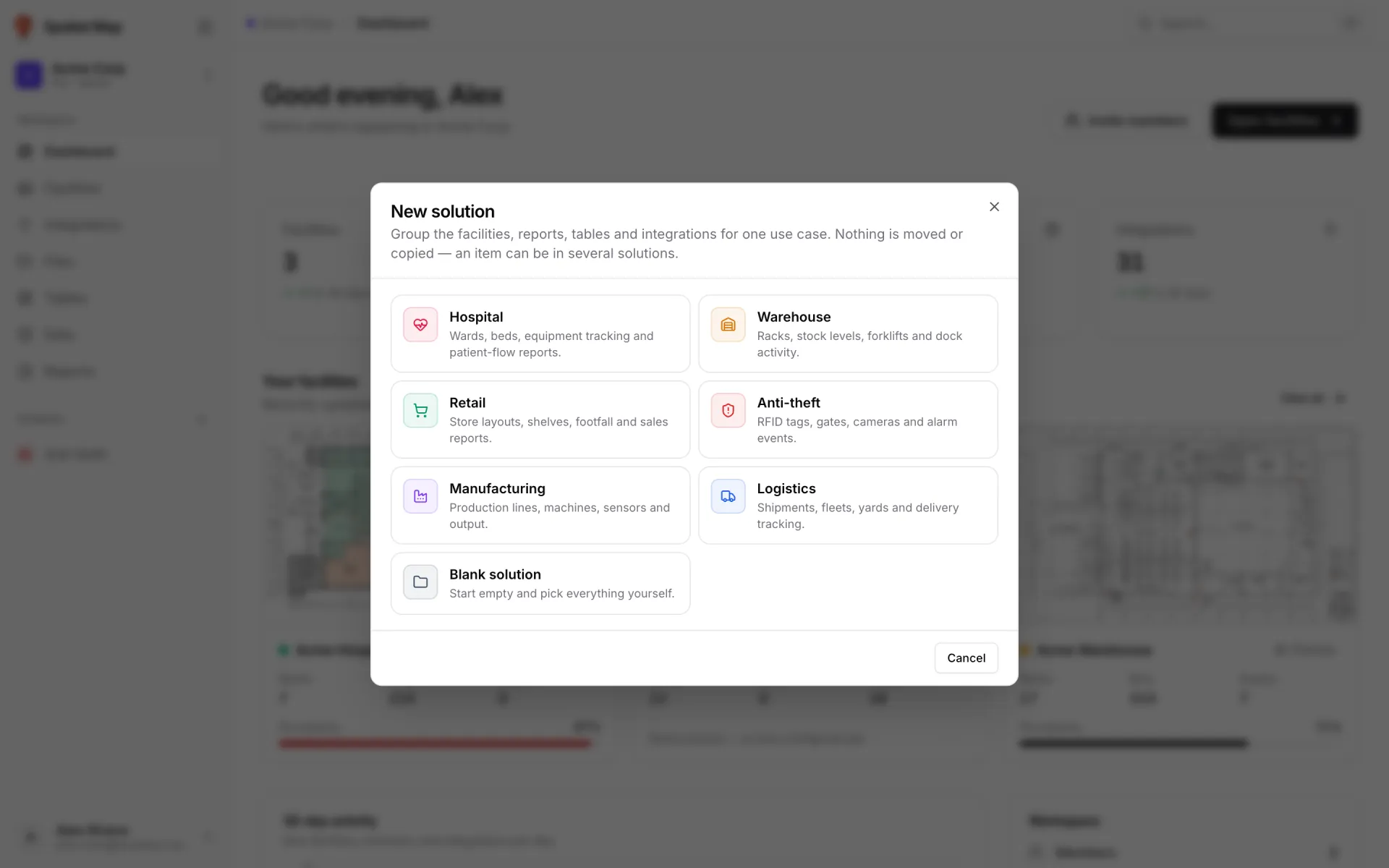
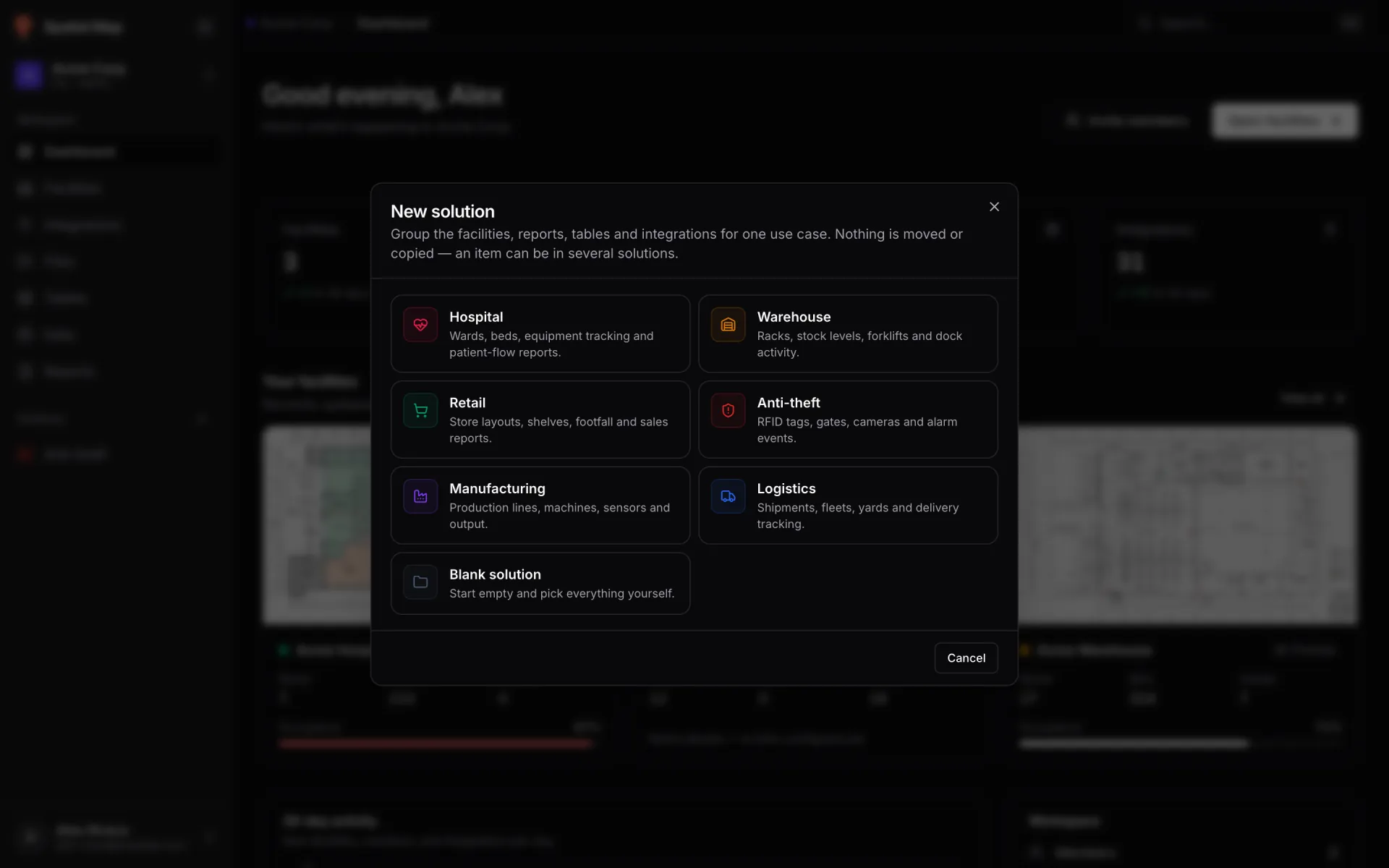
In Spatial Map, solutions group the facilities, reports, tables and integrations of one use case. You start from an industry template (warehouse, retail, anti-theft, manufacturing or logistics, among others) or a blank one; an item can sit in several solutions, and deleting a solution never deletes its contents. The app runs in a modern browser with no install. Pricing is published: a 7-day trial with up to 5 facilities and no card, then Pro at $60/month or $600/year for up to 4 facilities per workspace; larger estates can contact us. On the server every query is scoped to the workspace, and table API keys are stored hashed.
The digital twin buyer’s checklist
Copy this table into your evaluation sheet. Score each vendor 0 (no or unclear), 1 (partly, or only through paid services) or 2 (yes, shown live on your own data). A demo on the vendor’s sample data scores at most 1.
| Question | Why it matters | What good looks like |
|---|---|---|
| Can it import our PDF, DWG and image floor plans? | Redrawing buildings by hand is the biggest hidden cost | All three formats, automatic scale, CAD layer choice, real-world units |
| How long until a usable first map? | Slow setup kills pilots before they show value | One real floor mapped by your own team in a single working session |
| Does it model 3D and multiple floors? | Racks, mezzanines and multi-storey buildings get flattened otherwise | Floors, stairs, lifts and escalators, with a floor switcher in the viewer |
| Is automated drawing reviewable? | Silent errors on the map erode trust | Detections arrive as drafts you accept or reject |
| How does live data get in, and where does it sync? | Your systems will not change for a new tool | Scheduled pulls that run server-side, a write API for pushes, file import and your own tables |
| How is data drawn on the map? | A table of numbers beside a map is not a twin | Markers, badges, coloured shapes, heatmaps, trails and camera views, configured without code |
| How do we know a feed has failed? | Stale data shown as live is worse than no data | Integration health, an audit log and a list of failed runs |
| Can we build reports with the map in them? | Decisions are made in reports, not in editors | Report builder with charts, tables, live map widgets and PDF/Excel/CSV export |
| Does it support indoor wayfinding? | Airports, malls and large sites need directions | Routing between rooms with turn-by-turn steps, ideally across floors via stairs and lifts |
| Can we share safely outside the team? | Contractors and tenants need views, not accounts | Read-only links with expiry, view caps and revocation; roles for members |
| How do we organise many sites? | Flat lists break down beyond a handful of facilities | Groups by use case that filter facilities, reports and data |
| Does it need installing? | Installs and special hardware slow every rollout | Runs in a modern browser on ordinary hardware |
| Is pricing published and predictable? | Opaque pricing hides the cost of scaling | Published plan, clear billable unit, free trial without a card |
| Can we export our data? | Lock-in turns a pilot into a dependency | Self-service CSV, Excel and JSON export and a read API; your source stays the system of record |
| How is our data isolated and protected? | Facility data reveals operations and security layouts | Tenant isolation on every query, hashed and revocable API keys, session revocation, evidence for every certification claimed |
How Spatial Map answers the checklist, limits included
Here is how we answer our own checklist, limits included. A buyer’s guide that hides limits is a brochure.
| Area | Spatial Map today | Limit to know about |
|---|---|---|
| Floor-plan import | PDF with automatic scale from 17 sheet sizes; DWG (R2004–R2018) with layer choice and drawing units; PNG, JPG, GIF and WebP images, each placed at true size as a floor-plan image | A drawing stays a picture: walls, rooms and racks are not extracted and are drawn with the editor tools. DXF files are not read; save as DWG or PDF |
| Assisted mapping | Magic walls raises walls around the areas you draw | AI Map detection is marked Coming soon and is not in the current build |
| 3D and floors | Multi-floor facilities with stairs, doors, lifts and escalators, placed on a real map | An operational 3D model, not an engineering BIM model |
| Live data | REST API integration (manual, when a map opens, or on a timer), file upload (CSV, XLSX, JSON, GeoJSON), tables with a 12-endpoint write API and server-side External REST polling | No named connectors and no webhook or stream set-up; REST API integration syncs run in an open browser; the write API allows 60 requests a minute per key, so send batches |
| On the map | Nine render modes, from live markers and value badges to heatmaps, trails, camera views and pulsing zone activity, configured without code | Historical movement playback works only for table sources |
| Reports | Eight built-in reports per facility, a step-by-step builder, Document, Grid and Full map layouts; PDF (via print), Excel, CSV and JSON export, plus PNG per chart or KPI | No alerts or automated rules; built for operational reporting, not to replace your data warehouse |
| Wayfinding | Navigate in the viewer draws a route between two points with turn-by-turn directions | One floor at a time; it does not route between floors via stairs or lifts |
| Sharing and roles | Share links with expiry, view cap and revocation; Owner, Admin, Editor and Viewer roles | Links are read-only; invitees need an existing account; the Legend, Language switcher, Theme palette picker and Light/dark toggle options under Viewer chrome are not active yet |
| Multi-site | Solutions group facilities, reports, tables and integrations by use case | Pro covers up to 4 facilities per workspace (the trial allows 5); larger estates via contact |
| Data export | CSV from the Data screen, rows through the table read API, shapes as GeoJSON, reports as PDF, Excel, CSV or JSON | Your WMS, ERP or sensor platform remains the system of record; nothing is written back to it |
| Pricing | Published: $60/month or $600/year, 7-day trial without a card | Check the facility limit against your estate before you commit |
| Security | Every query scoped to the workspace on the server; email sign-up with a 6-digit code; passwords of 12+ characters stored hashed; hashed, revocable table API keys; other sessions signed out after a password change | We claim no certifications or SSO here; send us your security questionnaire |
Run a two-week pilot with one facility
A checklist narrows the field; a pilot decides. Two weeks is enough with one facility and one or two decisions. With Spatial Map, the 7-day free trial covers the build week; if it shows value, move to Pro for week two with real users.
- 1Day 1: pick the facility and the decision
Choose one site and the one or two decisions the twin must support. Gather its floor plans and a sample of the data behind those decisions.
- 2Days 1–2: build the map
Import the floor plan (PDF, DWG or image), set up floors and draw the racks, zones or rooms that matter. Time it: this is your real time-to-first-map.
- 3Days 3–4: connect one live source
Connect one feed (a REST API integration, a file upload, or a table that your system writes to or that polls your endpoint) and bind it to the map with a data link. Watch the Health tab for a full day; for a feed that must run unattended, use a table rather than a browser-run REST sync.
- 4Day 5: build one report
Start from the built-in facility reports, then build the one report your decision-maker will actually open. Export it to PDF or Excel.
- 5Days 6–7: share and score
Invite one colleague as a Viewer (they need a Spatial Map account first), send one read-only share link outside the team, and score the tool against the checklist with its future users.
- 6Week 2: run it for real
If week one passed, run the twin in daily operations and note what people actually used. If not, you have lost a week, not signed a contract.
Ready to test it on your own building? Start the 7-day free trial (no credit card, up to 5 facilities) and run this checklist against it. Getting started walks through the first map, and plan and billing lists the plans and limits.
Try the platform your data belongs on.
Spatial Map turns spreadsheets, sensor streams, and CAD drawings into one live 3D facility view — nothing to install, seven-day free trial.