
WMS integration guide: REST, webhooks and WebSockets for a live warehouse map
REST, webhook or WebSocket? How to feed WMS data into a live 3D warehouse map: REST polling, file upload, and a table write API your relay pushes to.
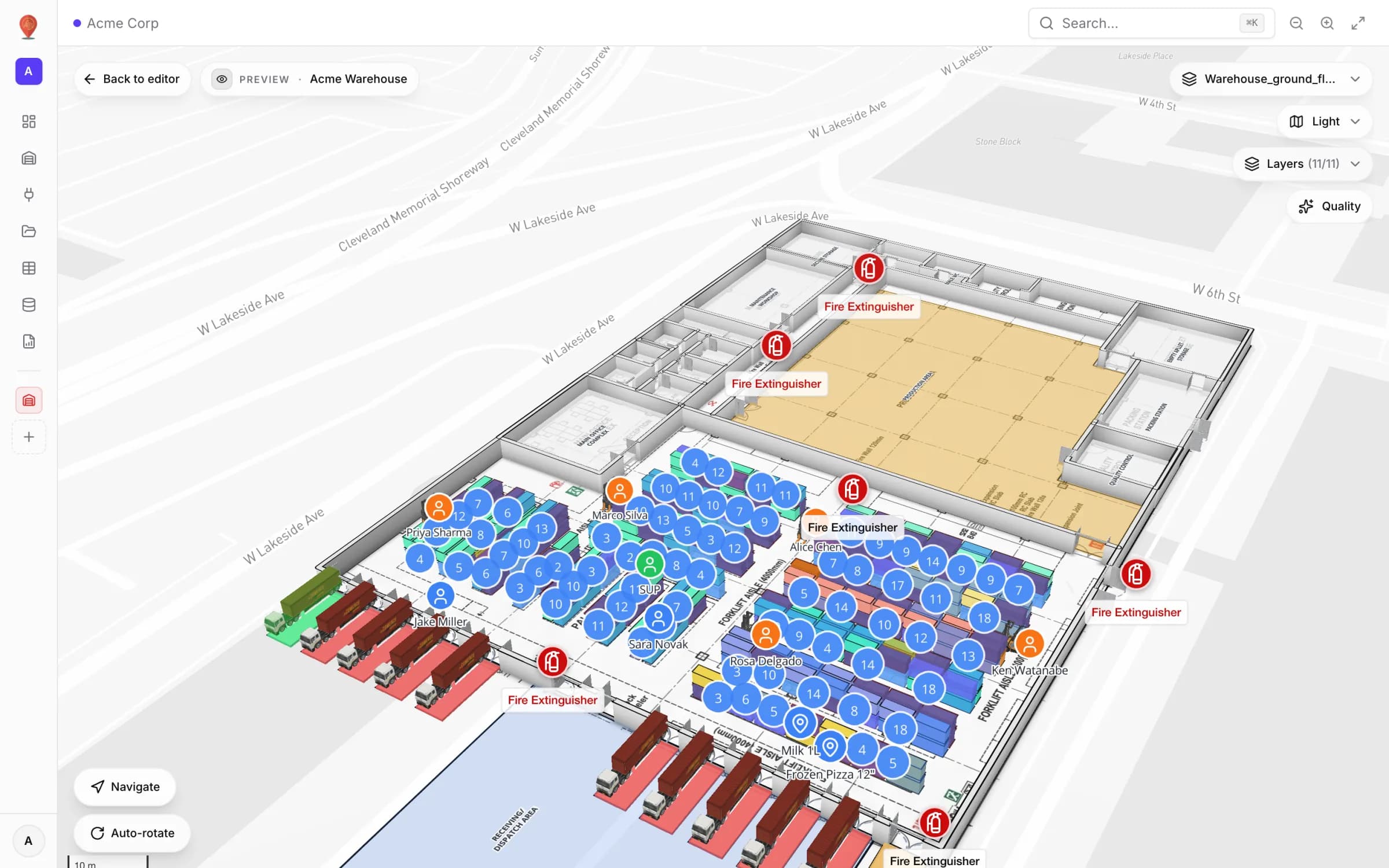
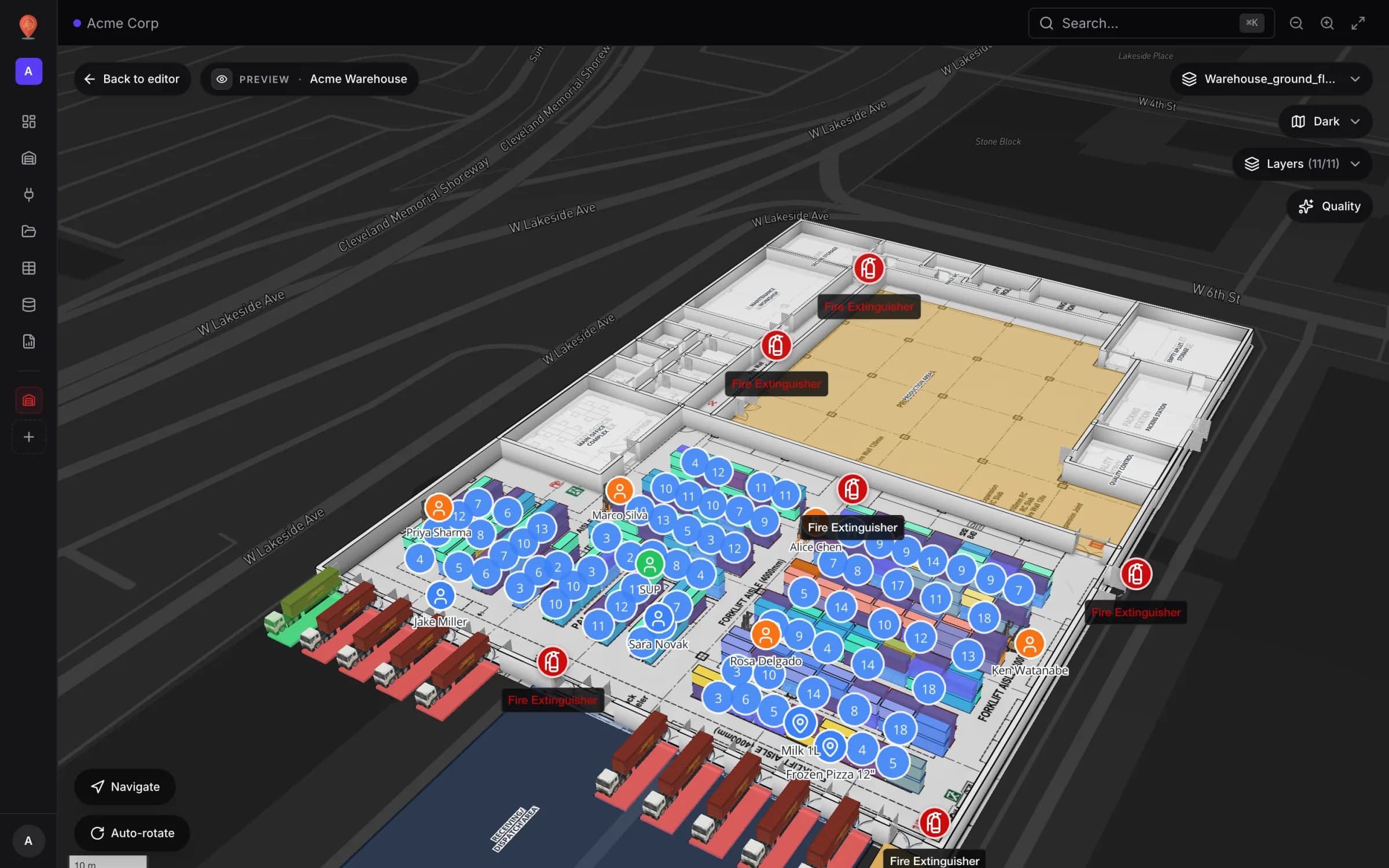
The short answer
REST vs webhook vs WebSocket: what you are really choosing
Search for “WMS integration” and you land in a protocol debate. For a live warehouse map the useful question is narrower: how does your WMS hand out data, and how fresh does the map need to be? The WMS may expose REST endpoints, fire webhooks, publish to a queue or stream over a socket. Spatial Map accepts three kinds of input — it pulls REST endpoints, it imports files, and it receives pushes as writes to a table’s API. So, do you need webhooks or WebSockets? Your WMS may emit them; Spatial Map receives them as table API writes, sent by a relay you own.
| Warehouse data | Freshness you need | Path into Spatial Map |
|---|---|---|
| Bin occupancy and stock per location | about a minute | Table with Pull from a REST API (every 30 s or more), or relay pushes on change |
| Pick, move and return events | seconds | Relay → `POST /rows/bulk` every few seconds |
| Bin status changes (blocked, reserved, picking) | seconds | Relay → `PATCH /rows/bulk` on existing rows |
| Forklift or worker positions from an RTLS | a few seconds | Relay buffers the stream and sends batches — never one request per position fix |
| Cycle count or end‑of‑day snapshot | daily | Upload file and Re-import, or a nightly script calling the table API |
| Reference data (SKUs, zones, dock doors) | when it changes | Upload file, or a one‑off bulk write |
The four ways data gets in
Open Integrations → Add integration and you get three choices: REST API, Upload file and Table. A table then adds a fourth route — its own write API — plus an optional server‑side poller. They differ mainly in where they run.
| Path | Where it runs | How fresh | Watch out for |
|---|---|---|---|
| REST API integration | In the browser of whoever has a map (or the Integrations screen) open. Sync Manually, When a map opens or On a timer | Each sync; the timer only repeats while a map is open | The WMS API must allow the app’s origin (CORS), otherwise you see “Your browser is blocked from this API” |
| Table · Pull from a REST API | On Spatial Map’s servers, set up on the table’s API & access tab | Interval of 30 s or more; the poller checks once a minute, so expect about a minute | Up to 1,000 rows, 10 MB and 30 s per poll; the URL must be reachable from the internet |
| Upload file | You, in the import dialog (File, Mode, Match, Mapping, Preview) | Whenever you re‑import | CSV, Excel, JSON or GeoJSON — good for snapshots, not for events |
| Table write API | Your systems call `https://app.spatialmap.io/api/v1/public/tables/…` with a `sgv_tbl_` key | Seconds — every write refreshes open maps | 60 requests a minute per key (burst 30); up to 1,000 rows per bulk call |
Which path fits your WMS
You don’t need a vendor‑specific connector — Spatial Map has none. What matters is the kind of interface your WMS offers. Check the integration docs for your own version; the patterns below hold for most products.
| Kind of WMS | What it usually exposes | Path that fits |
|---|---|---|
| Enterprise suite with an event or integration layer | Read APIs (REST or OData) plus business events published to an integration platform or message bus | Server‑side Pull from a REST API for slow‑moving state; a relay subscribed to the events writes changes with `/rows/bulk` |
| Cloud WMS with REST and outbound webhooks | REST endpoints and a webhook per event type (task done, bin blocked, order released) | Point the webhooks at your relay — a serverless function is enough — and batch into the table API; use REST pulls to reconcile |
| On‑premises WMS behind a firewall | APIs reachable only on the internal network | Run the relay inside the network; it only needs outbound HTTPS to the table API. Server‑side polling can’t reach an internal URL |
| Legacy or self‑built | A database, scheduled flat‑file exports, sometimes a thin REST layer | Upload file with Re-import for exports, or a scheduled script that reads the database and writes to the table API |
Bridging webhooks, queues and sockets with a small relay
A relay is any small program between the WMS and Spatial Map: a serverless function behind the WMS webhook, a consumer on the message queue, or a process that holds the RTLS socket open. Its job never changes — turn each event into a table row and send rows in batches.
- 1Create the table
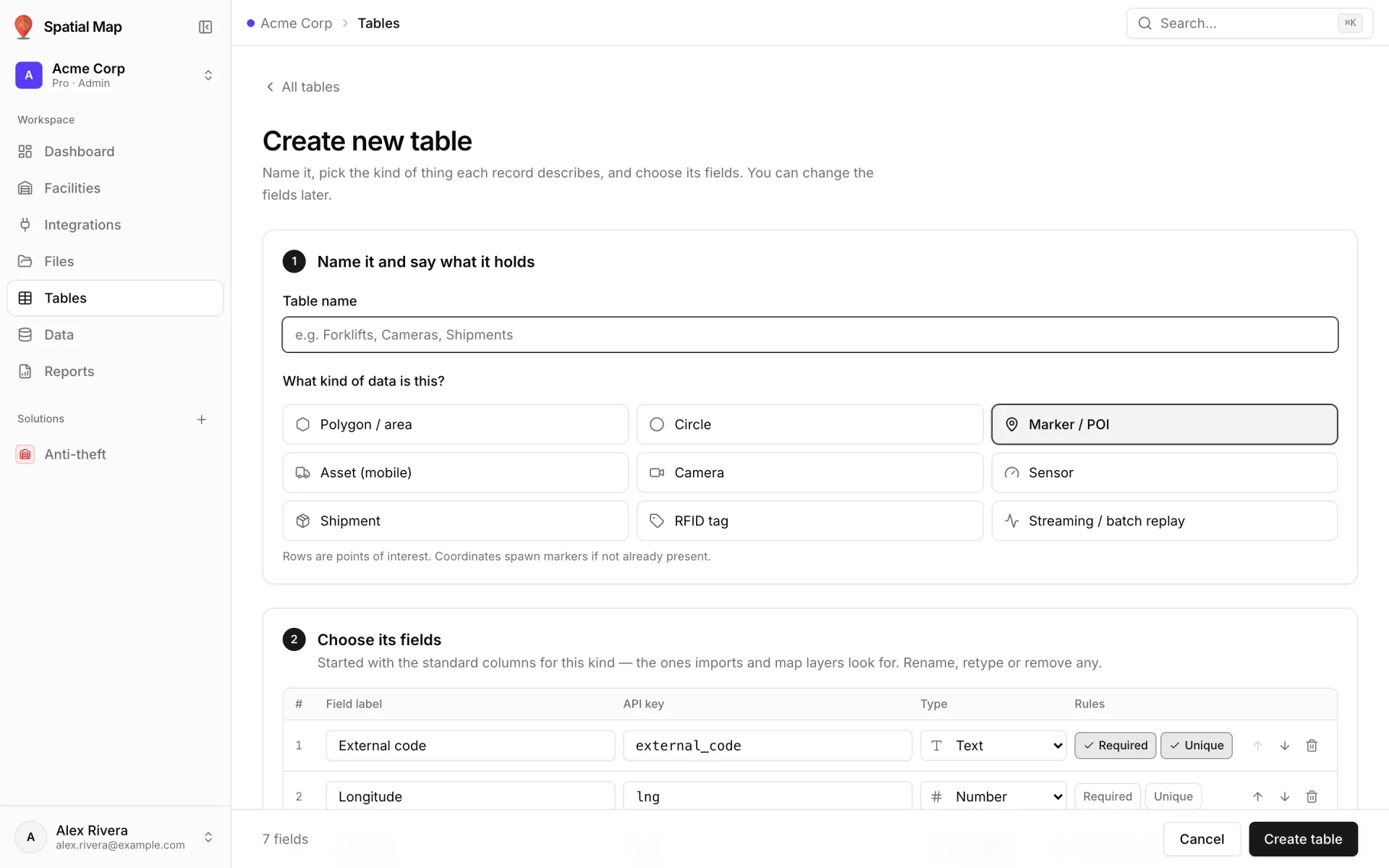
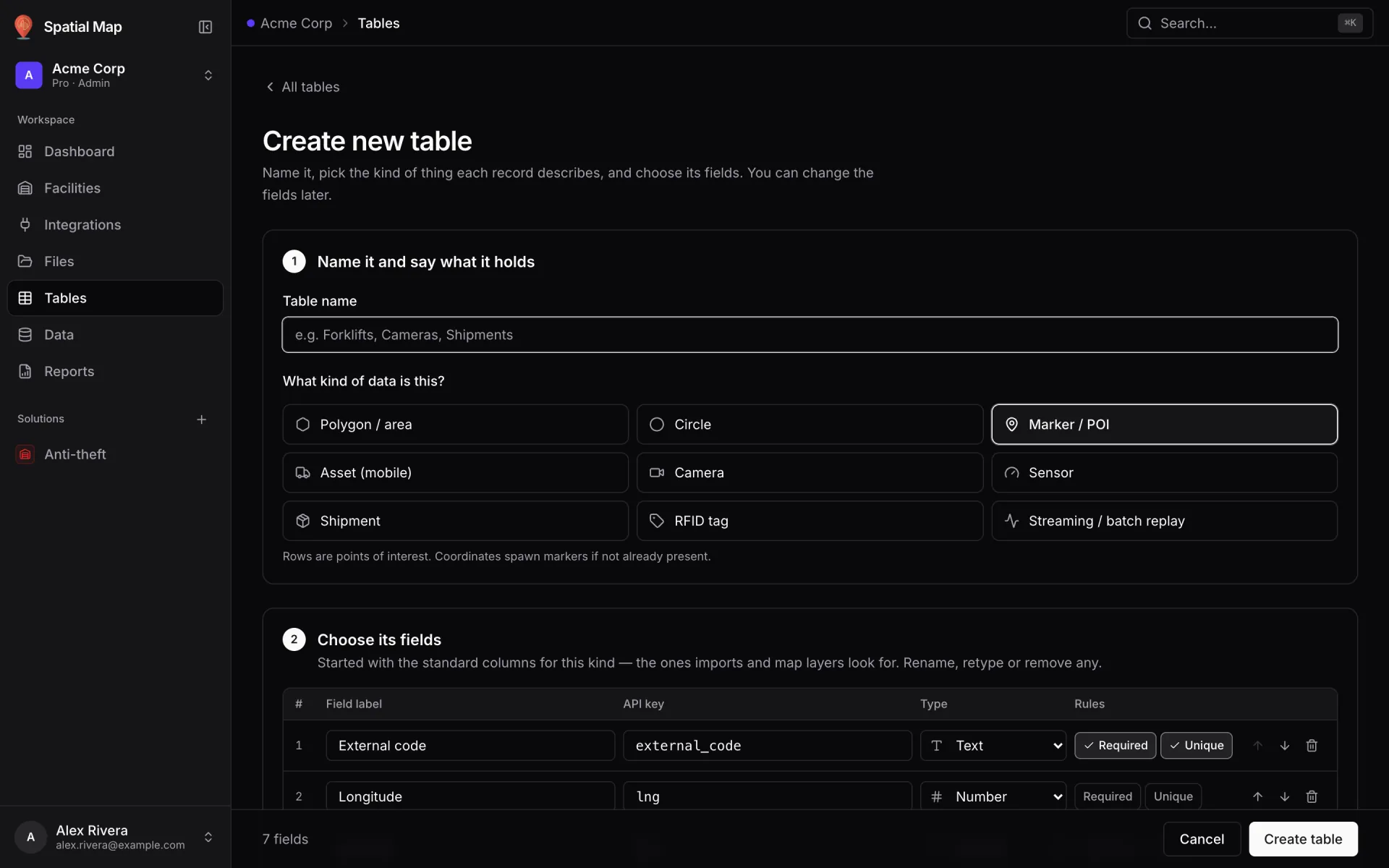
Under Tables, create one table per kind of thing (bins, pick events, workers) and pick its kind — Marker / POI, Asset (mobile), Shipment, Polygon / area and so on. Each field has an API key such as `bin_code` or `status`: those are the payload keys the relay sends. See Tables.
- 2Create a key
On the table’s API & access tab, an Owner or Admin creates a key. It starts with `sgv_tbl_` and is shown once. One key writes to one table, so there is no table id in the URL. Give every system its own key so you can revoke one without breaking the rest, and copy the exact base URL from the same tab.
- 3Map each event to a row
Choose a stable `entityKey` — the bin code, the event id, the badge id. Rows are upserted by that key, so a repeated delivery overwrites instead of duplicating.
- 4Send batches, not single events
Buffer for a few seconds, then send one `POST /rows/bulk` (full rows) or `PATCH /rows/bulk` (changed fields only) with up to 1,000 rows. Valid rows commit even if others fail; rejected ones come back in `errors[]`.
- 5Retry the right errors
`429` means the key went over 60 requests a minute; `401` means the key is wrong or revoked; `400` means a row broke the table’s schema (a required or unique field). Keep unsent rows and retry on the next tick.
curl -X POST https://app.spatialmap.io/api/v1/public/tables/rows \
  -H "Authorization: Bearer $SPATIALMAP_TABLE_KEY" \
  -H "Content-Type: application/json" \
-d '{"entityKey":"EV-20261011-0412","payload":{"event_id":"EV-20261011-0412","event_type":"pick","item_id":"B-B86-L2-01","from_bin_code":"B-B86-L2","quantity":2,"worker_id":"W-04","ts":"2026-10-11T09:14:05Z"}}'curl -X POST https://app.spatialmap.io/api/v1/public/tables/rows/bulk \
-H "Authorization: Bearer $SPATIALMAP_TABLE_KEY" \
-H "Content-Type: application/json" \
-d '{"rows":[
{"entityKey":"EV-20261011-0413","payload":{"event_id":"EV-20261011-0413","event_type":"pick","item_id":"A-B07-L1-02","from_bin_code":"A-B07-L1","quantity":1,"worker_id":"W-02","ts":"2026-10-11T09:14:09Z"}},
{"entityKey":"EV-20261011-0414","payload":{"event_id":"EV-20261011-0414","event_type":"move","item_id":"B-B99-L1-03","from_bin_code":"B-B99-L1","to_bin_code":"B-B51-L1","quantity":1,"worker_id":"W-05","ts":"2026-10-11T09:14:11Z"}}
]}'curl -X PATCH https://app.spatialmap.io/api/v1/public/tables/rows/A-B01-L1 \
-H "Authorization: Bearer $SPATIALMAP_TABLE_KEY" \
-H "Content-Type: application/json" \
-d '{"status":"blocked","hold_reason":"Damaged pallet"}'// relay.mjs (Node 18+) - receives bin-status webhooks from your WMS and
// forwards them in batches to the "Rack Inventory" table. A sketch, not a product.
import http from 'node:http';
const BASE = 'https://app.spatialmap.io/api/v1/public/tables'; // copy yours from API & access
const KEY = process.env.SPATIALMAP_TABLE_KEY; // sgv_tbl_... (this table's key)
const pending = new Map(); // bin_code -> latest changes
http.createServer((req, res) => {
let body = '';
req.on('data', (chunk) => (body += chunk));
req.on('end', () => {
try {
// 1. Verify your WMS's webhook signature here (its docs say how).
const e = JSON.parse(body);
// 2. Map the WMS event onto your table's field keys.
const prev = pending.get(e.bin_code)?.patch ?? {};
pending.set(e.bin_code, {
entityKey: e.bin_code,
patch: { ...prev, status: e.status, sku: e.sku, quantity: e.quantity },
});
res.writeHead(202).end();
} catch {
res.writeHead(400).end();
}
});
}).listen(8080);
// 3. Flush every 5 s: one request instead of one per event (60 requests/min per key).
setInterval(async () => {
const rows = [...pending.values()].slice(0, 1000);
if (rows.length === 0) return;
rows.forEach((r) => pending.delete(r.entityKey));
try {
const res = await fetch(BASE + '/rows/bulk', {
method: 'PATCH', // merge changed fields onto existing bins
headers: { Authorization: 'Bearer ' + KEY, 'Content-Type': 'application/json' },
body: JSON.stringify({ rows }),
});
if (!res.ok) throw new Error('HTTP ' + res.status); // 401 key, 429 rate limit, 5xx
const { errors } = await res.json(); // rows the table rejected
if (errors?.length) console.warn(errors);
} catch (err) {
// put the batch back without losing newer events; retry on the next tick
rows.forEach((r) => {
const newer = pending.get(r.entityKey);
pending.set(r.entityKey, newer ? { ...newer, patch: { ...r.patch, ...newer.patch } } : r);
});
console.error(err);
}
}, 5000);Worked example: Acme Warehouse
The demo Acme Warehouse has 17 racks holding 314 bins, with tables such as Rack Inventory (one row per bin, keyed by `bin_code` like `A-B01-L1`, with `status`, `sku` and `quantity`), Inventory Items, Pick Events and Warehouse Workers. A typical WMS feed for it uses three of the four paths.
- 1Bin state by polling
If the WMS has a bin‑inventory endpoint, open Rack Inventory → API & access → Pull from a REST API: the URL, an interval of 30 s or more, Row key field in the response = `bin_code`, Where the items are (JSON path) if the list sits inside an envelope, headers for auth and a field mapping. Press Start polling; the first run lands within a minute. Full recipe: poll a REST endpoint on a schedule.
- 2Events by push
Point the WMS’s pick‑confirmed and bin‑status webhooks at your relay. Confirmed picks become new rows in Pick Events (`POST /rows/bulk`); status changes patch the matching bin in Rack Inventory (`PATCH /rows/bulk`). Step by step: push rows with the table write API.
- 3Snapshots by upload
The nightly cycle‑count export goes in through Upload file, and Re-import on the source card refreshes it — no code involved.
- 4Draw it on the map
In the editor, open Data → Manage data links → New link. A Color a shape link tints each bin by `status` using style rules; a Live location marker link places workers at their latitude and longitude. See the data links overview.
- 5Check it’s flowing
The Health tab under Integrations lists each table with when your systems last wrote to it. Every API write is also kept in the row’s History, which a Historical movement link can replay on the map.
The pitfalls we see most
Where to go next
- Tables — schema, records and the API & access tab.
- Integrations — REST API integrations, file uploads and health.
- Push rows with the table write API — a worked example with keys and curl.
- Poll a REST endpoint on a schedule — server‑side polling end to end.
- Data links overview — how rows become markers, tints and badges.
- Spatial Map for warehouses and warehouse digital twin vs WMS.
Try the platform your data belongs on.
Spatial Map turns spreadsheets, sensor streams, and CAD drawings into one live 3D facility view — nothing to install, seven-day free trial.
See it live
Keep reading
- TutorialWarehouse KPI dashboards with a live 3D map: a builder tutorialA chart says 66% of bins are occupied; a map says where. This tutorial walks through the guided 12–13 step report builder to put both on one warehouse dashboard — using the real Rack Inventory report from our demo warehouse.
- TutorialFrom spreadsheet to spatial: turning a bin inventory CSV into a live rack mapA CSV in a shared drive helps no one on the floor. The same CSV painted on your rack layout is a shift meeting.
- TutorialFrom a CAD or PDF floor plan to a 3D browser map, step by stepPick the sheet or the layers, confirm the scale or units, drop the plan onto the map and line it up. The drawing arrives as a true-size picture; the 3D building is what you trace on top. Here is the whole path, with what it does and doesn’t do.