
Build a full-map command center
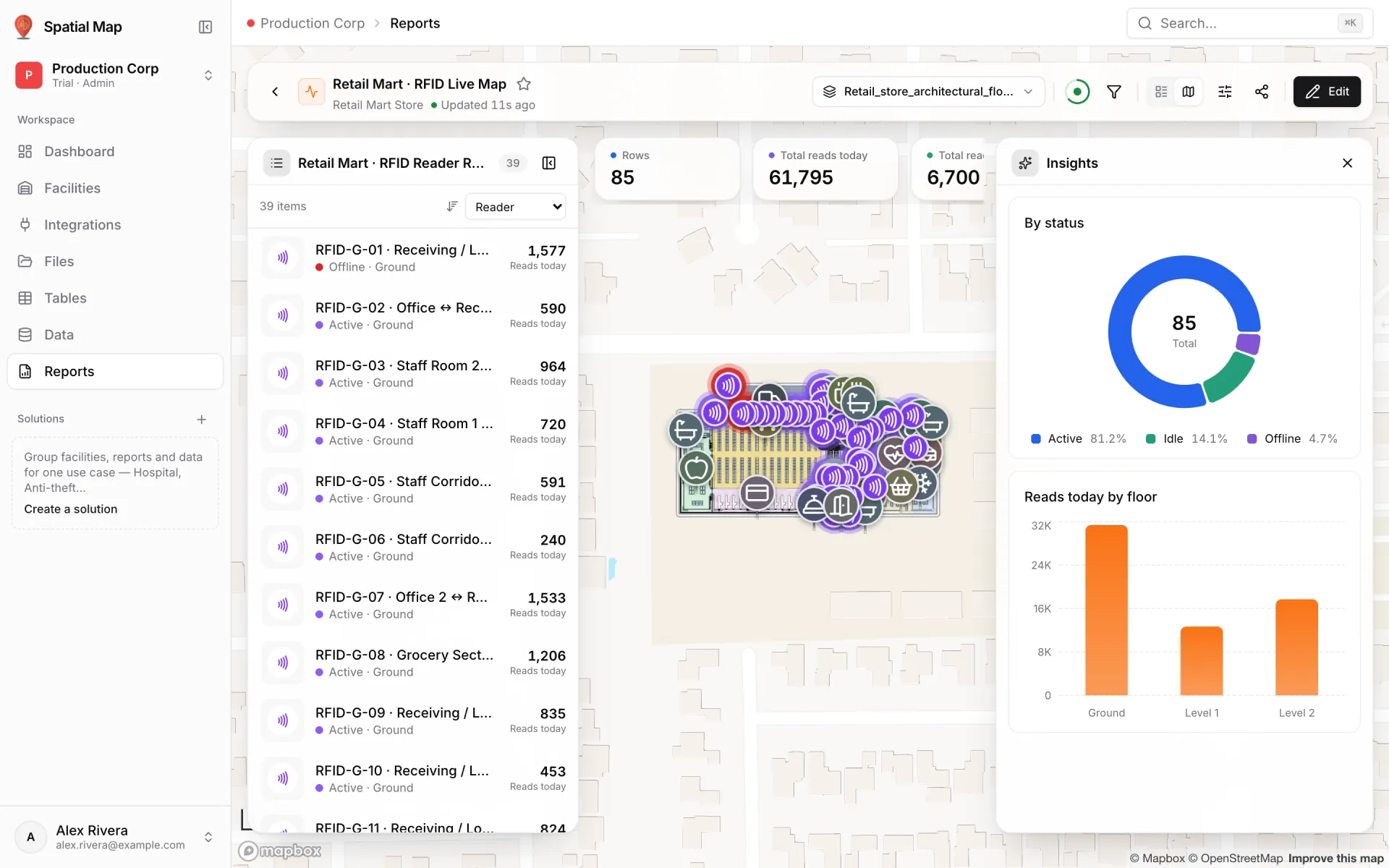
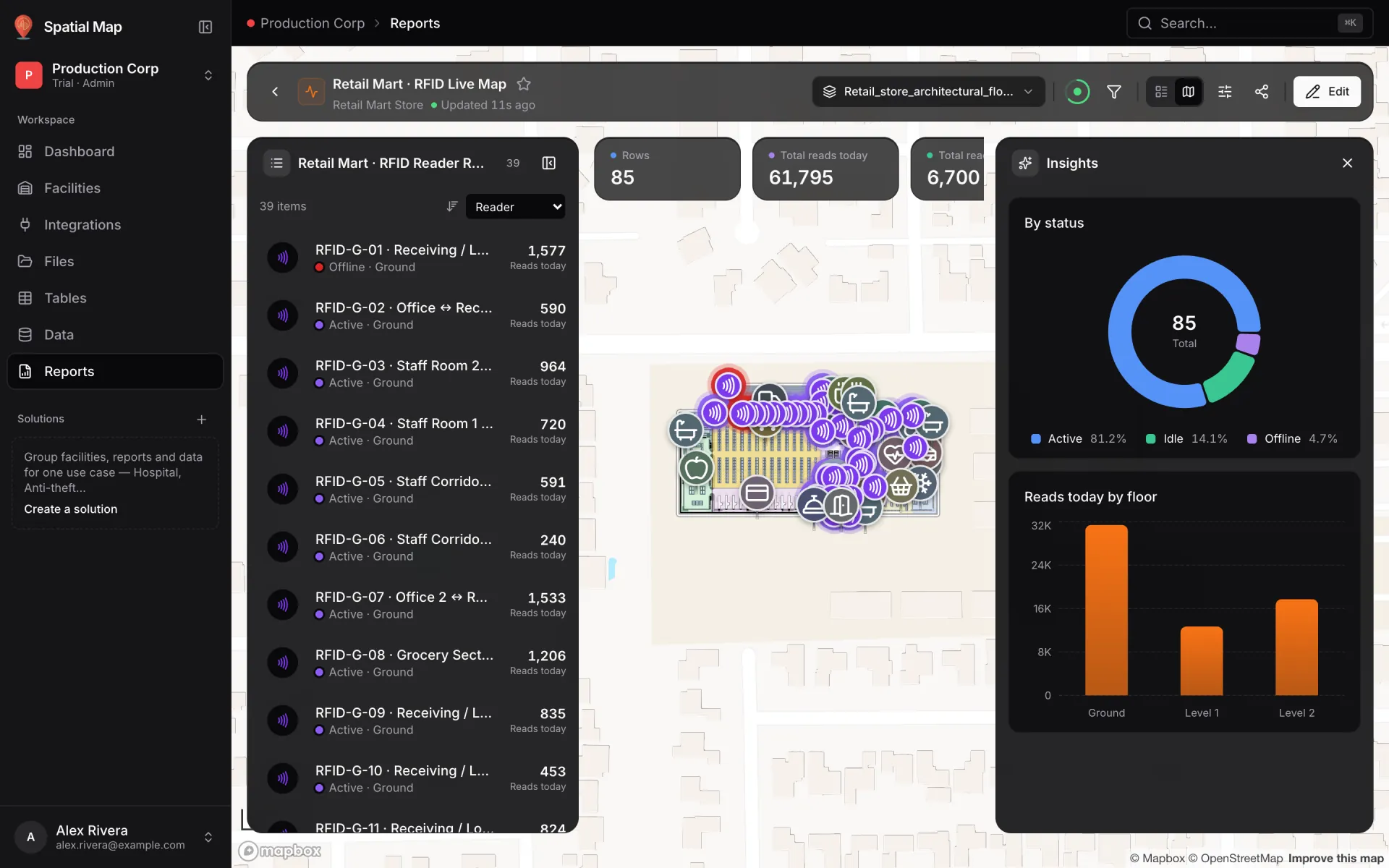
Retail Mart’s RFID Live Map is a full-map report: the store map fills the page, the RFID readers float in a list on the left, the picked record opens on the right, and KPIs and charts float around the map. It starts from the report Spatial Map builds automatically when you link a table to a facility.
Steps
- 1
Link the table first
When you save the first data link on a table, a report named after the table is created for you, with KPIs over its numeric fields, breakdowns by status and floor, and a Facility map & list of its rows. For the reader table that is "RFID Reader Reads" (see RFID gate readers on a retail floor).
- 2
Duplicate it
On Reports, open the generated report’s ⋯ menu and choose Duplicate, so the original stays as it is. Open the copy, click Edit and rename it "RFID Live Map" in Basics.
- 3
Check the map & list widget
In Widgets, open the Facility map & list: pick the facility, set What the list shows to Linked data (the reader table), and choose the Row title and the fields "Shown under each row" (status, floor, reads today). "A full map is built around a facility map & list."
- 4
Switch to Full map
In Layout choose Full map: "The facility map fills the page. Its list floats on the left, the picked record on the right." Under Where each widget goes, put big values in Key numbers, charts in Insights, and anything secondary in Hidden at first. Only KPIs and big values fit the number strip.
- 5
Save and use it
Save from Review & save. Viewers pick a reader in the list to fly to it on the map, or click a marker on the map to find its row. They can switch to the page layout from the header and turn panels on or off; exports and PDFs always use the page layout.
Related
More reports & exports recipes
- Build an operations summary reportBuild a Summary report over your store or site tables: KPI cards for transactions, revenue and staff, plus bar charts of foot traffic and revenue by lane.
- Export a weekly report to PDF and ExcelExport any report as a print-ready PDF and an Excel workbook with real numbers, dates and conditional colours, then share a link to the live version.